User Manual For Cyclone LC Programmers 15
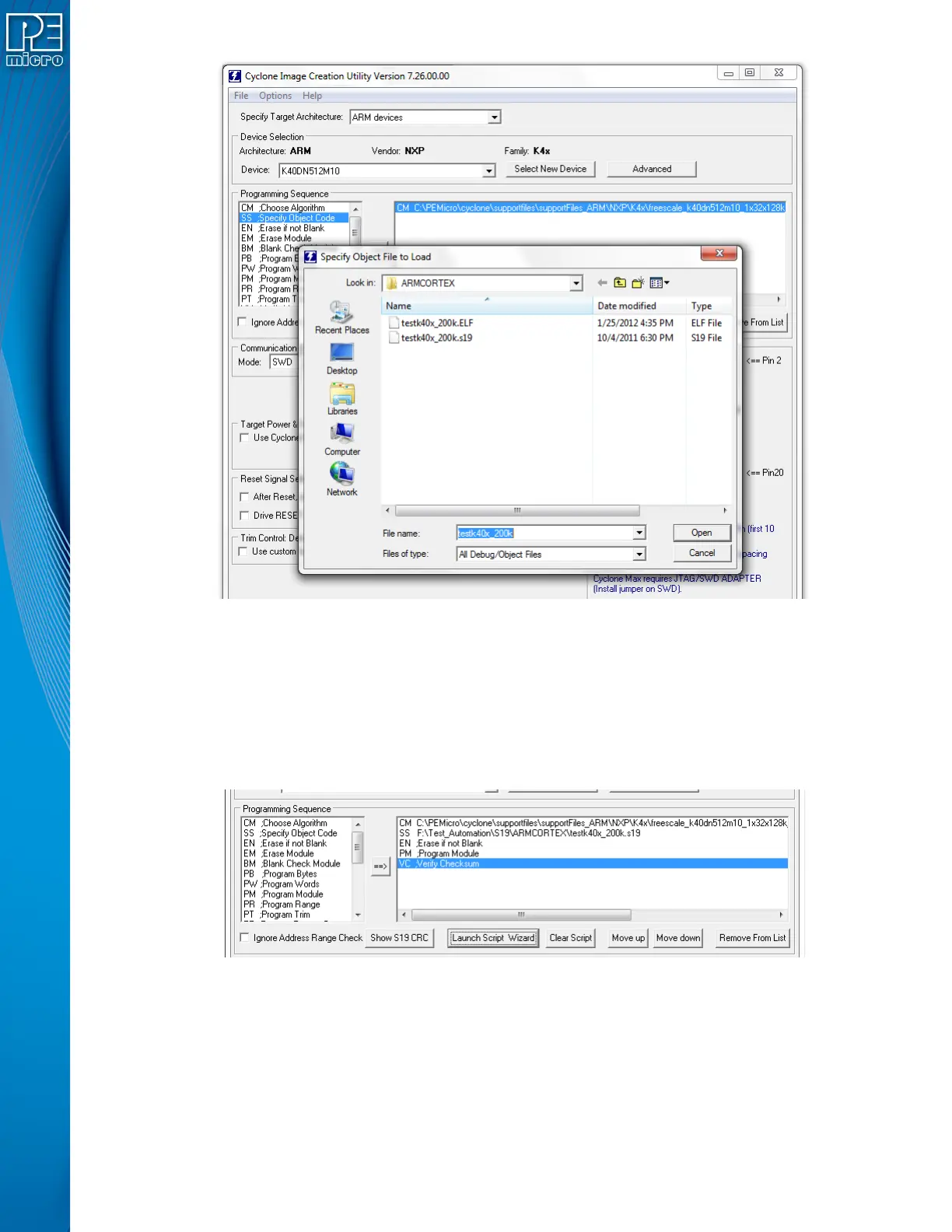
Step 4. Adding Basic Programming Commands
The user should then add other basic programming commands, using the list of commands on the left
side of the Programming Sequence area. The arrow and buttons allow the user to add, remove, and
re-sequence the commands, in the box on the right. As an example, some basic commands might be
• Erase
• Program
• Verify
Note: Launch Script Wizard can also be used to quickly complete Steps 3 and 4.
Step 5. Other Settings
The user should then specify any other settings that the SAP image should contain in order to program
correctly, such as
• Communication SWD vs JTAG
• Shift frequency
• Target Power and Voltage Settings


 To Next Page