User Manual For Cyclone LC Programmers 94
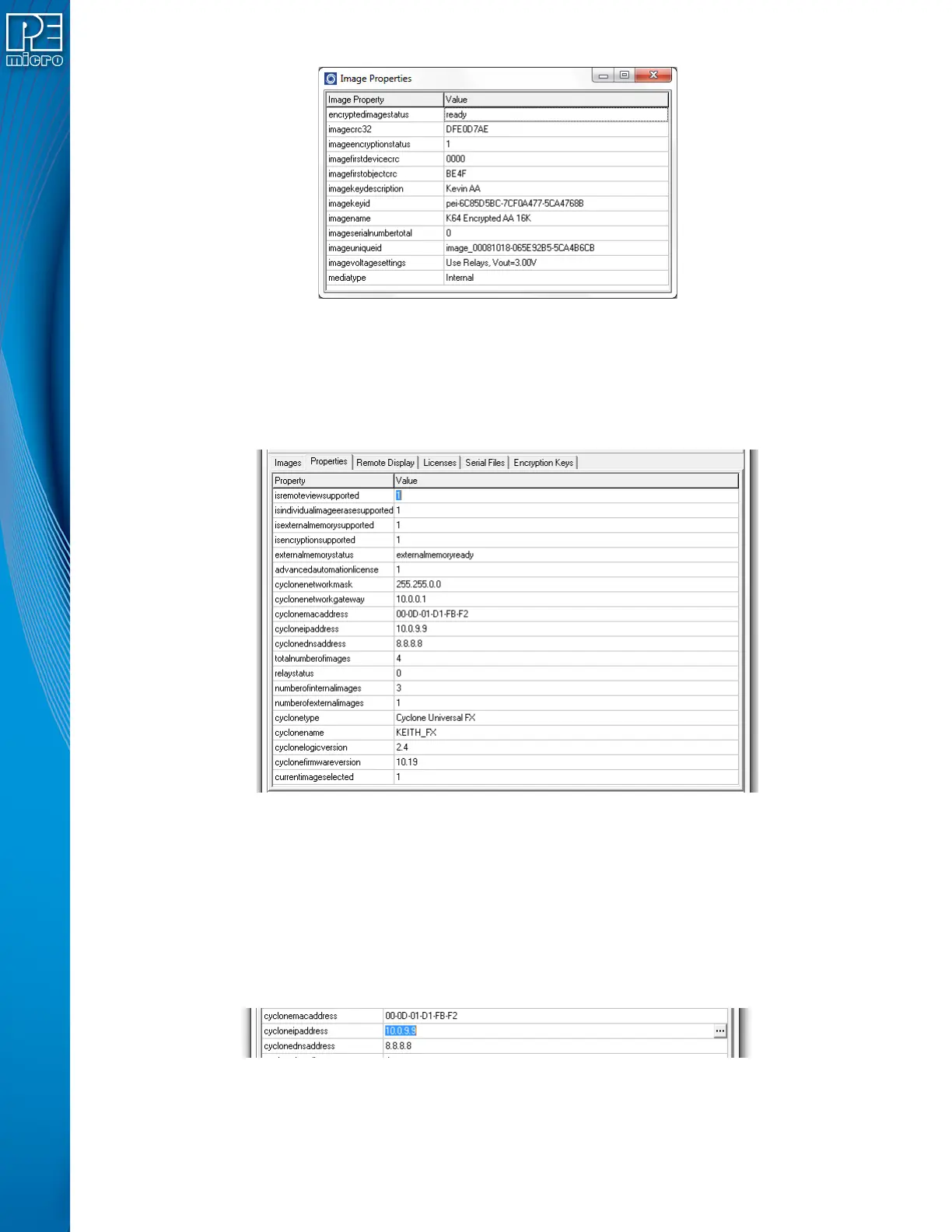
Figure 8-6: Image Properties Window
Properties like the image name, the voltage settings, image CRC, encryption info, and all current
serial numbers can be viewed from this window. Use this feature to make sure your image settings
are correct or check that the serial numbers change accordingly.
8.4.2.2 Properties Tab
Figure 8-7: Properties Tab
The properties tab shows all the network, Cyclone and image properties. It also shows properties
for the supported features of the Cyclone. From this tab the Cyclone firmware and logic versions,
the cyclone type, and the number of images are available. Also from this tab some of the
properties can be modified.
8.4.2.2.1 Modifying A Cyclone Property
Some properties in the Cyclone are modifiable. Only the properties that can be modified will show
three dots to the right of the property when the property is selected.
Figure 8-8: Modifying Cyclone Properties
Clicking on the three dots or double clicking on the property value will bring up an edit window.
Write the new property value and click “OK”, the property window will refresh and the value


 To Next Page