63
STARTER MODE l MEDIA CENTER
Music Player
You can enjoy music on your Marauder
TM
. Make sure to insert a microSD™
card to transfer music files to the Marauder
TM
and listen to them.
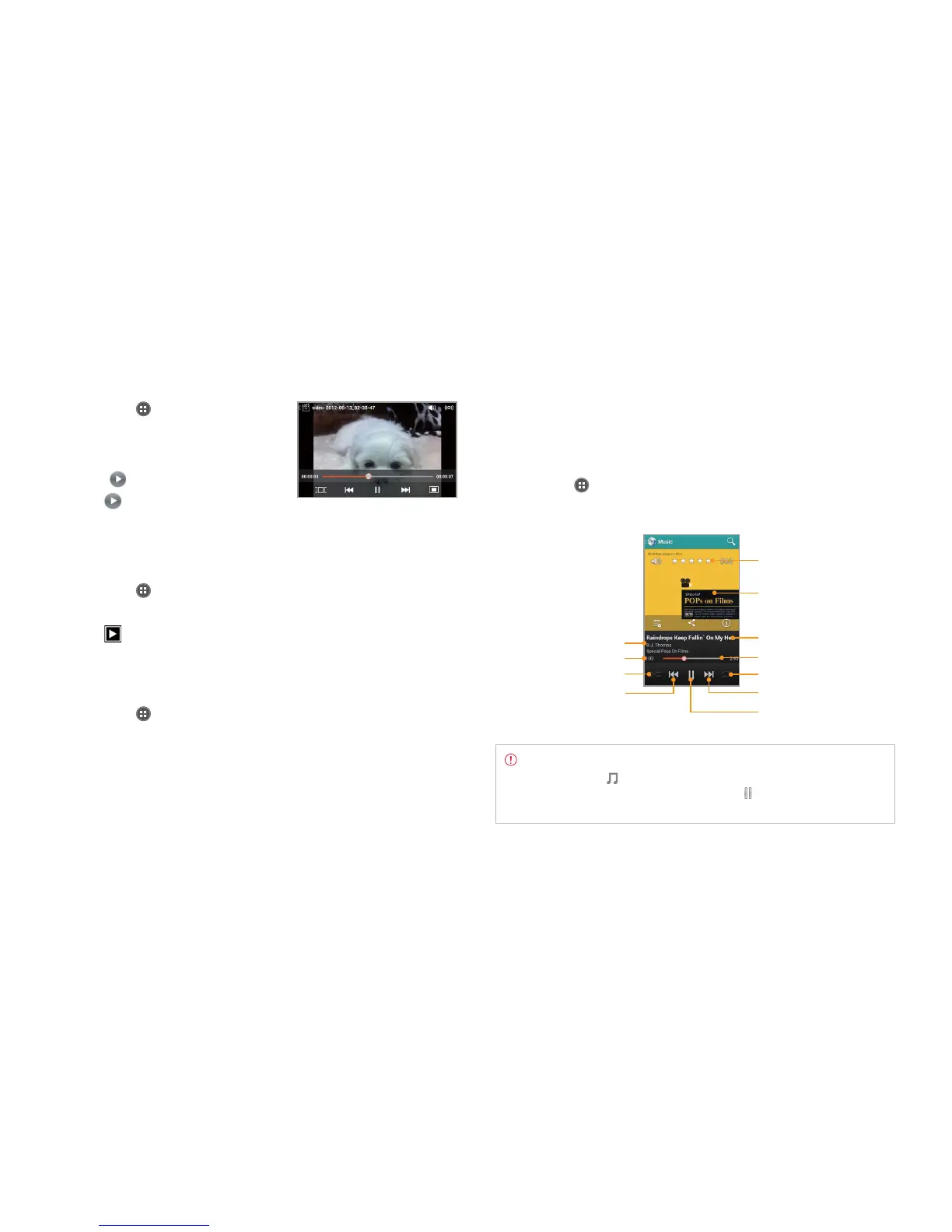
Listening to music
1 Tap Apps from the Home Screen and tap Media > Music Player.
2 Select and tap a file from the list sorted by the alphabetic order.
Song rating
Album cover
Current playing time
Progress bar
Repeating options
Fast-forward, next file
Stop, play current file
Song title
Artist name
Shuffling options
Rewind, previous file
Note Music Player would run in the background if you do not end
the application. in the status bar indicates that music is being
played. Drag the status bar down and tap to stop it or listen to
another music file.
Viewing videos
1 Tap Apps from the Home Screen
and tap Media > Gallery.
2 Select a video to view. Video Player is
run by default to play videos. An item
with
is a video.
3 Tap
to play the video. The screen
turns to the landscape view by
default.
Viewing pictures in a slideshow
1 Tap Apps from the Home Screen and tap Media > Gallery.
2 Select and tap the pictures that you want to view in a slideshow.
3 Tap
.
4 Tap on the screen to stop the slideshow.
Categorizing pictures
1 Tap Apps from the Home Screen and tap Media > Gallery.
2 Tap Albums on the top of the screen and tap the category that you
want to set. You can see pictures by Albums, Locations, Time, People,
or Tags.



 To Next Page