85
STARTER MODE l SETTINGS
Setting GPS
1 Tap Apps from the Home Screen and tap Settings > Wireless &
network.
2 Tap GPS for location services.
3 Set the location services:
x Tap VZW Location Services > Agree for VZW Location Services.
x Tap Standalone GPS Services > Agree for Standalone GPS
Services.
x Tap Google’s location service > Agree for Google’s location
service.
Note If you want to adjust advanced settings for Wireless &
network, tap on the top-right side of the screen, and follow the
instructions.
Mode & applications
Setting to Standard mode
1 Tap Apps from the Home Screen and tap Settings > Mode &
application.
2 Tap Mode change > Standard mode > OK. Remember that many
settings in the Standard mode are different from those of Starter
mode.
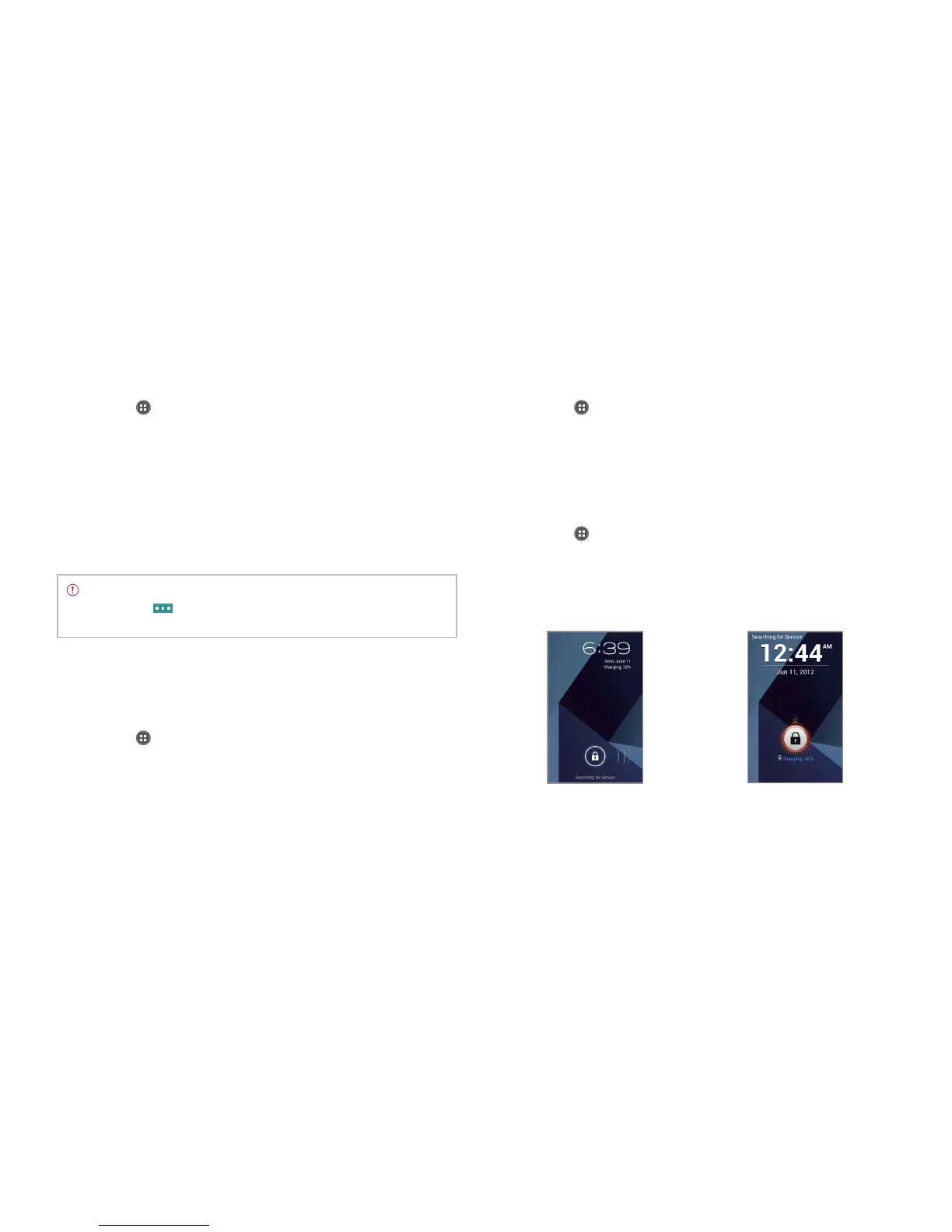
Setting screen lock with slide lock
1 Tap Apps from the Home Screen and tap Settings > Mode &
application.
2 Tap Screen lock > Select screen lock > Slide lock. Once the lock is
set, you can see the selected lock. To unlock the screen, drag the lock
to the right. Or drag the lock to the left to run the camera.
Setting screen lock with simple lock
1 Tap Apps from the Home Screen and tap Settings > Mode &
application.
2 Tap Screen lock > Select screen lock > Simple lock. Once the lock is
set, you can see the selected lock. To unlock the screen, drag the lock
upward to unlock the screen.
Slide lock Simple lock



 To Next Page