5: BASIC Stamp Command Reference – OWOUT
BASIC Stamp Programming Manual 2.0c • www.parallaxinc.com • Page 209
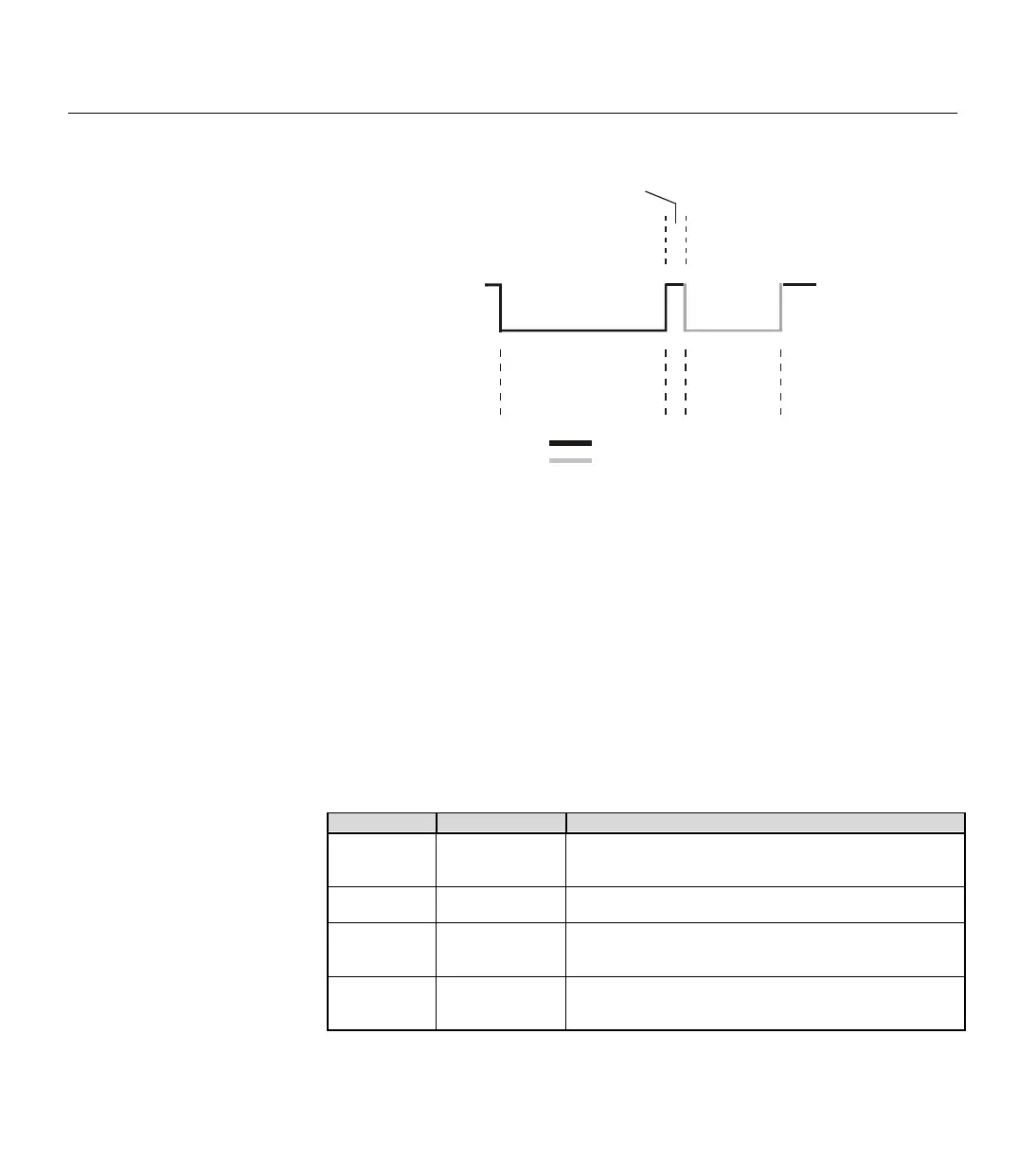
This reset pulse is controlled by the lowest two bits of the Mode argument
in the OWOUT command. It can be made to appear before the ROM
Function Command (ex: Mode = 1), after the Transaction/Data portion (ex:
Mode = 2), before and after the entire transaction (ex: Mode = 3) or not at all
(ex: Mode = 0). See the section on Mode, above, for more information.
Following the Initialization part is the ROM Function Command. The
ROM Function Command is used to address the desired 1-wire device.
Table 5.52 shows common ROM Function Commands. If only a single
1-wire device is connected, the Match ROM command can be used to
address it. If more than one 1-wire device is attached, the BASIC Stamp
will ultimately have to address them individually using the Match ROM
command.
Command Value (in Hex) Action
Read ROM $33
ds the 64-bit ID of the 1-wire device. This command
can only be used if there is a single 1
-wire device on the
Match ROM $55
This command, followed by a 64
-bit ID, allows the BASIC
Stamp to address a specific 1
-wire device.
Skip ROM $CC
1-wire device without its 64-bit ID. This
command can only be used if there is a single 1
-wire
Search ROM $F0
-bit IDs of all the 1-
wire devices on the line. A
process of elimination is used to distinguish each unique
dev
ice.
BASIC Stamp’s
Reset Pulse
Apx. 564 s
µ
Device’s
Presence
Pulse
60 - 240 s
µ
15 - 60 s
µ
driven by BASIC Stamp
driven by 1-wire device
+5 (vdd)
0 (vss)
Figure 5.22: OWOUT Reset and
Presence Pulse.
Table 5.52: OWOUT ROM Function
Commands.



 To Next Page