PGC, Inc. Appendix B; SmartPad version 0.503 Steady State & Programmable
November 2005 B-4
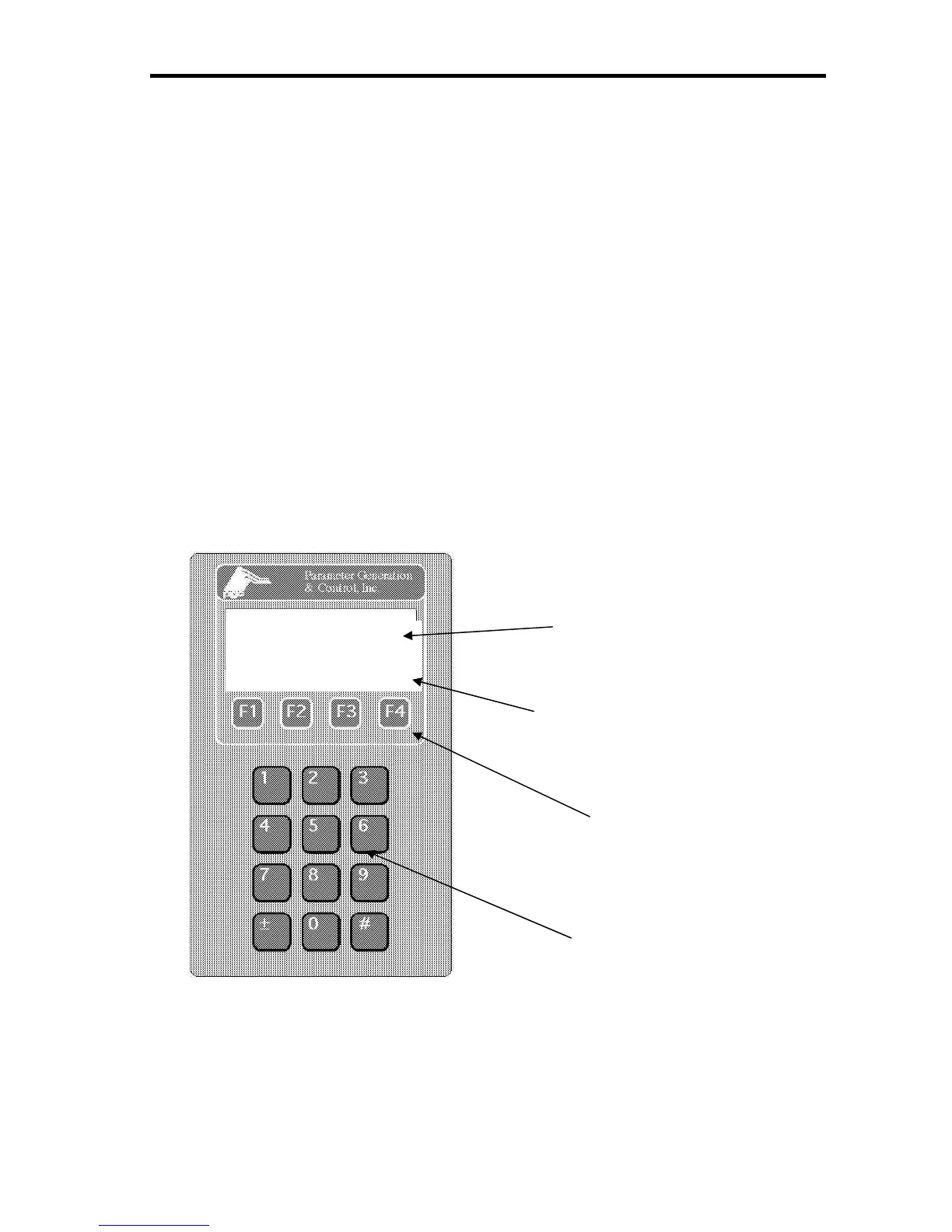
The SmartPad™ control interface is designed to be as user friendly as possible. The basic
purpose of the control system is to provide a display with various screens used for entering the
desired operating conditions for the conditioner, as well as to display the actual conditions
measured by the sensors.
The four function keys perform different tasks depending on the current screen displayed. The
bottom line of the display is used as a programmable label for the function key that is directly
below it. If a key has no function or if the function is disabled, the title is blanked out.
Screen progression charts are provided to help illustrate the screens available in each mode.
There is a chart for each of the four modes, two temperature, cascade, dryer and slow damper
cascade. Many of the screens are available in different modes and have exactly the same
function. Each individual screen discussion will indicate the different options available in the
modes.
Note: There is not an “ENTER” key. A field must be completely filled by entering
numerals from the number pad.
SmartPad™ Control Interface
AIR ACTUAL 23.0°C
RH ACTUAL 50.0%
SP OUT MORE
Data Display
(Top Three Lines)
Function Key Title Line
(Bottom Line)
Function
Key Pad
Number Pad


 To Next Page