InspectRx200 Operator Guide | 1 - InspectRx200 Operator Guide | 14
Note: Each medication needs to be placed in an empty individual bag. This means each
reference image bag may only contain one piece of medication.
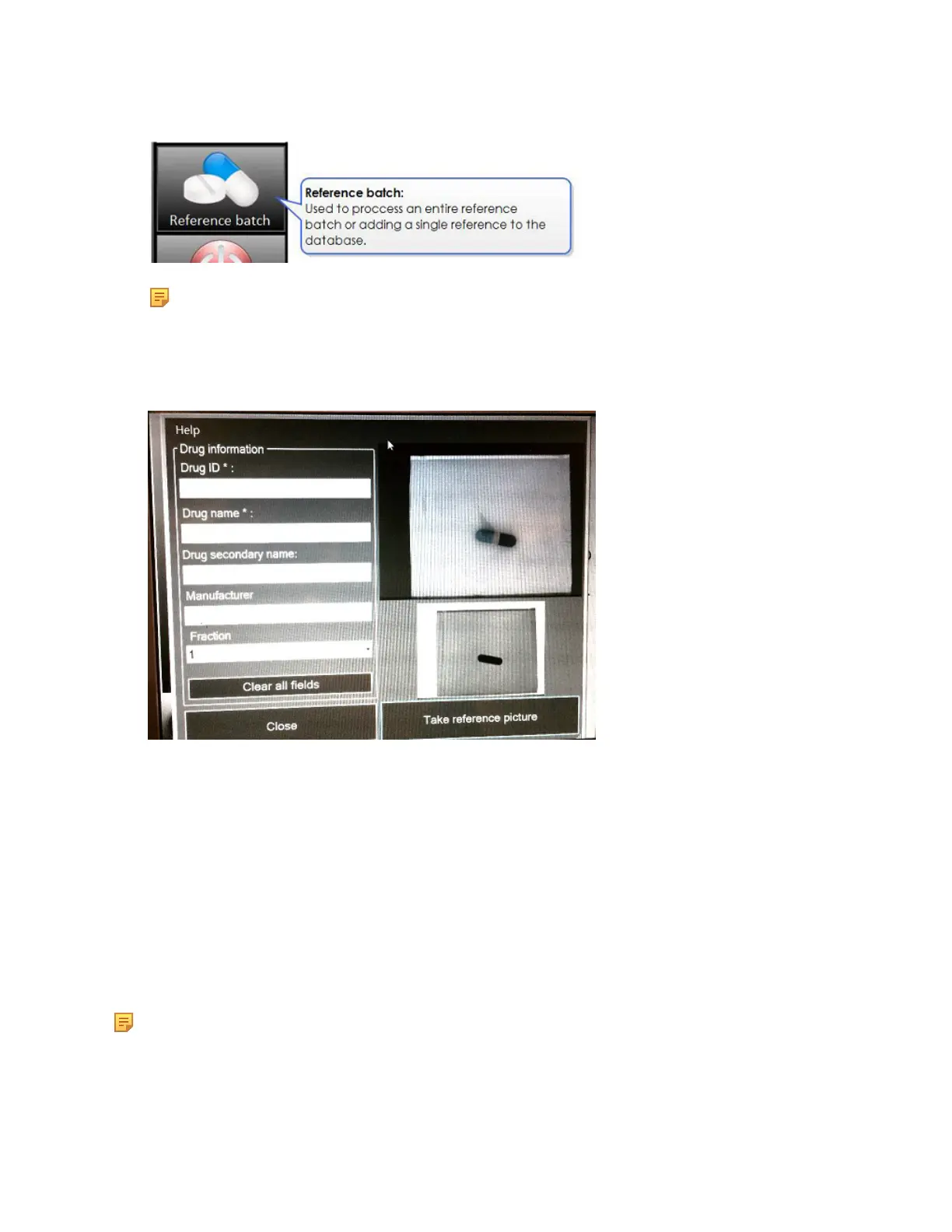
2.
Place the bag containing the medication under the camera, with the white side facing down, (no
text on the bag) and the barcode on the left side.
3. Fill in the required information: Drug ID/ NDC/ DIN, Primary Medication Name, Secondary
Medication Name, Manufacturer and Fraction. Default fraction is “1”, which indicates a whole
pill. Choose the option for pill sizes <1.
4. Select Take Reference Picture.
5. A screen will display with the message: Picture Successfully Taken! Go to the Manager to
activate the reference.
6. Select OK.
7. Go to Manager (ADMIN) to activate the reference image and choose a Mugshot (best image to
display on Viewer screen)
Scan a Reference Batch
Note: During you initial installation, a reference batch will be created and scanned to start your
reference image database.



 To Next Page