InspectRx200 Operator Guide | 2 - InspectRx Preventative Maintenance Guide | 43
8.
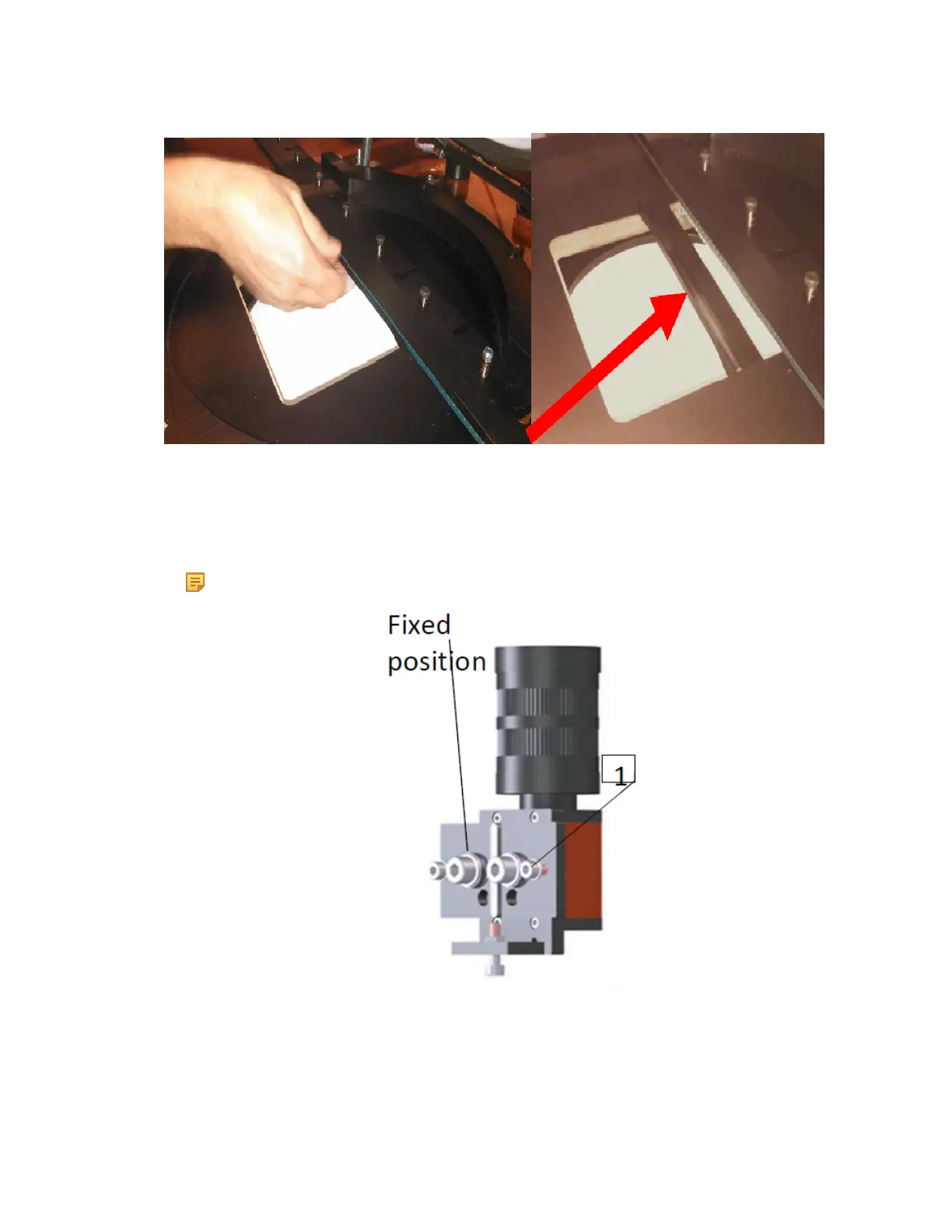
Remove bottom camera
a. The cameras are mounted, together with an adjustment frame, with two M5 hexagon
socketbolts (1) on the outside of the camera frame. The adjustment frame can be
dismounted to allowcamera replacement without altering the alignment.
Note: Do not adjust or loosen the top screw or the two M8 bolts in the middle.
9. Remove the bottom dome
10. Remove the back 2 M5 Allen Headed bolts from the back of the dome bracket.
11.
Remove the front 2 10MM Nuts from the front dome bracket.



 To Next Page