InspectRx200 Operator Guide | 2 - InspectRx Preventative Maintenance Guide | 55
i. load image from uncropped images folder
b. Set cropping lines along perforation edges and with a minimum of 1-2mm of black edging
on thetop and bottom.
c. Cropping edges should be along the perforation between the bags.
d. Select 'OK' to save.
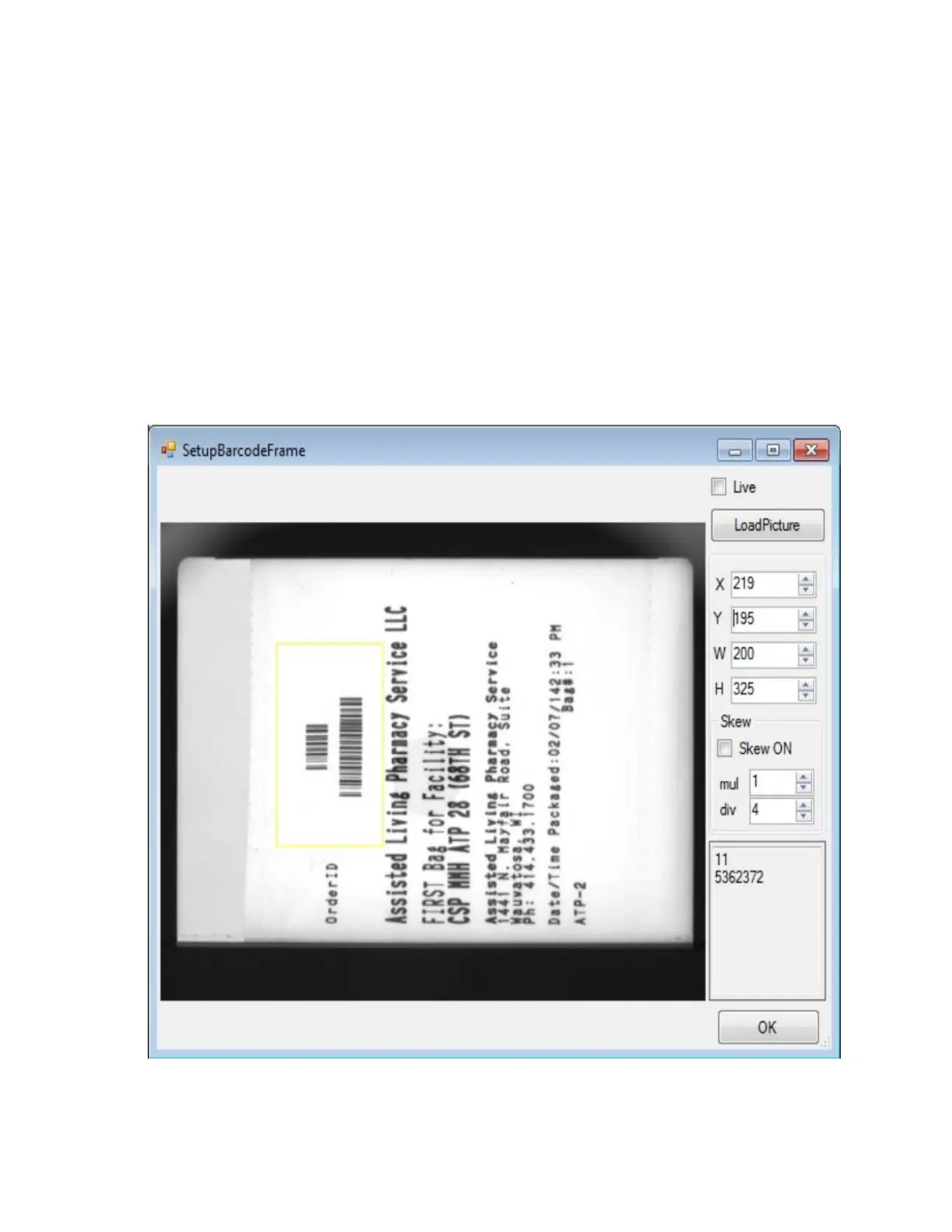
Set barcode frame
1. Select 'ziuz ---- barcode frame'
2. Select 'load image'
3. Load a text side of the bag image into the barcode frame window from the Queue folder.
4. Set values to levels indicated below.
5.
Adjust the x & y values as needed to align barcode frame over the bag number and batchnumber
barcode.
6. Delete all images from the queue folder (leave uncropped images folder’
7. Start the Analyzer.



 To Next Page