EasyManua.ls Logo

Parker Airtek TW 400 - User Manual

Parker Airtek TW 400
53 pages
Print Icon
To Next Page IconTo Next Page
Loading...
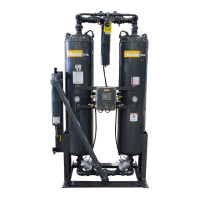
HEATLESS DESICCANT
COMPRESSED AIR DRYER
MODEL’S 75 - 6000
S/N
INSTALLATION, OPERATION
& MAINTENANCE MANUAL
Service Department
1-800-451-6023

Questions and Answers

  • R
    Ronald LeonardAug 19, 2025
    Why is my Parker Dehumidifier not turning on (no lights)?
    • L
      Lauren CruzAug 19, 2025
      Your Parker Dehumidifier might not be turning on because of a blown control fuse (replace the fuse), no power supply (apply correct power), or an inoperative solid state controller (replace the controller).
  • J
    Jay LaraAug 21, 2025
    What to do if Parker Dehumidifier has excessive pressure drop?
    • C
      Christopher PowellAug 21, 2025
      If your Parker Dehumidifier has an excessive pressure drop, the pre-filter is likely dirty (replace the element), the afterfilter is dirty (replace the element), or the desiccant is dirty (replace the desiccant).
  • S
    samanthayoungAug 26, 2025
    What to do if Parker Dehumidifier lights are on, but the dryer doesn't switch?
    • J
      James ParksAug 26, 2025
      If the lights are on but your Parker Dehumidifier isn't switching, it could be due to a control air shutoff (open the valve), the dryer being in PowerLoc, CycleLoc, or ProPurge mode, or the dryer not being in a 100% load cycle (check the setting). For PowerLoc, CycleLoc, or ProPurge modes consult pages 9-10.
  • M
    Matthew HughesAug 28, 2025
    How to fix excessive air loss on the regenerating tower of Parker Dehumidifier?
    • O
      Olivia ContrerasAug 28, 2025
      Excessive air loss on the regenerating tower of your Parker Dehumidifier could be due to: * Purge set too high (check specifications and adjust). * Repressurization solenoid leaking (repair or replace). * Inlet valve leaking or not functioning (repair or replace). * Leaking or inoperative control solenoid (repair or replace). * Defective controller (repair or replace).
  • J
    jlopezAug 30, 2025
    Why Parker Dehumidifier unit does not fully repressurize?
    • L
      Laura BrownAug 30, 2025
      If your Parker Dehumidifier unit does not fully repressurize, it could be due to a purge rate that is too low (adjust purge), leaking exhaust valves (see above), a faulty repressurization solenoid (replace solenoid), or a plugged purge or repressurization orifice.
  • A
    April EllisSep 2, 2025
    How to eliminate back pressure in regenerating tower in Parker Dehumidifier?
    • M
      Melinda SchmittSep 2, 2025
      To eliminate back pressure in the regenerating tower of your Parker Dehumidifier, you should check for clogged mufflers (clean, repair, or replace), leaking check valves (clean, repair, or replace), a purge flow that is too high (adjust), or no output from the controller (replace fuse or controller).
  • N
    Nicholas SandovalSep 4, 2025
    What causes inlet or exhaust valves not functioning in Parker Dehumidifier?
    • A
      Alexander SimmonsSep 4, 2025
      Inlet or exhaust valves not functioning on your Parker Dehumidifier can be caused by bad diaphragms or O-rings (rebuild valves available kits or replace), no control air (see below), defective control solenoids (repair or replace), or no output from the controller (repair or replace).
  • J
    John WintersSep 6, 2025
    What to do if the exhaust valve on drying or repressurizing tower is leaking in Parker Dehumidifier?
    • W
      williamsbrettSep 6, 2025
      If the exhaust valve on the drying or repressurizing tower of your Parker Dehumidifier is leaking, it could be because the valve is dirty (clean valve), the diaphragms or O-rings are defective (repair or replace), or the control solenoid is leaking (repair or replace).
  • J
    Jennifer RiveraSep 8, 2025
    How to troubleshoot no control air at inlet or exhaust valves in Parker Dehumidifier?
    • H
      Hector MartinezSep 9, 2025
      If there's no control air at the inlet or exhaust valves of your Parker Dehumidifier, check if the control air shutoff valve is closed (open it), the control air filter is dirty (replace element), there's a leak in the control air tubing (repair), the control solenoid is defective (repair or replace), or there's no output from the controller (replace fuse or controller).
  • V
    Victor OrtizSep 12, 2025
    What causes Parker Dehumidifier failure to switch?
    • T
      Tracey WoodSep 12, 2025
      A failure to switch in your Parker Dehumidifier can be caused by a time delay setting that is too short (adjust properly, Failure to Switch option only!). It may also be related to the dryer not operating (see above).

Summary

Section 1 Installation and Inspection

Installation Requirements

Ensure piping and electrical connections are intact; correct installation is vital for warranty.

Recommended Installation Diagram

Details minimum and ideal installation requirements including piping, filters, and drains.

Section 2 Safety and System Precautions

General Safety Procedures

Use caution, relieve pressure, disconnect power before servicing, and handle desiccant with care.

Section 3 General Operation

Section 4 Sequence of Operation

Section 5 Start Up

Operation Without Mufflers Warning

Warning about operating without mufflers; requires PPE due to noise and dust.

Section 6 Operational Notes

Service Safety Reminder

Reminder to always relieve pressure before servicing dryer or filters.

Section 7 Shutdown Procedures

Dryer Isolation Steps

Steps for safely isolating the dryer, including repressurization and power removal.

Dryer Depressurization Steps

Procedures for depressurizing the dryer, including valve operations and power disconnection.

Section 8 Demand Cycles

Demand Cycle Overview and Benefits

Introduction to demand cycles (Cycle Loc, Pro Purge, Powerloc) for improved efficiency.

Cycle Loc Feature Explanation

Details on the Cycle Loc feature for interfacing the dryer with an air compressor.

Section 9 Maintenance Program

Section 10 Desiccant Replacement

Desiccant Dust Safety Precautions

Safety caution regarding desiccant dust and necessary precautions.

Section 10 Inlet and Exhaust Valve Repair

Dryer Shutdown for Valve Repair

Steps to safely shut down the dryer before performing valve repairs.

Section 11 Trouble Shooting Guide

Dryer Not Operating - No Lights Issue

Troubleshooting steps for a dryer that fails to power on or show lights.

Dryer Not Operating - No Switching Issue

Troubleshooting steps for a dryer with power but not cycling or switching.

Failure to Switch Troubleshooting

Diagnosing and resolving issues when the dryer fails to switch between cycles.

Outlet Dewpoint Troubleshooting

Identifying causes and solutions for high outlet dew point in the dried air.

Downstream Moisture Troubleshooting

Troubleshooting moisture detected downstream of the dryer.

Regenerating Tower Air Loss Troubleshooting

Diagnosing and fixing excessive air loss during the tower regeneration phase.

Leaking Exhaust Valves Troubleshooting

Diagnosing and resolving leaks in exhaust valves during drying or repressurization.

Excessive Pressure Drop Troubleshooting

Identifying causes and solutions for an excessive pressure drop across the dryer system.

Incomplete Repressurization Troubleshooting

Troubleshooting why the dryer unit may not fully repressurize its towers.

Regenerating Tower Back Pressure Troubleshooting

Identifying and resolving back pressure issues within the regenerating tower.

Inlet;Exhaust Valve Malfunction Troubleshooting

Troubleshooting inlet or exhaust valves that are not functioning correctly.

Control Air Supply Troubleshooting

Diagnosing problems with the control air supply to the inlet and exhaust valves.

Solenoid Exhaust Port Bleed Troubleshooting

Troubleshooting constant bleed from control solenoid exhaust ports.

Inlet Vent Bleed Troubleshooting

Troubleshooting constant bleed from the vent on the inlet.

Section 16 PowerLoc System

PowerLoc Quick-Start Guide

Step-by-step guide for the initial setup of dryers equipped with the Powerloc system.

PowerLoc Probe Mounting Instructions

Instructions for correctly mounting the Powerloc sensor probe, including orientation and fittings.

PowerLoc System Troubleshooting

Troubleshooting common issues with the Powerloc system, such as blank display or probe faults.

Section 18 Warranty

Warranty Claim Procedure Steps

Steps for initiating a warranty claim and providing essential information to the factory.

Parker Airtek TW 400 Specifications

General IconGeneral
BrandParker
ModelAirtek TW 400
CategoryDehumidifier
LanguageEnglish

Related product manuals