EasyManua.ls Logo

Parker Airtek TW 770 - User Manual

Parker Airtek TW 770
53 pages
Print Icon
To Next Page IconTo Next Page
Loading...
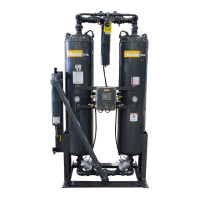
HEATLESS DESICCANT
COMPRESSED AIR DRYER
MODEL’S 75 - 6000
S/N
INSTALLATION, OPERATION
& MAINTENANCE MANUAL
Service Department
1-800-451-6023

Questions and Answers

  • P
    Patrick DuncanAug 19, 2025
    Why is my Parker Dehumidifier not turning on (no lights)?
    • C
      Christina VillaSep 12, 2025
      Your Parker Dehumidifier might not be turning on because of a blown control fuse (replace the fuse), no power supply (apply correct power), or an inoperative solid state controller (replace the controller).
  • K
    Kevin HollandAug 21, 2025
    What to do if Parker Dehumidifier has excessive pressure drop?
    • B
      Brandon JacksonAug 21, 2025
      If your Parker Dehumidifier has an excessive pressure drop, the pre-filter is likely dirty (replace the element), the afterfilter is dirty (replace the element), or the desiccant is dirty (replace the desiccant).
  • P
    Philip CooperAug 26, 2025
    What to do if Parker Dehumidifier lights are on, but the dryer doesn't switch?
    • T
      Travis CookAug 26, 2025
      If the lights are on but your Parker Dehumidifier isn't switching, it could be due to a control air shutoff (open the valve), the dryer being in PowerLoc, CycleLoc, or ProPurge mode, or the dryer not being in a 100% load cycle (check the setting). For PowerLoc, CycleLoc, or ProPurge modes consult pages 9-10.
  • V
    Victoria MccormickAug 28, 2025
    How to fix excessive air loss on the regenerating tower of Parker Dehumidifier?
    • S
      Sydney JonesAug 28, 2025
      Excessive air loss on the regenerating tower of your Parker Dehumidifier could be due to: * Purge set too high (check specifications and adjust). * Repressurization solenoid leaking (repair or replace). * Inlet valve leaking or not functioning (repair or replace). * Leaking or inoperative control solenoid (repair or replace). * Defective controller (repair or replace).
  • C
    Chad BlackburnAug 30, 2025
    Why Parker Dehumidifier unit does not fully repressurize?
    • C
      Christian BurtonAug 30, 2025
      If your Parker Dehumidifier unit does not fully repressurize, it could be due to a purge rate that is too low (adjust purge), leaking exhaust valves (see above), a faulty repressurization solenoid (replace solenoid), or a plugged purge or repressurization orifice.
  • C
    Cameron FoxSep 2, 2025
    How to eliminate back pressure in regenerating tower in Parker Dehumidifier?
    • N
      Nancy SalinasSep 2, 2025
      To eliminate back pressure in the regenerating tower of your Parker Dehumidifier, you should check for clogged mufflers (clean, repair, or replace), leaking check valves (clean, repair, or replace), a purge flow that is too high (adjust), or no output from the controller (replace fuse or controller).
  • T
    Thomas BennettSep 4, 2025
    What causes inlet or exhaust valves not functioning in Parker Dehumidifier?
    • R
      Robert FarrellSep 4, 2025
      Inlet or exhaust valves not functioning on your Parker Dehumidifier can be caused by bad diaphragms or O-rings (rebuild valves available kits or replace), no control air (see below), defective control solenoids (repair or replace), or no output from the controller (repair or replace).
  • W
    whunterSep 6, 2025
    What to do if the exhaust valve on drying or repressurizing tower is leaking in Parker Dehumidifier?
    • G
      gramirezSep 6, 2025
      If the exhaust valve on the drying or repressurizing tower of your Parker Dehumidifier is leaking, it could be because the valve is dirty (clean valve), the diaphragms or O-rings are defective (repair or replace), or the control solenoid is leaking (repair or replace).
  • M
    Melissa DiazSep 8, 2025
    How to troubleshoot no control air at inlet or exhaust valves in Parker Dehumidifier?
    • M
      matthew67Sep 8, 2025
      If there's no control air at the inlet or exhaust valves of your Parker Dehumidifier, check if the control air shutoff valve is closed (open it), the control air filter is dirty (replace element), there's a leak in the control air tubing (repair), the control solenoid is defective (repair or replace), or there's no output from the controller (replace fuse or controller).
  • M
    Madison AverySep 12, 2025
    What causes Parker Dehumidifier failure to switch?
    • K
      krista04Sep 12, 2025
      A failure to switch in your Parker Dehumidifier can be caused by a time delay setting that is too short (adjust properly, Failure to Switch option only!). It may also be related to the dryer not operating (see above).

Summary

SECTION 1 Installation and Inspection

INSPECTION

Factory testing, arrival inspection, and damage reporting procedures.

Installation

General notes on piping, electrical connections, and installation warnings.

SECTION 2 Safety and System Precautions

Safety and System Precautions

Essential safety measures, PPE, and handling of desiccant and condensate.

SECTION 3 General Operation

General Operation

Explanation of adsorption principle and basic dryer operation.

SECTION 4 Sequence of Operation

STEP 1- LEFT DRYING; RIGHT REGENERATING

Detailed description of the initial drying and regeneration cycle steps.

STEP 2 - LEFT DRYING, RIGHT REPRESSURIZING

Steps for repressurizing the regenerating tower before switching.

STEP 3 - LEFT REGENERATING, RIGHT DRYING

Description of the reverse cycle where the left tower regenerates.

STEP 4 - LEFT REPRESSURIZING, RIGHT DRYING

Steps for repressurizing after regeneration before switching.

Section 5 Start Up

Start Up Procedure

Step-by-step guide for safely starting the dryer, including pre-checks and initial power-up.

CAUTION: USE EAR AND EYE PROTECTION WHEN OPERATING DRYER WITHOUT MUFFLERS

Critical warning regarding noise and airborne particles during initial startup without mufflers.

Section 7 Shutdown Procedures

Isolation

Steps for safely isolating the dryer for maintenance or shutdown.

Section 9 Maintenance Program

Daily Maintenance

Routine checks to be performed daily for optimal dryer performance.

Desiccant Replacement

Procedure for safely replacing desiccant material in the dryer.

Section 11 Trouble Shooting Guide

Dryer Not Operating (No Lights On)

Troubleshooting steps for a dryer with no power or indicators.

Dryer Not Operating (Lights On, Dryer does not switch)

Steps to diagnose a dryer that powers on but fails to cycle.

Failure to Switch

Identifies causes and solutions for the dryer failing to switch between towers.

Outlet Dewpoint

Addresses issues related to the dryer's dew point performance.

Moisture Downstream

Troubleshooting for excess moisture in the output air.

Excessive Air Loss on Regenerating Tower

Diagnosing and resolving air leaks in the regenerating tower.

Exhaust Valve on Drying or Repressurizing Tower Leaking

Troubleshooting leaking exhaust valves during drying or repressurization.

Section 12 Wiring Diagrams

Wiring Diagrams

Diagrams illustrating the electrical connections for the dryer controls.

Section 16 PowerLoc System

Quick-Start for Dryers Equipped with Powerloc

Initial setup and startup guide for dryers with the Powerloc system.

Troubleshooting

Common issues and solutions for the Powerloc system, like blank display.

Section 18 Warranty

Warranty Procedure

Steps to follow when initiating a warranty claim or service request.

Parker Airtek TW 770 Specifications

General IconGeneral
BrandParker
ModelAirtek TW 770
CategoryDehumidifier
LanguageEnglish

Related product manuals