K3.1.142k Manual NitroFlow Lab - 29 -
9 Maintenance
9.1 Maintenance schedule
Part Action Frequency
Filters Replace carbon adsorber
x 1x per year
Oxygen sensor Replace oxygen sensor
x 1x per 3 years
Oxygen sensor Calibrate oxygen sensor
x 1x 3 months
Table 9-1: Maintenance schedule
9.2 Calibrate oxygen sensor
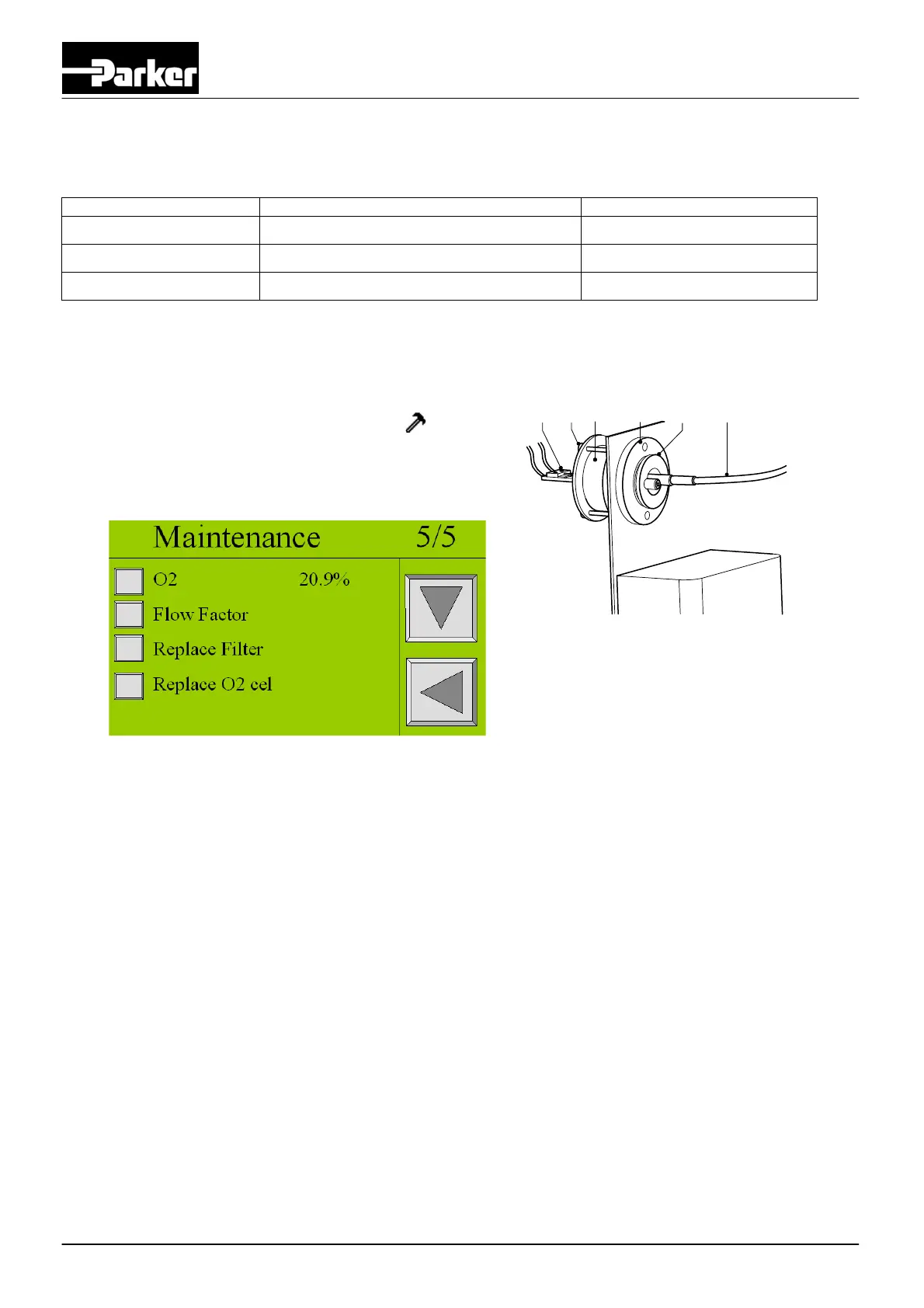
1. Remove the sensor cap (E) and expose the sensor to ambient air.
2. Wait for 60 seconds.
3. Then enter again the maintenance menu
, screen
3/5 wait until the oxygen level is stable.
4. Then go to screen 5/5 and touch O2 20.9% button.
The system will ask for confirmation. Select YES.
5. Reconnect the tube (F) and the sensor cap (E) with the sensor (C).
9.3 Cleaning
Clean the equipment with a damp cloth only and avoid excessive moisture around any electrical sockets. If
required you may use a mild detergent, however do not use abrasives or solvents as they may damage the
warning labels on the equipment.
AB
C
D E F
Fig. 9-8: Calibrate oxygen sensor


 To Next Page