EasyManua.ls Logo

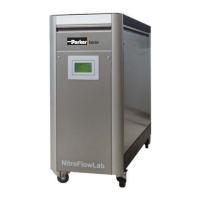
Parker NitroFlow Lab - User Manual

Parker NitroFlow Lab
53 pages
Print Icon
To Next Page IconTo Next Page
Loading...
K3.1.142e Manual NitroFlow Lab.1 - 1 -
USER MANUAL
NitroFlow
®
Lab
NITROGEN GENERATOR
Parker Filtration & Separation B.V.
PO Box 258
4870 AG - Etten-Leur
The Netherlands
Tel: +31 (0)76-508 53 00
Fax: +31 (0)76-508 53 33
E-mail: pfsinfo@parker.com
www.parker.com/pfs

Other manuals for Parker NitroFlow Lab

Questions and Answers

  • B
    bknappAug 15, 2025
    Why is the nitrogen delivery too low on my Parker Portable Generator?
    • A
      Arthur DunlapAug 16, 2025
      If the nitrogen delivery from your Parker Portable Generator is too low or absent, several factors could be at play. First, ensure the NitroFlow Lab is switched on. Then, examine the ambient temperature; if it's too high, try to lower it and verify that there's enough clearance between the NitroFlow Lab and any walls. Inspect the inlet carbon adsorber filter for pollution and replace it if necessary. Check the nitrogen outlet line for any blockages and clear them. Finally, look for leaks in the piping and fix them.
  • L
    Lindsay KingAug 18, 2025
    What to do if the residual oxygen content is too high in Parker Portable Generator?
    • G
      gilbertanthonyAug 18, 2025
      If the residual oxygen content is too high in your Parker Portable Generator, it might be due to the pressure in the nitrogen storage vessel exceeding 8 bar(g) because of an incorrect pressure switch setting; in this case, reset the pressure switch levels. Alternatively, if the ambient temperature is lower than normal, increase the temperature or readjust the purity as described in section 7.3.
  • A
    adam45Aug 21, 2025
    How to fix a Parker Portable Generator that won't start and has no display?
    • J
      Joshua PetersAug 21, 2025
      If your Parker Portable Generator won't start and there's no display, first, make sure the main switch is turned ON and then push the power switch ON. If that doesn't work, check the electrical panel circuit breaker to ensure there's power to the supply outlet.
  • A
    alanwilliamsAug 25, 2025
    What to do if my Parker Inverter has no start and no display?
    • C
      cheryllambAug 25, 2025
      If your Parker Inverter isn't starting and the display is blank, first ensure the main switch is turned ON and then push the power switch to the ON position. Also, check the electrical panel circuit breaker to confirm there's power to the supply outlet.
  • M
    Mr. Daniel Smith DDSAug 27, 2025
    Why is the residual oxygen content too high in my Parker Inverter?
    • C
      Christopher BullockAug 27, 2025
      If the residual oxygen content is too high in your Parker Inverter, it could be due to several reasons. First, check if the pressure in the nitrogen storage vessel exceeds 8 bar(g) because of an incorrect pressure switch setting and reset the pressure switch levels. Also, if the ambient temperature is lower than normal, increase the temperature or readjust the purity. A change in the purity setting over time may also be the cause, so readjust the purity. Finally, inspect the piping for any leaks.
  • A
    allison59Aug 30, 2025
    What to do if the nitrogen delivery is too low or absent in my Parker Inverter?
    • J
      John FrankAug 30, 2025
      If the delivery of nitrogen is too low or absent from your Parker Inverter, there are several potential causes. Ensure the ambient temperature is not too high; lower it if possible and verify sufficient clearance around the generator. Check for any leaks in the piping and ensure the nitrogen outlet line is not blocked. If the generator is switched off, switch it on. For inlet carbon adsorber filter or temperature issues, contact Parker for service.
  • M
    Matthew ThompsonSep 2, 2025
    Why does my Parker Inverter shut down and go to stand-by?
    • B
      Brenda JonesSep 2, 2025
      If your Parker Inverter shuts down and goes to stand-by mode, it might be due to reaching the pressure limit setting, if that option is activated. Reset the pressure switch limits or deactivate the option.
  • E
    Erin CoxSep 6, 2025
    What to do if Parker Inverter has no start and no display?
    • M
      Michael TaylorSep 6, 2025
      If your Parker Inverter does not start and there is no display, first ensure the main switch is turned ON and then push the power switch ON. Also, check the electrical panel circuit breaker to ensure there is power to the supply outlet.
  • A
    Adam JohnsonSep 8, 2025
    What to do if the delivery of nitrogen is too low or absent in Parker Inverter?
    • K
      Kevin LeblancSep 9, 2025
      If the nitrogen delivery from your Parker Inverter is too low or absent, consider the following potential causes: * The ambient temperature might be too high; try to lower it and ensure sufficient clearance around the generator. * Check if the nitrogen outlet line is blocked and open it. * Inspect the piping for any leaks. If these steps don't resolve the issue, it may be due to a polluted inlet carbon adsorber filter or high temperature. In such instances, contact Parker for service.
  • H
    houseronaldSep 12, 2025
    Why does my Parker Inverter generator shut down and go to stand-by?
    • A
      Angela SpencerSep 12, 2025
      Your Parker Inverter generator might be shutting down and going to stand-by mode because it has reached the pressure limit setting, if that option is activated. You can try resetting the pressure switch limits or deactivating the option.

Summary

Introduction and General Information

General Information and Contact

Provides an overview of the manual, product, contact details, and disclaimers.

Pictograms and Identification

Explains common pictograms and details product identification and service contact.

Certificates and Service Information

Lists compliance certificates and provides contact details for service and technical assistance.

Usage, User Instructions, and Liability

Defines intended use, user qualifications, and liability conditions.

Health, Safety, and Environmental Aspects

General Safety Precautions

General advice on correct use, reading the manual, and contacting the supplier for issues.

Specific Hazards

Discusses hazards of nitrogen, oxygen-enriched air, and electrical risks.

Electrical Safety

Details electrical safety precautions, stating only qualified personnel should perform electrical work.

General Safety Precautions

Covers ventilation, peripheral equipment installation, and regular maintenance for safe operation.

Environmental Considerations

Discusses disposal of parts, recyclability, and energy consumption.

Appliance Description

General Overview

General description of how the NitroFlow Lab separates compressed air into nitrogen and oxygen-enriched air.

Separation Principle

Explains the gas separation process using hollow fibre membranes based on diffusion rates.

Parts Identification

Identifies and lists the various components of the NitroFlow Lab with labels.

Process Diagrams

Illustrates connection configurations and internal process flow with diagrams.

Process Scheme

Details the internal process flow with a schematic diagram and component list.

Technical Specifications

General Specifications

Lists delivery pressure, ambient conditions, dimensions, and electrical data.

Capacity and Maintenance Parts

Provides nominal production capacity and lists part numbers for maintenance items.

Installation Guide

Transport and Location

Provides instructions for safe transport and requirements for installation location.

Unpacking and Connection

Instructions for unpacking, connecting the nitrogen consumer, and connecting power.

Input;Output Signals

Explains how to connect input and output signals to the circuit board.

Control System Operation

Menu Structure and Main Screen

Illustrates menu navigation and describes the controller's main screen, access, and function.

Main Screen Operation Details

Details main screen display elements and how to turn the unit on/off.

Settings Menu Navigation

Explains how to access and navigate the various settings menus.

Log On Menu

Covers logging on, PIN code management, and factory reset.

Alarm Settings Menu

Guides on configuring and setting alarm parameters.

Pressure Switch Menu

Explains how to set pressure switch levels for unit operation.

Options Menu

Details system options like auto-restart, remote control, and pincode.

Local Settings Menu

Allows configuration of language, pressure units, flow units, and purity display.

Maintenance Menu

Accesses maintenance status screens showing type, version, and component lifetimes.

Maintenance Screens Overview

Details maintenance screens 2/5 and 3/5, covering operating hours and pressure/temperature.

Maintenance Screen Details

Details maintenance screens 4/5 and 5/5, covering compressor status, O2 calibration, and filter/cell replacement.

Data Logging Menu

Configures logging interval for sensor data and alarms to the SD-card.

Operation Procedures

Commissioning

Step-by-step instructions for initial setup and commissioning of the generator.

Starting and Adjusting

Instructions for starting the generator and adjusting nitrogen purity.

Outlet Pressure Control

Explains how to control and set the outlet pressure of the nitrogen.

Stopping the Generator

Provides instructions for safely shutting down and stopping the NitroFlow Lab.

Troubleshooting

Error List

Lists common errors, their possible causes, and suggested solutions.

Alarm Messages

Explains how to interpret and respond to system alarm messages displayed on the screen.

Maintenance

Maintenance Schedule

Outlines a schedule for regular maintenance tasks like filter replacement and sensor calibration.

Replace Inlet Filter

Step-by-step instructions for replacing the inlet filter element.

Oxygen Sensor Procedures

Detailed steps for replacing and calibrating the oxygen sensor.

Replace Compressor

Step-by-step guide for replacing the compressor unit.

Software Updates

Instructions on how to update the controller software for the NitroFlow Lab.

Electrical Scheme

Parker NitroFlow Lab Specifications

General IconGeneral
BrandParker
ModelNitroFlow Lab
CategoryInverter
LanguageEnglish

Related product manuals