7200 Monitor Instruction Manual
8.6 Set Span
The Set Span function is used to set the calibration point for the instrument, which is used in the calculation of the
displayed value. To calibrate the instrument, go to the Calibration menu, select Set Span and press the OK key.
Note: If an online calibration is being carried out, whilst in measure mode check that the display value is
stable – it may be necessary to increase the damping level top stabilise the display value.
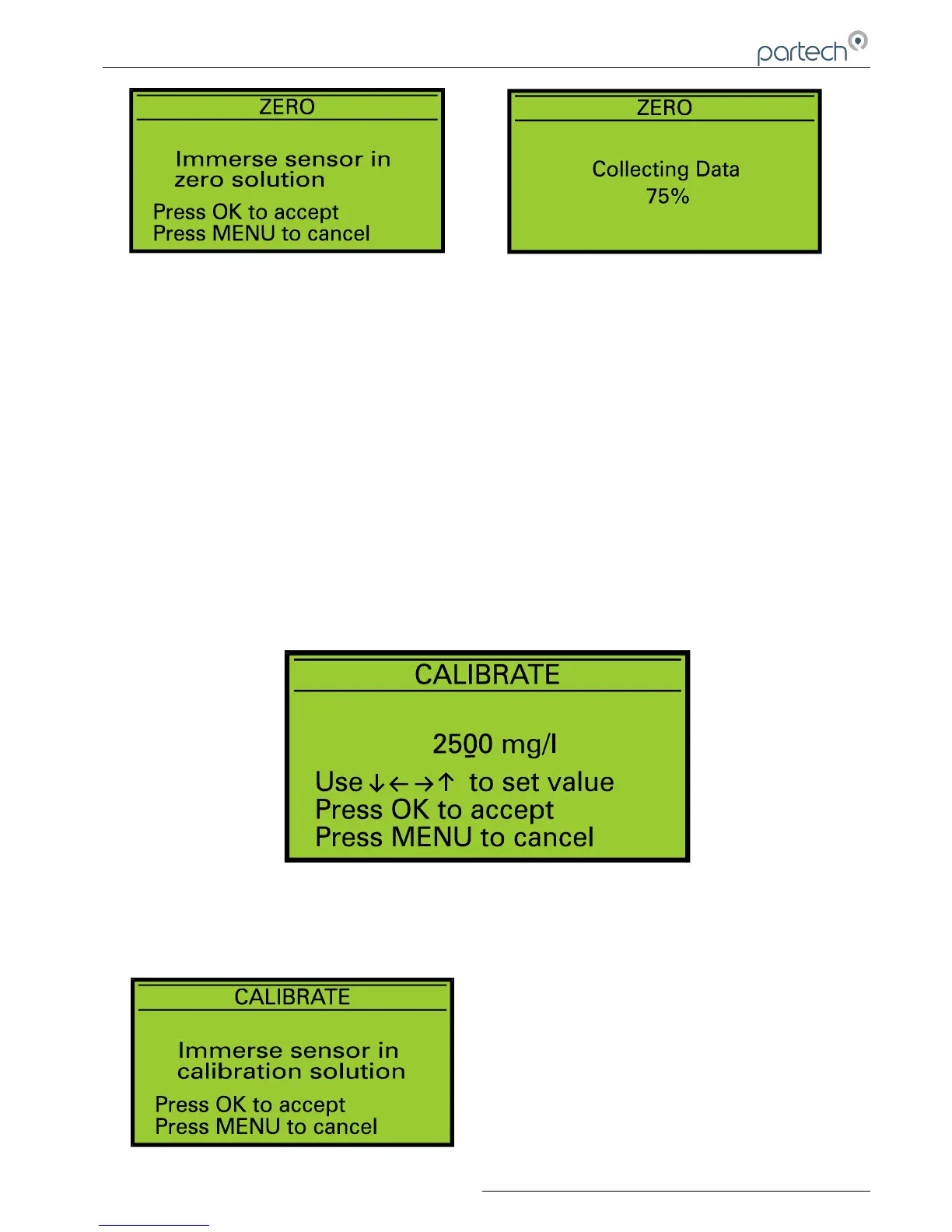
Step 1. Calibration Value Entry
The calibration value can be set to a value between 10 – 100% of the currently selected measuring range using the
keys. This value should be set to the value of the calibration solution. Once the correct value has been set
press the OK key. Pressing the MENU key will exit the Set Span operation.
Note: The calibration value can only be set between 10 –100% of the display range.
Step 2. Calibrating
As indicated by the on display instructions, immerse the sensor into the calibration solution and press the OK key. The
7200 Monitor collects data for the spanning operation for
approximately 5 seconds to ensure that the span is set
accurately. During this period do not move the sensor, as
this could effect the span operation. If the spanning
process is successful, the monitor will return to measure
mode and the display value should be correct for the
calibration solution. If a problem occurs during the
spanning operation, an error message will be displayed
and the monitor will return to the Calibration menu.
167300IM-Issue 12 Issue Date 14/10/2014 Page 19 of 50
Zero – Collecting Data
Zero - Preparation
Set Span –Calibration Value Entry
Set Span - Preparation



 To Next Page