SmartNode SN4170 Overview 18
SmartNode 4170 User Manual 1 • General Information
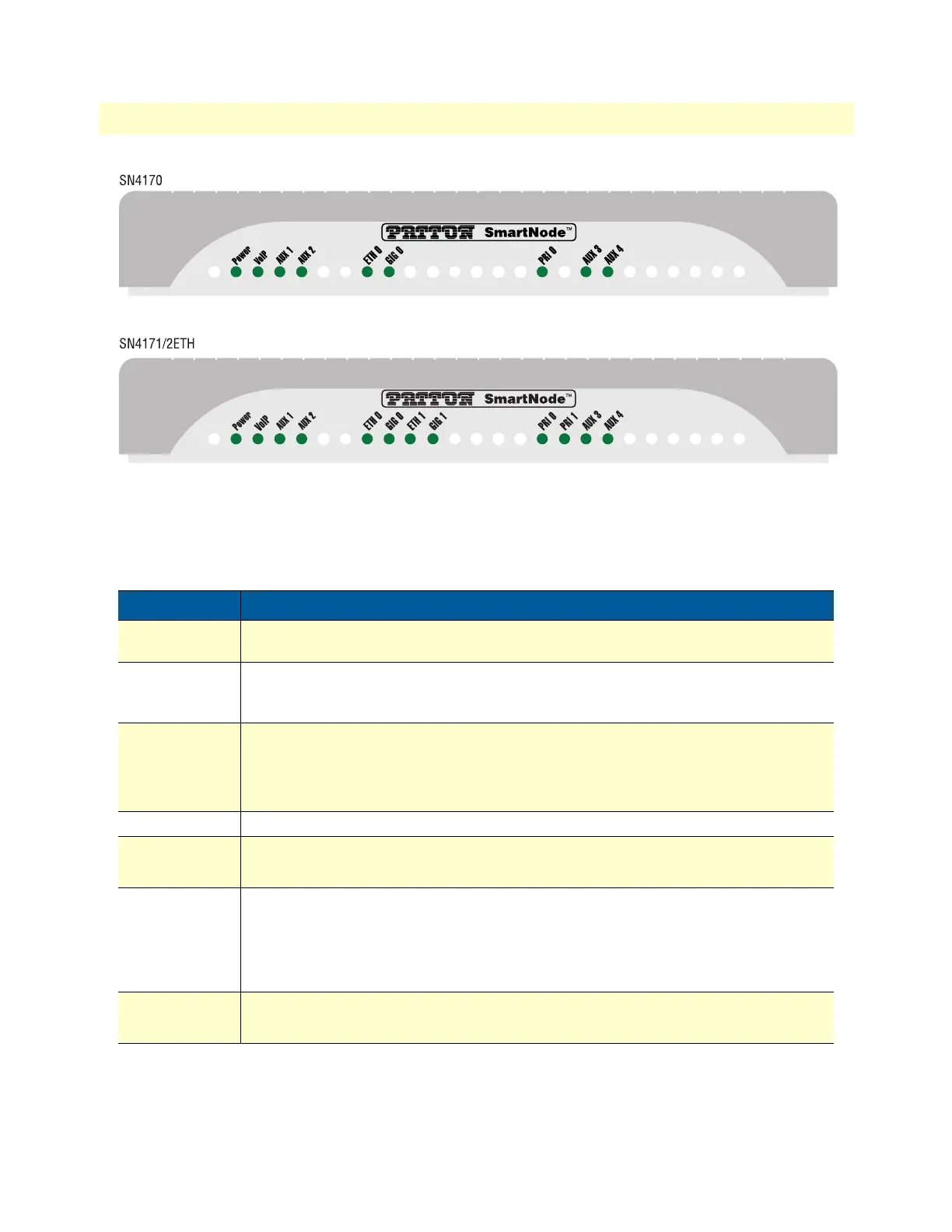
Figure 4. SmartNode SN4170 front panel
SmartNode SN4170 Front Panel
Figure 4 shows SmartNode SN4170 LEDs, the LED definitions are listed in table 3.
Table 3. SmartNode SN4170 LED Definitions
LED Description
Note If an error occurs, all LEDs will flash for more than 5 seconds before
the device reboots
Power When lit, indicates power is applied. Blinks fast during bootloader phase and blinks
slow during boot process of Trinity Software. Stays lit when the system is up and run
-
ning.
VoIP
• On indicates the gateway is registered to a SIP server, or, a SIP device has regis-
tered to the SN4170.
• Off indicates the unit is not configured or registered, or has no active direct routed
VoIP connection.
AUX 1– AUX 4
• Auxiliary LEDs for future use.
PRI 0 - PRI 1
• On when L1 and L2 are active. Flashes when there are ongoing calls.
• Off when no line or PBX is connected or the port is shutdown.
ETH 0 - ETH 1
• On when the Ethernet connection on the corresponding port has a link indication.
• Flashes when data is received or transmitted at the corresponding Ethernet port.
Note IP Routing is disabled on SN4170/2ETH models. See Software
license options to enable it.
GIG 0 - GIG 1
• On when the Ethernet is connected to a 1000Mb network.
• Off when the Ethernet is connected to a 10Mb or 100Mb network or not connected


 To Next Page