www.123send.net
123 - axept S900 User Guide v1.7
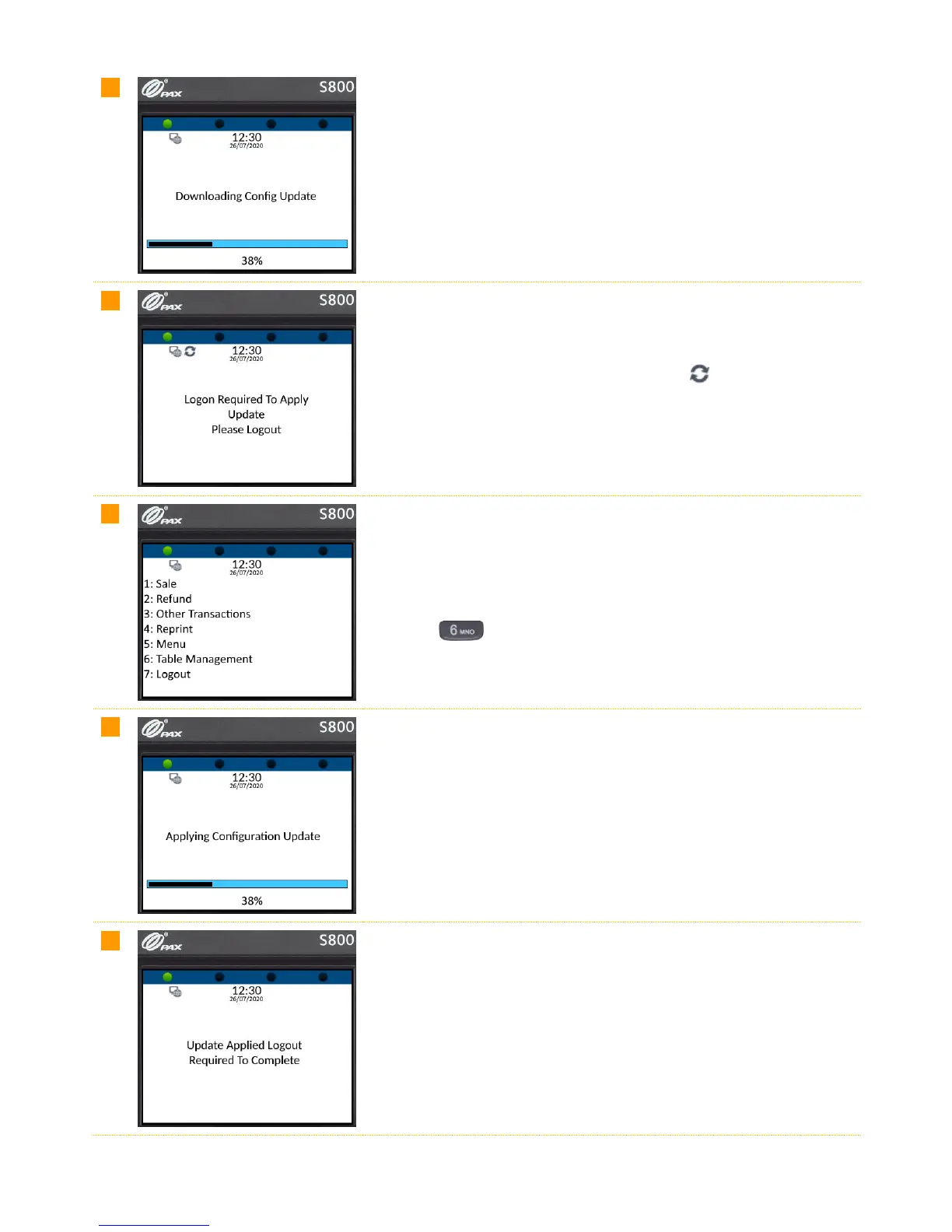
If a configuration update is available and has been assigned to the
terminal in OCC, axept® S800 will start to download the configuration
update. Please be patient whilst this downloads as it may take several
minutes.
After the download is complete, the update icon will be displayed and
axept® S800 will require you to logout and logon again.
From the main menu, select option 6: Logout to logout and then logon
again.
(Press the key on the keypad).
After logging on, axept® S800 will start apply the configuration update.
Please be patient as this may take several minutes.
Once the configuration update has been applied, axept® S800 displays a
notification that a logout will be required to complete the process and will
automatically logout.



 To Next Page