PBI-Dansensor A/S COPYRIGHT © PBI-220047-F 01/2008
5
MAP Check 9000 - User Manual 1. Introduction
1. Introduction
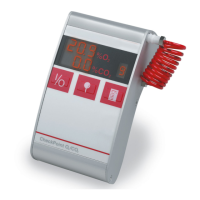
MAP Check 9000 is a microprocessor-controlled oxygen analyser which automatically
monitors the oxygen (O
2
) concentration at any measuring point. The O
2
concentration
measured is shown in a large display.
MAP Check 9000 can - by means of a simple menu structure - be programmed to activate
an alarm if the O
2
concentration is too high or too low. Moreover, an alarm is activated in
case of insufficient measuring gas flow or in case of other errors in MAP Check 9000.
MAP Check 9000 is equipped with three relays, two of which are reserved for alarm in case
of too high/low O
2
concentration. The third relay is a general MAP Check 9000 status relay
which is activated in case of insufficient measuring gas flow or other major errors.
MAP Check 9000 has been specially developed for incorporation in soldering machines etc.
where monitoring of the O
2
concentration forms a vital part of the process.
This manual describes the units MAP Check 9001-1, MAP Check 9001-2, MAP Check
9001-4, MAP Check 9002-1 and MAP Check 9002-2.
MAP Check 9001-1 is the general analyser.
MAP Check 9001-2 is an “Industrial Sensor Module”, i.e. an MAP Check 9001-1 without
any local operating interface, which is controlled by means of the supplied PC software only.
MAP Check 9001-4 was designed for low O
2
concentration levels.
MAP Check 9002-1 is similar to MAP Check 9001-1 with a different sensor.
MAP Check 9002-2 is similar to MAP Check 9001-2 with a different sensor.
MAP Check 9002-1/2 is also available with built-in gas regulating equipment, which
optimises gas consumption. This version is called MAP Check PFC.
It should not be confused with the external MAP Con unit, which is also described under
options.



 To Next Page