PCTEL, Inc. Page 29 of 42 Rev T
7. Troubleshooting
This section describes a few suggestions for
several common problems that might occur.
These suggestions are user serviceable.
7.1. No Power: Receiver LEDs not
illuminated
If the SYS LED located on the face of the
scanning receiver is not illuminated, please
check the power connection first, then the
fuse, which is located in the Power Plug end
of the power cord.
The fuse can be “blown” by a surge in the
portable or mobile battery system. A
temporarily shorted wire can also cause
other problems.
If the fuse is not operating normally, it will
open up, thereby disconnecting the input
power from the SeeGull IBflex scanning
receiver. The fuse is the first line of defense
should any short circuit, large spike, or other
problems occur within the power wiring
circuitry. When the fuse “blows”, there will
be no power to the receiver.
7.2. Changing the Fuse in the Power Plug
If it is necessary to change the fuse in the
power plug, remove the Power Plug end
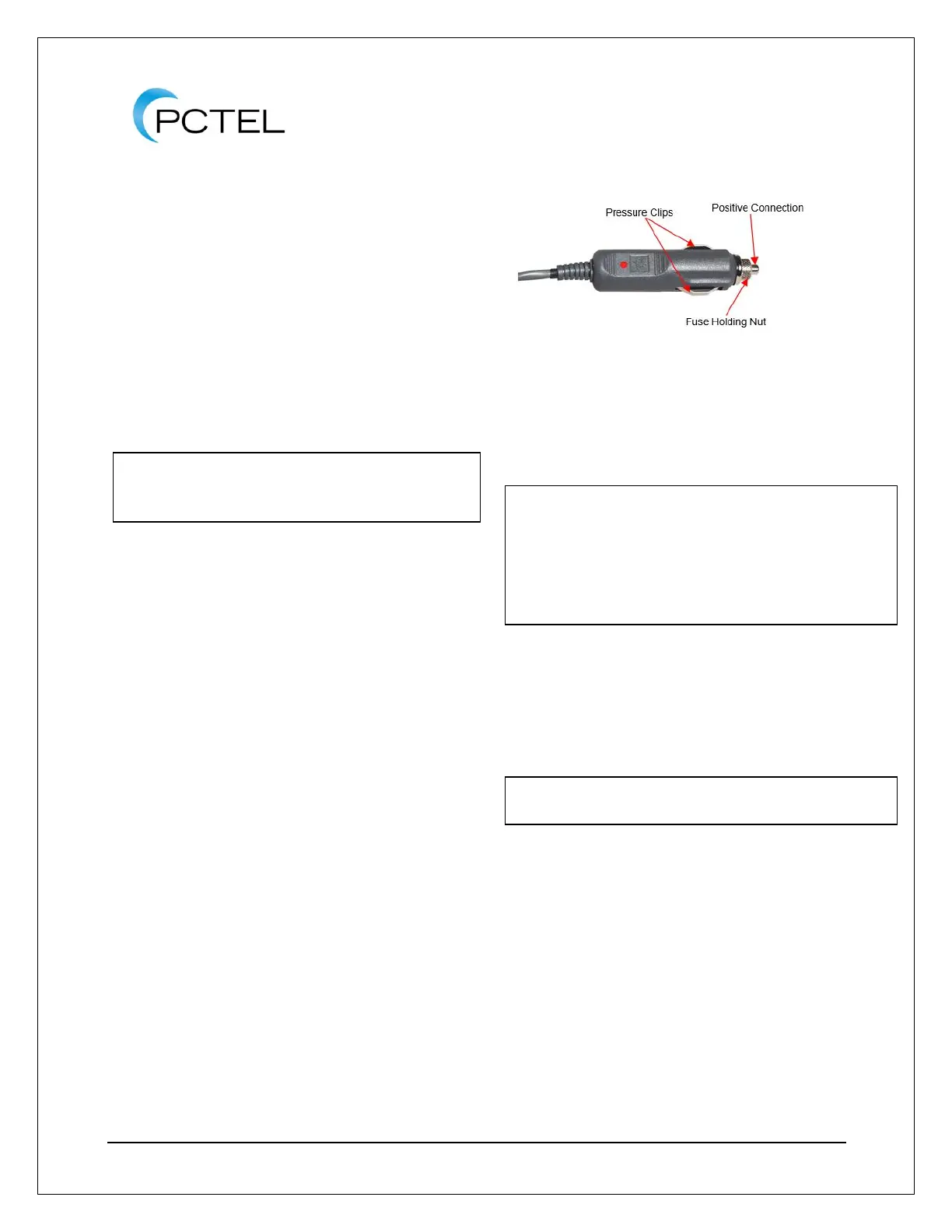
from the power source. See Figure 27 for
an illustration of the power plug.
Loosen the fuse-holding finger nut by
turning it counter-clockwise until the plug
comes apart. The fuse is inside the power
plug housing and can be removed.
Figure 27 - SeeGull IBflex Scanning Receiver
Power Plug
Replace the fuse with an identical 3-amp
fuse.
Insert the new fuse in the housing and re-
assemble the plug by turning the knurled
finger nut in a clockwise direction. Tighten
this nut as tight as you can with your
fingers.
7.3. Received Signal Strength Appears
Low
If the received signal strength appears to be
lower than expected, it is likely that (1) an
incorrect antenna is being used, (2) an
antenna is not properly connected or (3) the
antenna or antenna cable is damaged.
Check that the antenna is properly
connected to the scanning receiver, and
that the antenna is of the correct frequency.



 To Next Page