36
Operating Procedures
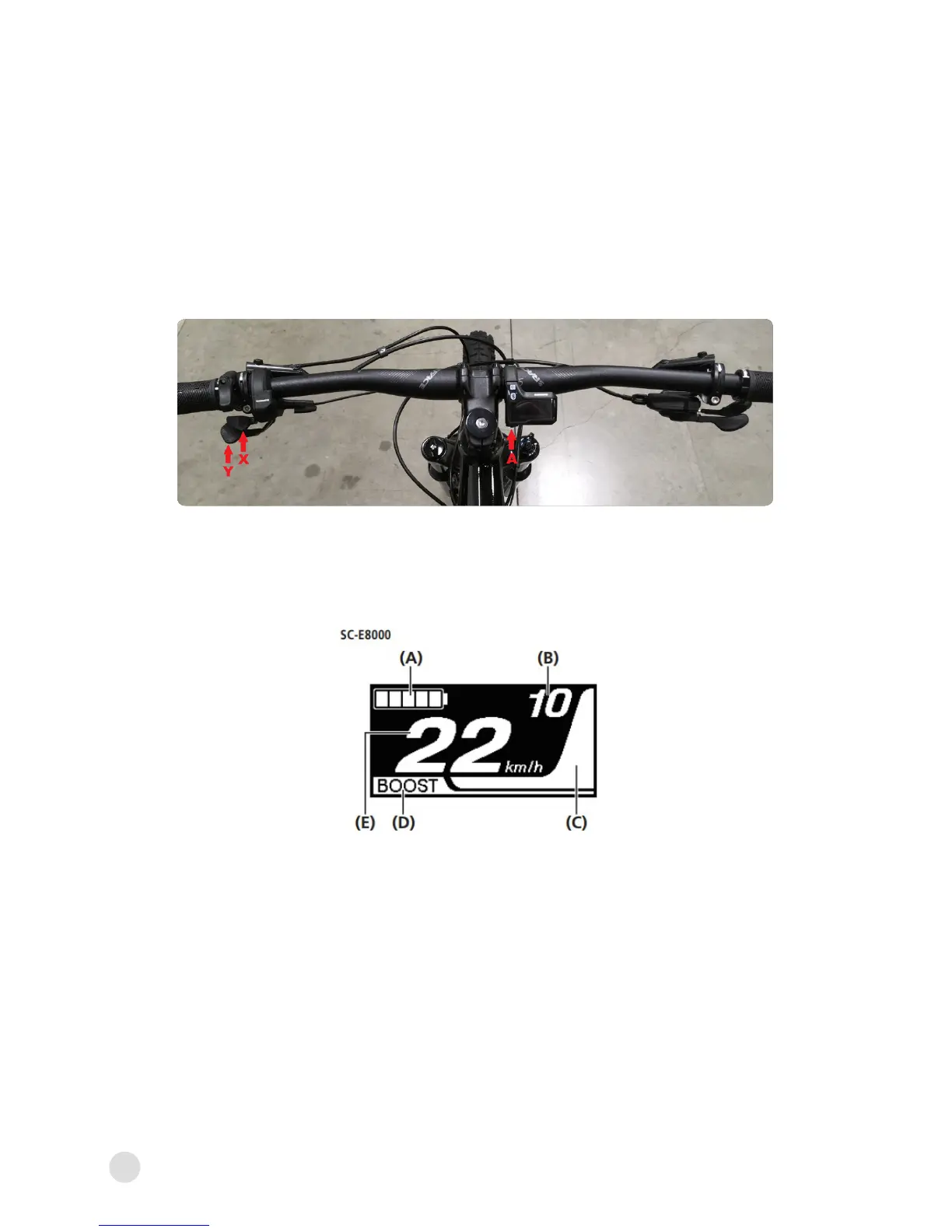
• A - Used for switching between screens and conrming
settings.
• X/Y - Used for moving the cursor, adjusting settings, etc.
OPERATING PROCEDURES
Operating the Cycle Computer
• Displays the status of power assisted bicycle, travelling data.
A. Battery level indicator
⸰ Displays the current battery level
B. Gear position (Only displays when aftermarket electronic
gear shifting is in use)
⸰ Displays the currently set gear position
⸰ This feature is not available with the stock
mechanical derailleur
BASIC SCREEN DISPLAY
Continued on next page...



 To Next Page