Prima 451 – User Manual 29
Installation and Pre-use Checks
5.11 Positioning the System in the MR Facility
5.11.1 Magnetic field
The Prima 451 system can be positioned adjacent to the
scanner up to the 1000 gauss line.
Apply the brakes on the anaesthetic machine
Plotting the 1000 gauss line
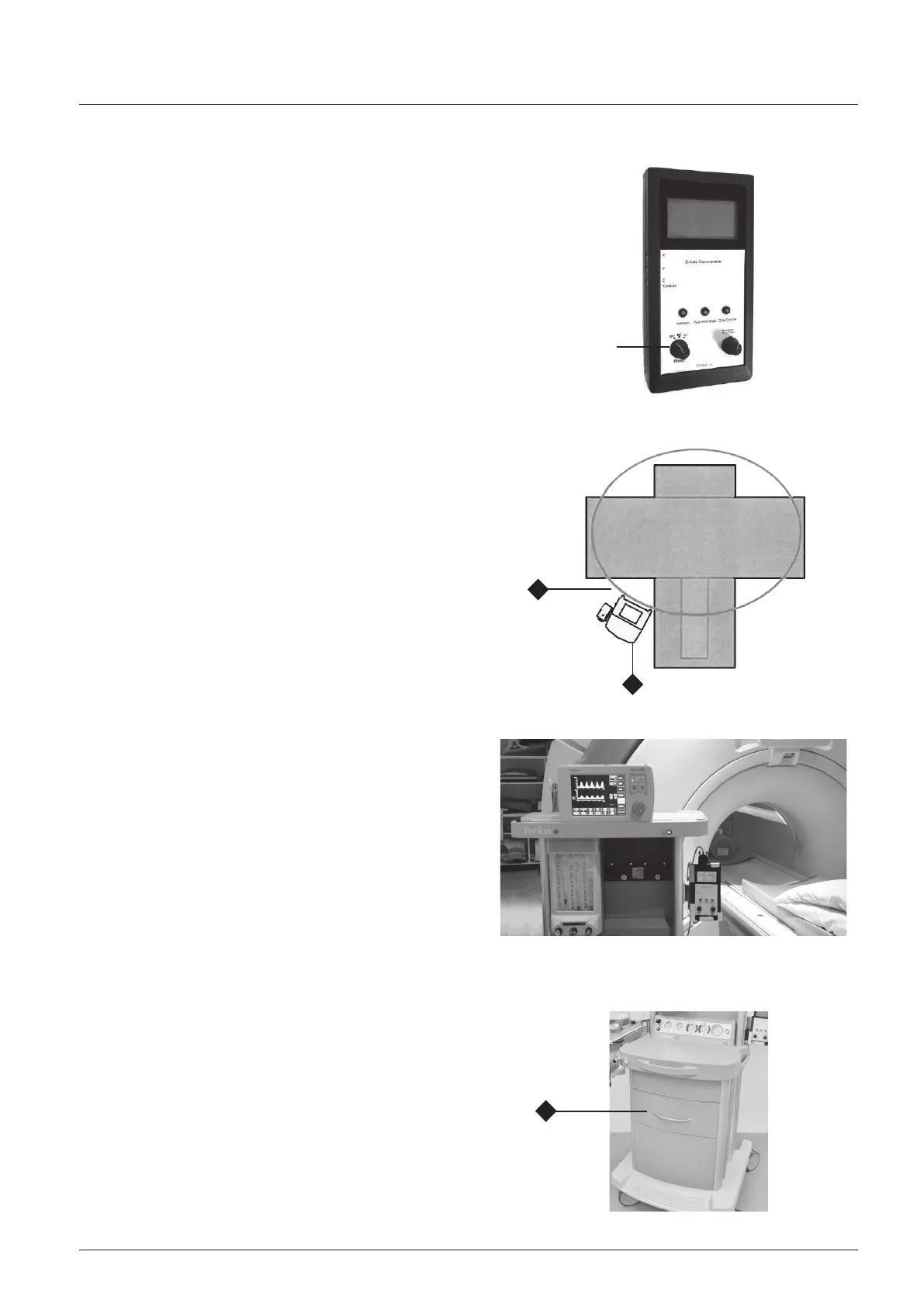
1. Use a gauss meter to measure the magnetic field in the
MR facility and plot the 1000 gauss line.
Refer to Appendix 6.
2. Mount the gauss meter securely on the machine, and set
the control (1) to DC.
Refer to the user instructions supplied with the meter.
3. The gauss line for the scanner in use should be marked on
the floor in front of the left-hand side of the scanner
A typical 1000 gauss line (2) is shown in the schematic
CAUTION
Switch the gauss meter OFF before any clinical
procedures are started in the MR facility.
Gauss meter battery change
Always remove the gauss meter from the MRI suite
before changing the batteries.
5.11.2. Positioning a Prima 451 equipped with a
AV-S ventilator
CAUTION
Special conditions apply when positioning a Prima 451 system
equipped with an AV-S MRI ventilator.
To ensure that the ventilator operates correctly the system
must be accurately positioned relative to the 1000 gauss line.
1. Plot the 1000 gauss line - see section 5.11.1.
2. Position the Prima 451 system (3), with the rear of the
machine adjacent to the 1000 gauss line.
CAUTION
Before use on a patient, run the ventilator and check that the
bellows rises and falls normally.
5.12 Accessories, Tools and Test Equipment
WARNINGS
1. Do not leave any all tools and test/monitoring
equipment on the machine or in the MRI facility
after installing the ventilator, vaporizers and other
accessories and completion of the pre-use tests.
2. Models with optional drawer unit (1):
As part of the pre-use check procedure, empty the
drawer and check each item. Remove anything metallic,
or with metallic content, from the MRI scanning room.
1
2
1
1



 To Next Page