147
Shooting Settings
5
5
Press the 4 button.
The screen that was displayed in Step 2 appears again.
6
Press the 4 button.
The camera is ready to take a picture.
You can adjust the white balance depending on the light source when
taking pictures.
1
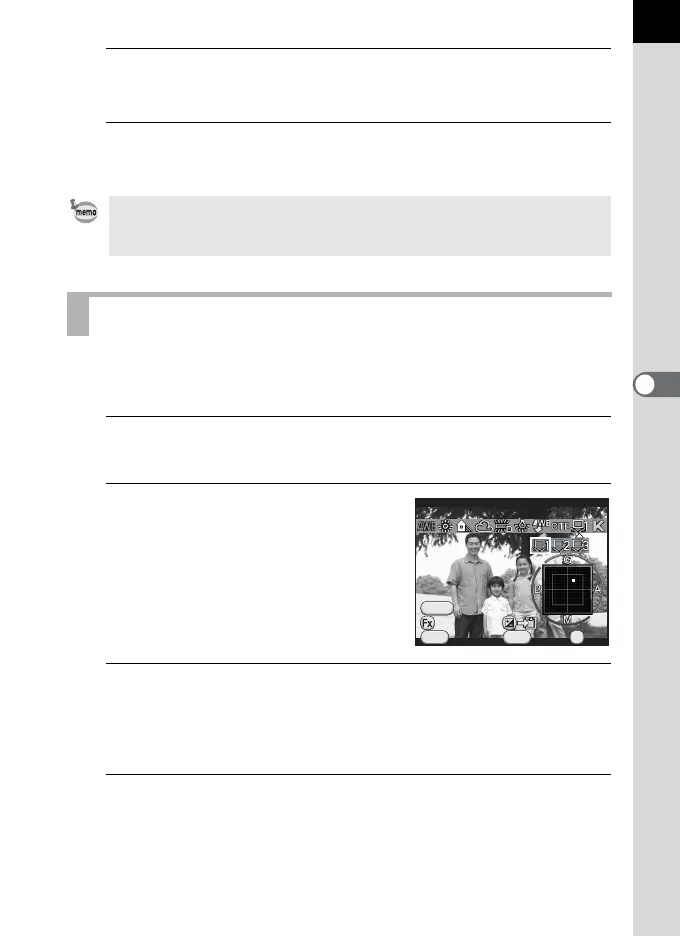
Select K in Step 2 on p.146, and press the four-way
controller (3).
2
Use the four-way controller (
45
)
to select
K
1 to
K
3.
3
Under the light you wish to measure the white balance of,
select a white area as the subject.
Or, fully display a white sheet of paper in the center of the viewfinder or
monitor.
4
Press the shutter release button fully.
Set the focus mode to \ when the shutter cannot be released.
The screen to select the measuring range is displayed.
To set the white balance for when the flash discharges, select [Auto White
Balance], [Unchanged] or [Flash] in [9. WB When Using Flash] of the [A
Custom Setting 2] menu.
Adjusting the White Balance Manually
Cancel
Adjust
WB
±
MENU
INFO
Manual White Balance
OK
OK
SHUTTER
Check



 To Next Page