173
Shooting Settings
5
1
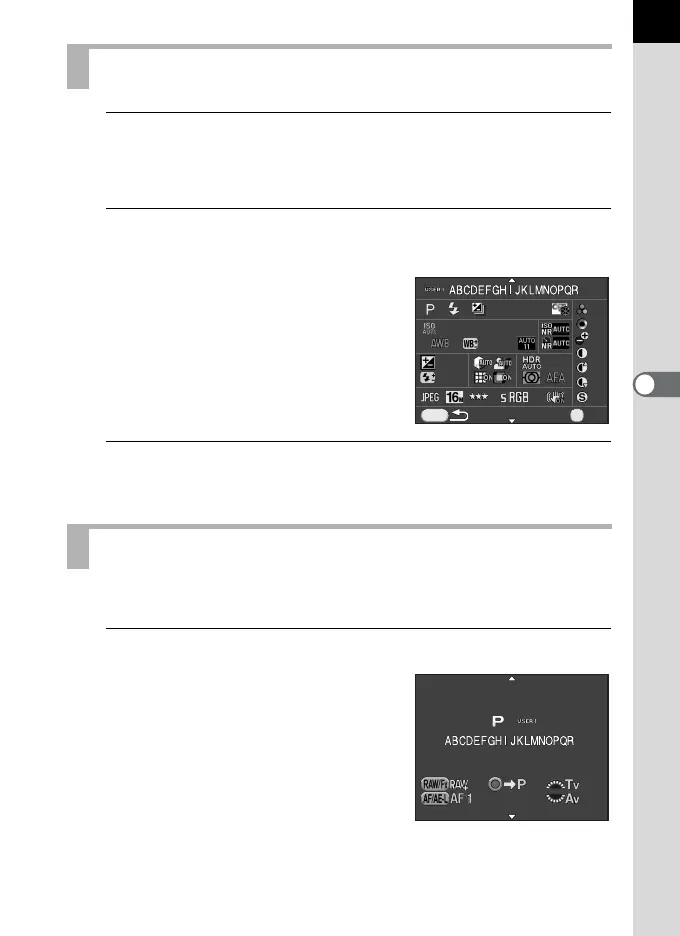
Select [Check Saved Settings] in Step 3 of p.171, and
press the four-way controller (5).
The [Check Saved Settings] screen appears.
2
Use the four-way controller (23) to select [USER1] or
[USER2], and press the four-way controller (5).
The current settings saved as A mode
are displayed.
Use the four-way controller (23) to
switch between pages.
3
Press the 4 button.
The camera returns to the [Save USER Mode] screen.
You can easily retrieve saved settings.
1
Set the mode dial to B or C.
The A mode guide appears for 30
seconds and the saved settings are
retrieved.
Use the four-way controller (23) to
check the saved settings.
Checking the Saved USER Settings
Using Saved USER Settings
±0±0
±0±0
±0±0
±0±0
±0±0
±0±0
±1
EV
±1
EV
±0±0
±2.0±2.0
200-800200-800
0.00.0
0.00.0
G1G1
A1A1
MENU
OKOK
OK



 To Next Page