Before Using Your Camera
1
25
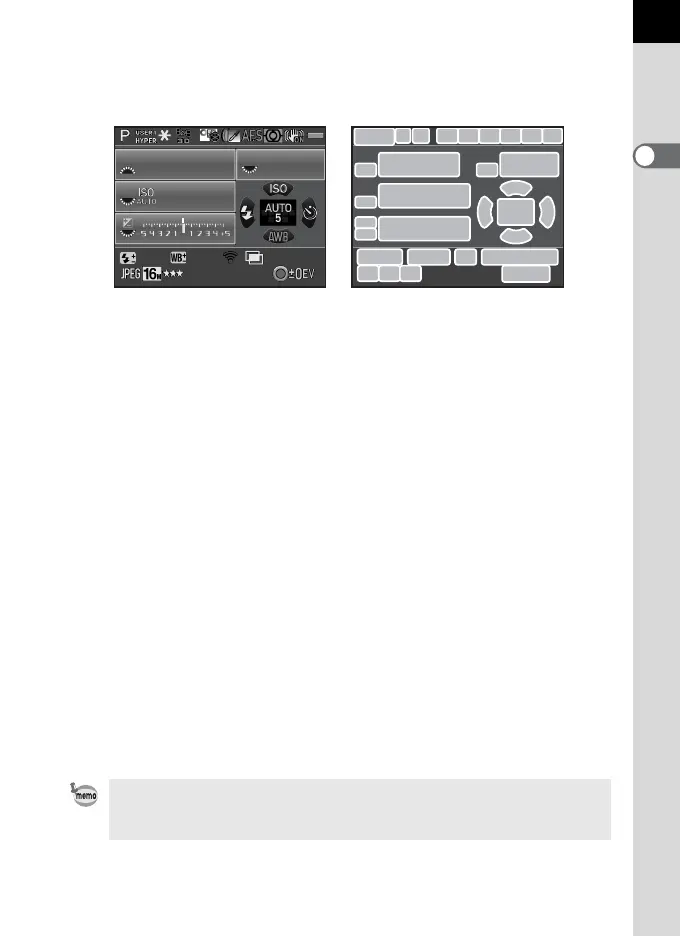
Status screen
The settings for shooting with the viewfinder are displayed.
(All items are displayed here for explanatory purposes. The actual display may differ.)
* Indicator 3 appears only when the optional GPS unit is attached to the camera
and is operating. (p.269)
* Indicator 23 appears only when the Eye-Fi card is in use. M indicates that Eye-
Fi communication is in standby mode, L indicates that Eye-Fi is not connected,
and the icon is animated during Eye-Fi communication.
1 Capture mode (p.82) 16 Sensitivity (p.87)
2 AE Lock (p.96) 17 Flash Mode (p.68)
3 GPS positioning status 18 AF point (p.104)
4 Custom Image (p.157) 19 Drive Mode (p.76)
5 HDR Capture (p.151)/
Digital Filter (p.161)
20 White Balance (p.145)
21 Flash Exposure Compensation
(p.70)
6 Focus mode (p.101)
7 AE Metering (p.97) 22 White Balance fine-tuning (p.146)
8 Shake Reduction (p.116)/
Horizon Correction (p.118)
23 Eye-Fi communication status
(p.228)
9 Battery level (p.49) 24 Number of shots during Interval
Shooting or Multi-exposure
10
Front/rear e-dial guide
11 Shutter speed 25 File Format (p.143)
12 Aperture value 26 JPEG Recorded Pixels (p.143)
13 Sensitivity (p.87) 27 JPEG Quality (p.144)
14 EV Compensation (p.92)/
Exposure Bracketing (p.93)
28 Number of recordable still
pictures/| button guide
15 EV bar scale
The status screen will disappear if no operations are made within 30 seconds,
and will also disappear after 2 seconds, immediately after shooting. Press the
M button to display it again.
1/
2000
1600
5.6F
+1.0
G1A1
123/999
123
10
11
13
15
21 22 24
2827
23
2625
10
14
10
456789
12
16
18
19
20
10
17



 To Next Page