EasyManua.ls Logo

Pentax SF10 - Soft Case

Pentax SF10
72 pages
Print Icon
To Next Page IconTo Next Page
To Previous Page IconTo Previous Page
Loading...
5.
SOFT
CASE
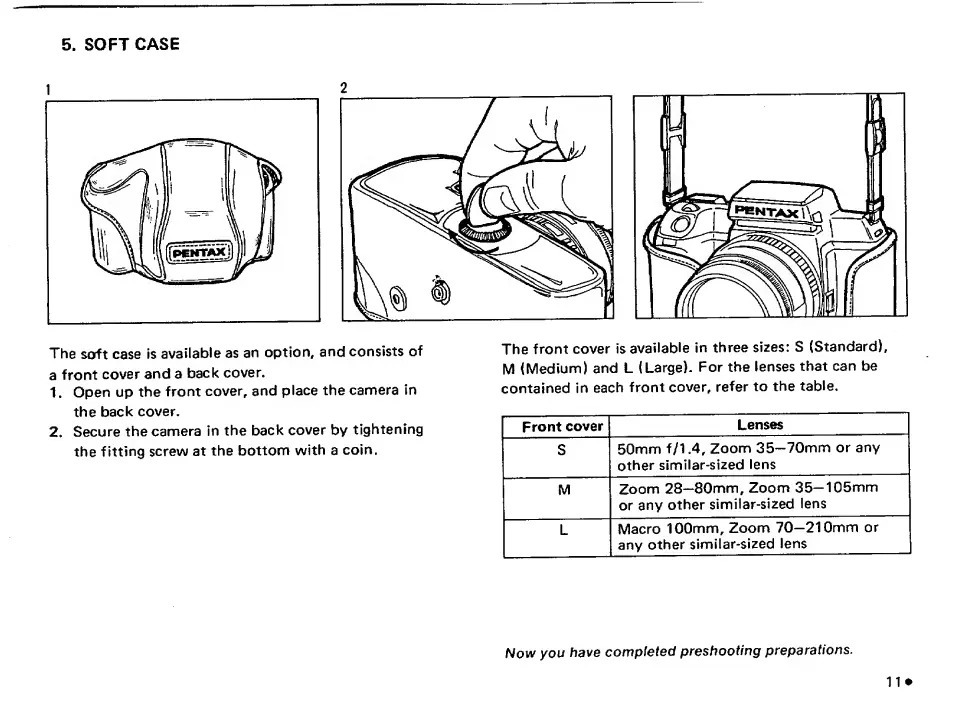
The
soft
case
Is
available
as
an
option,
and
consists
of
a
front
cover
and
a
back
cover.
1.
Open
up
the
front
cover,
and
place
the
camera
in
the
back
cover.
2.
Secure
the
camera
in
the
back
cover
by
tightening
the
fitting
screw
at
the
bottom
with
a
coin.
The
front
cover
is
available
in
three
sizes:
S
(Standard),
M
(Medium)
and
L
(Large).
For
the
lenses
that
can
be
contained
in
each
front
cover,
refer
to
the
table.
Front
cover
Lenses
S
50mm
f/1.4.
Zoom
35”70mm
or
any
other
similar-sized
lens
1
M
Zoom
28—80mm,
Zoom
35—105mm
or
any
other
similar-sized
lens
1
L
Macro
100mm,
Zoom
70—210mm
or
any
other
similar-sized
lens
Now
you
have
completed
preshooting
preparations.

Related product manuals