EasyManua.ls Logo

Pentax SF10 - Using Exposure Memory Lock Function

Pentax SF10
72 pages
Print Icon
To Next Page IconTo Next Page
To Previous Page IconTo Previous Page
Loading...
USING
EXPOSURE
MEMORY
LOCK
FUNCTION
The
exposure
memory
lock
function
temporarily
memorizes
the
subject's
exposure
data
to
adjust
the
exposure
in
the
automatic
exposure
mode.
This
function
is
especially
useful
for
photographing
people
against
a
very
contrasty
background,
such
as
backlighting
or
a
bright
sky.
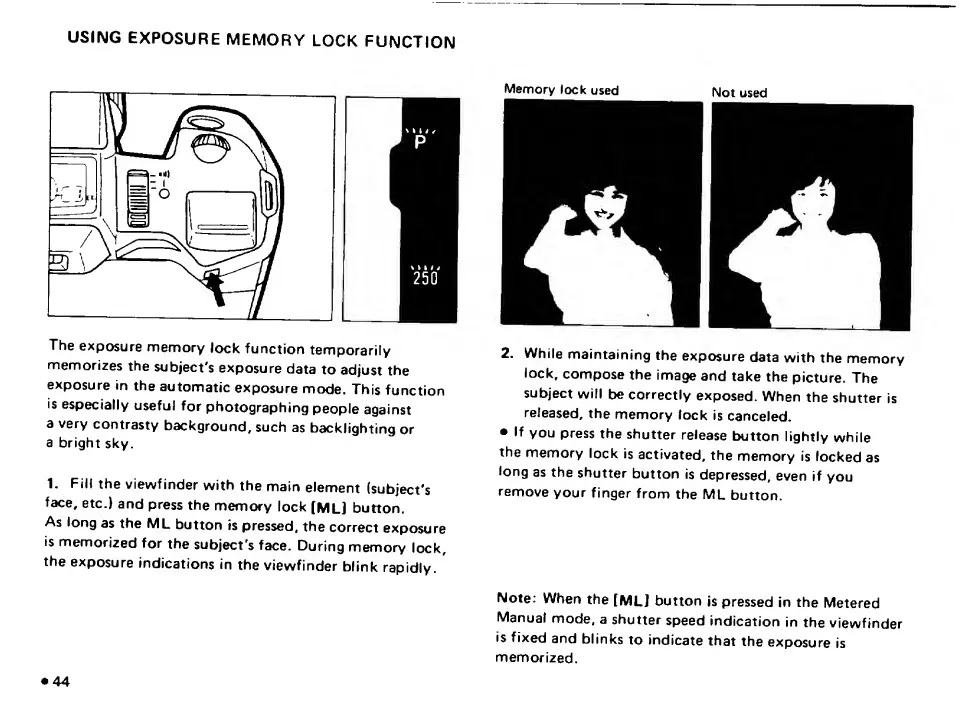
1.
Fill
the
viewfinder
with
the
main
element
(subject's
face,
etc.)
and
press
the
memory
lock
(ML]
button.
As
long
as
the
ML
button
is
pressed,
the
correct
exposure
Is
memorized
for
the
subject's
face.
During
memory
lock,
the
exposure
Indications
in
the
viewfinder
blink
rapidly.
44
Memory
lock
used
Not
used
2.
While
maintaining
the
exposure
data
with
the
memory
lock,
compose
the
image
and
take
the
picture.
The
subject
will
be
correctly
exposed.
When
the
shutter
is
released,
the
memory
lock
is
canceled.
If
you
press
the
shutter
release
button
lightly
while
the
memory
lock
is
activated,
the
memory
is
locked
as
long
as
the
shutter
button
is
depressed,
even
if
you
remove
your
finger
from
the
ML
button.
Note:
When
the
[ML]
button
is
pressed
in
the
Metered
Manual
mode,
a
shutter
speed
indication
in
the
viewfinder
is
fixed
and
blinks
to
indicate
that
the
exposure
is
memorized.

Related product manuals