EasyManua.ls Logo

Pentax SF10 - Operating Main Switch; Operating Shutter-Release Button

Pentax SF10
72 pages
Print Icon
To Next Page IconTo Next Page
To Previous Page IconTo Previous Page
Loading...
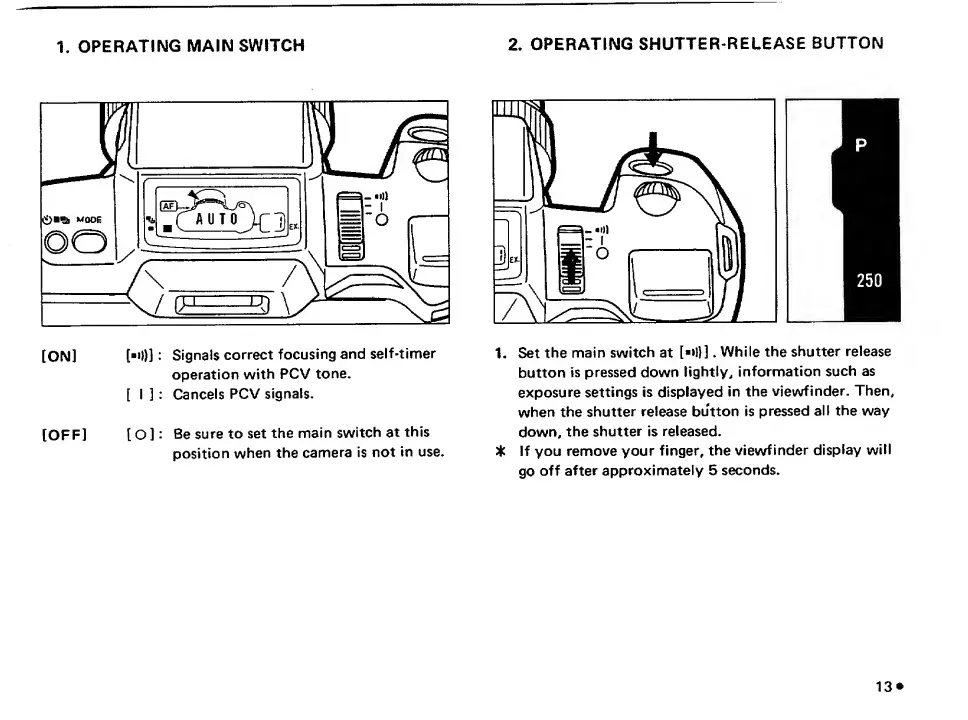
1.
OPERATING
MAIN
SWITCH
[ON]
["O)]:
Signals
correct
focusing
and
self-timer
operation
with
PCV
tone.
[
I]
:
Cancels
PCV
signals.
[OFF]
[
O
]:
Be
sure
to
set
the
main
switch
at
this
position
when
the
camera
is
not
in
use.
2.
OPERATING
SHUTTER-RELEASE
BUTTON
1
.
Set
the
main
switch
at
[
»
!}].
While
the
shutter
release
button
is
pressed
down
lightly,
information
such
as
exposure
settings
is
displayed
in
the
viewfinder.
Then,
when
the
shutter
release
button
is
pressed
all
the
way
down,
the
shutter
is
released.
If
you
remove
your
finger,
the
viewfinder
display
will
go
off
after
approximately
5
seconds.
13
^

Related product manuals