EasyManua.ls Logo

Pentax SF10 - Using Shutter-Priority AE Mode

Pentax SF10
72 pages
Print Icon
To Next Page IconTo Next Page
To Previous Page IconTo Previous Page
Loading...
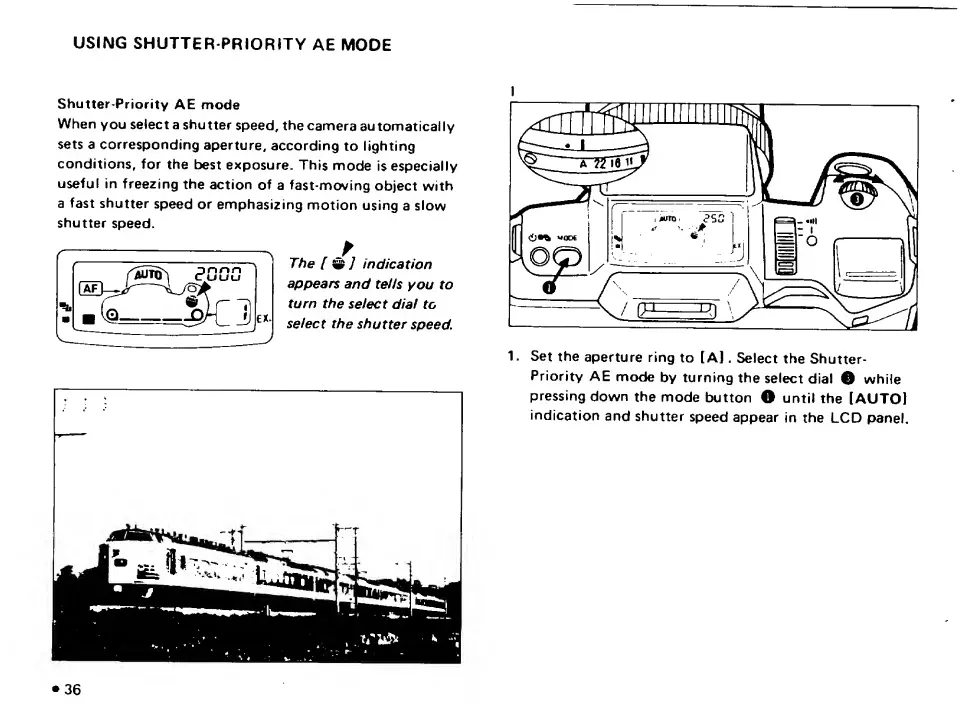
USING
SHUTTER
PRIORITY
AE
MODE
Shutter-Priority
AE
mode
When
you
select
a
shutter
speed,
the
camera
automatically
sets
a
corresponding
aperture,
according
to
lighting
conditions,
for
the
best
exposure.
This
mode
is
especially
useful
in
freezing
the
action
of
a
fast-moving
object
with
a
fast
shutter
speed
or
emphasizing
motion
using
a
slow
shutter
speed.
The
[
^]
indication
appears
and
teds
you
to
turn
the
select
dial
to
select
the
shutter
speed.
I
1.
Set
the
aperture
ring
to
[A].
Select
the
Shutter-
Priority
AE
mode
by
turning
the
select
dial
O
while
pressing
down
the
mode
button
O
until
the
[AUTOl
indication
and
shutter
speed
appear
in
the
LCD
panel.
•36

Related product manuals