EasyManua.ls Logo

Pentax SF10 - Page 41

Pentax SF10
72 pages
Print Icon
To Next Page IconTo Next Page
To Previous Page IconTo Previous Page
Loading...
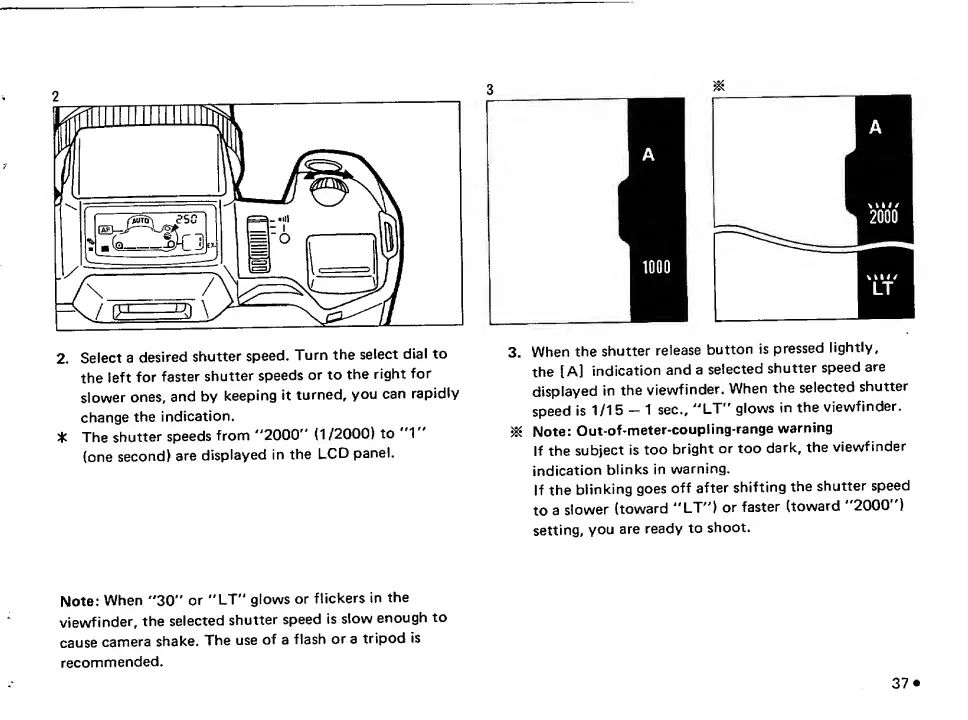
2,
Select
a
desired
shutter
speed.
Turn
the
select
dial
to
the
left
for
faster
shutter
speeds
or
to
the
right
for
slower
ones,
and
by
keeping
it
turned,
you
can
rapidly
change
the
indication.
The
shutter
speeds
from
"'2000"
(1
/2000)
to
"1"
(one
second)
are
displayed
in
the
LCD
panel.
3.
When
the
shutter
release
button
is
pressed
lightly,
the
[A]
indication
and
a
selected
shutter
speed
are
displayed
in
the
viewfinder.
When
the
selected
shutter
speed
is
1/15-1
sec.,
''LT"
glows
in
the
viewfinder.
^
Note:
Out-of-meter-coup!ing-range
warning
If
the
subject
is
too
bright
or
too
dark,
the
viewfinder
indication
blinks
in
warning.
If
the
blinking
goes
off
after
shifting
the
shutter
speed
to
a
slower
(toward
“LT^')
or
faster
(toward
2000
)
setting,
you
are
ready
to
shoot.
Note:
When
''30"
or
"LT"
glows
or
flickers
in
the
viewfinder,
the
selected
shutter
speed
is
slow
enough
to
cause
camera
shake.
The
use
of
a
flash
or
a
tripod
is
recommended.
37*

Related product manuals