EasyManua.ls Logo

Pepperl+Fuchs P 58 Series - User Manual

Pepperl+Fuchs P 58 Series
56 pages
Print Icon
To Next Page IconTo Next Page
Loading...
FACTORY AUTOMATION
Manual
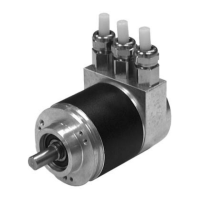
Absolute rotary encoder P**58
PROFIBUS interface

Table of Contents

Questions and Answers

  • R
    Rodney NelsonAug 5, 2025
    What to do if Pepperl+Fuchs Media Converter absolute encoder is not reporting?
    • J
      Jennifer NelsonAug 5, 2025
      If the PLC and master connection are on, and the bus is active, but the absolute encoder isn't reporting, start by checking the LEDs in the connection hood to understand the error cause. If both LEDs are off, check the power supply. If both are on, the device isn't receiving parameters or configuration data; verify the address setting, bus line connections (BUS IN/BUS OUT), and projecting. A red LED with a flashing green LED indicates a parameter error, so check the parameter assignment, such as the overall resolution.
  • G
    Gary ParkAug 10, 2025
    Why does my Pepperl+Fuchs P 58 Media Converter bus malfunction sporadically?
    • J
      Jonathan TaylorAug 10, 2025
      Sporadic bus malfunctions can occur due to EMC problems. Verify if the set baud rate is appropriate for the line length, and consider using a lower baud rate if necessary. Also, ensure the shield is properly connected in the connection hood and that the cable is correctly laid for EMC.
  • T
    Tara HorneAug 16, 2025
    How to check terminating resistors for Pepperl+Fuchs Media Converter?
    • E
      Eric DayAug 16, 2025
      To resolve sporadic bus malfunctions, check the terminating resistors. A terminating resistor of 220 ? should be present at the beginning and end of the bus segment. With the power supply off, measure the resistance between connections "A" and "B" in the connection hood; the value should be approximately 110 ? (parallel 220 ?).
  • P
    Paula RoseAug 22, 2025
    Why does Pepperl+Fuchs P 58 malfunction with PROFIBUS masters at startup?
    • H
      hernandeztheodoreAug 22, 2025
      Problems can occur during system startup with certain PROFIBUS masters if encoder classes higher than Class 1 are used because these masters may not support the full number of diagnostic bytes (57 bytes) made available by absolute encoders. If possible, increase the maximum amount of diagnostic data per slave in the master. If this isn't possible, use the absolute encoder as a Class 1 device (16 diagnostic bytes) or select a manufacturer-specific P+F class (P+F 2.1 or 2.2) and enable "Reduced diagnostics" in parameter assignment.
  • J
    John DavisAug 28, 2025
    How to project P+F absolute encoder with S5-95U in COM PROFIBUS version 5.0?
    • K
      Kristen PeckAug 28, 2025
      The P+F absolute encoder cannot be projected with the S5-95U in COM PROFIBUS version 5.0 because the S5-95U does not support the full amount of diagnostic data (57 bytes). Use COM PROFIBUS version 3.3, select a manufacturer-specific P+F class (P+F 2.1 or 2.2), and activate reduced diagnostics (parameter). Alternatively, use COM Profibus Version 5.0 with a modified GSD file where the slave key "Max_Diag_Data_Len" has been changed.

Summary

Introduction to the Manual

Company and Document Details

Company contact info, copyright, and manual version details.

General Product Information

Declaration of Conformity

Statement of compliance with relevant standards and directives.

Working Principle

Explanation of the optical sensing technology used by the encoder.

PROFIBUS Interface Details

PROFIBUS Technology Overview

Description of the PROFIBUS standard and its versions.

Important Symbols and Warnings

Explanation of warning and information symbols in the manual.

Installation and Connection

Connection Hood Settings

Setting the PROFIBUS address and bus terminator in the hood.

Bus Terminator Configuration

Enabling the bus termination resistor in the connection hood.

Wiring and Connections

Signal and Power Supply Lines

Terminal explanations and wiring diagram for connections.

Installation Procedures

Wiring the Connection Hood

Step-by-step guide for wire preparation and gland connection.

Screen Line and Mechanical Fitting

Guidelines for shielding, potential equalization, and encoder mounting.

Device Configuration Basics

Principle of Data Transfer

How data is exchanged between encoder and master.

Encoder Class Functionality

Overview of Encoder Classes

Details on functionality for different standard encoder classes.

Encoder Class Data Formats

Data Format Overview

Table showing input/output data formats for encoder classes.

PROFIBUS Parameter Assignment

Parameter Assignment Overview

List of configurable parameters and their assignments in the telegram.

Direction of Rotation Setting

How to set the counting direction for the encoder.

PROFIBUS Class Features

Class 2 Functionality & Diagnostics

Limiting Class 2 features and commissioning diagnostics.

Scaling and Measurement Steps

Setting resolution per revolution and measurement steps.

PROFIBUS Class Data Exchange

Overall Resolution and Data Exchange

Adjusting measurement range and normal data transfer.

PROFIBUS Data Transfer Details

Actual Process Value Transfer

How position values are sent to the master (32-bit/16-bit).

Preset Function Operation

Adjusting the encoder's zero point to a mechanical reference.

Manufacturer Specific Parameters

Parameter Overview and Activation

General parameters and how to enable them via specific octets.

Specific Measurement Settings

Desired Measurement Steps

Programming specific step counts for measurement ranges.

Resolution Reference Settings

Resolution Reference Options

Defining the reference for measurement steps (revolution, range, etc.).

Commissioning and Diagnostics

Commissioning Mode and Diagnostics

Activating commissioning mode and reducing diagnostic data.

Software Limit Switches

Setting programmable limit switch functions for output value changes.

Advanced Parameter Settings

Physical Measurement Steps

Setting steps based on physical encoder resolution for custom scaling.

Encoder Type and Speed Units

Encoder Type and Speed Units

Specifying encoder type and units for speed output.

Manufacturer Specific Data Exchange

Data Exchange in Normal Mode

Details of data transfer for P+F 2.1/2.2 classes.

Commissioning Mode Procedures

Commissioning Mode and Direction

Overview of commissioning mode and setting rotation direction.

TEACH-IN Process

TEACH-IN Start and Stop Commands

Initiating and completing the learning process for gear factor.

Preset Value for Specific Classes

Preset Value Setting

Setting the preset value for P+F 2.1/2.2 classes.

Diagnostic Messages Overview

Diagnostic Data Transfer

How diagnostic information is provided by the encoder.

Supported Diagnostic Details

Diagnostic Message Explanations

Detailed explanations of various diagnostic functions and their meanings.

LED Status Indicators

Interpreting LED Status

Visual indication of operating status using LEDs.

Sample Configuration - GSD File

Reading the GSD File

Process for installing the device description file into the software.

Sample Configuration - Network

Projecting the Rotary Encoder

Inserting the encoder into the PROFIBUS network configuration.

Sample Configuration - Device Class

Selecting the Device Class

Choosing the appropriate encoder class for the application.

Sample Configuration - Parameters

Parameter Assignment Process

Configuring device parameters through software interfaces.

Technical Data - Electrical

Electrical Specifications

Power, EMC, communication interfaces, and baud rates.

Mechanical Specifications

Dimensions, materials, shaft loads, and weight.

Technical Data - Environmental

Ambient Conditions

Operating limits, humidity, and protection ratings.

Technical Data - Drawings

Dimensional Drawings

Visual representations of the encoder's physical dimensions.

Technical Data - Drawings (continued)

Clamp Flange Drawings

Visual representations for clamp flange models.

Technical Data - Drawings (continued)

Hollow Shaft Drawings

Visual representations for hollow shaft models.

Appendix - Identification

Type Code and Model Number

Explanation of the product identification system.

Appendix - Troubleshooting

Troubleshooting Common Issues

Solutions for common operational problems and errors.

Appendix - Terms

Glossary of Technical Terms

Definitions of technical terms used in the manual.

Index

Pepperl+Fuchs P 58 Series Specifications

General IconGeneral
BrandPepperl+Fuchs
ModelP 58 Series
CategoryMedia Converter
LanguageEnglish

Related product manuals