support@ionodes.com | www.ionodes.com | 450-696-1060
4.2 Attaching the universal mount
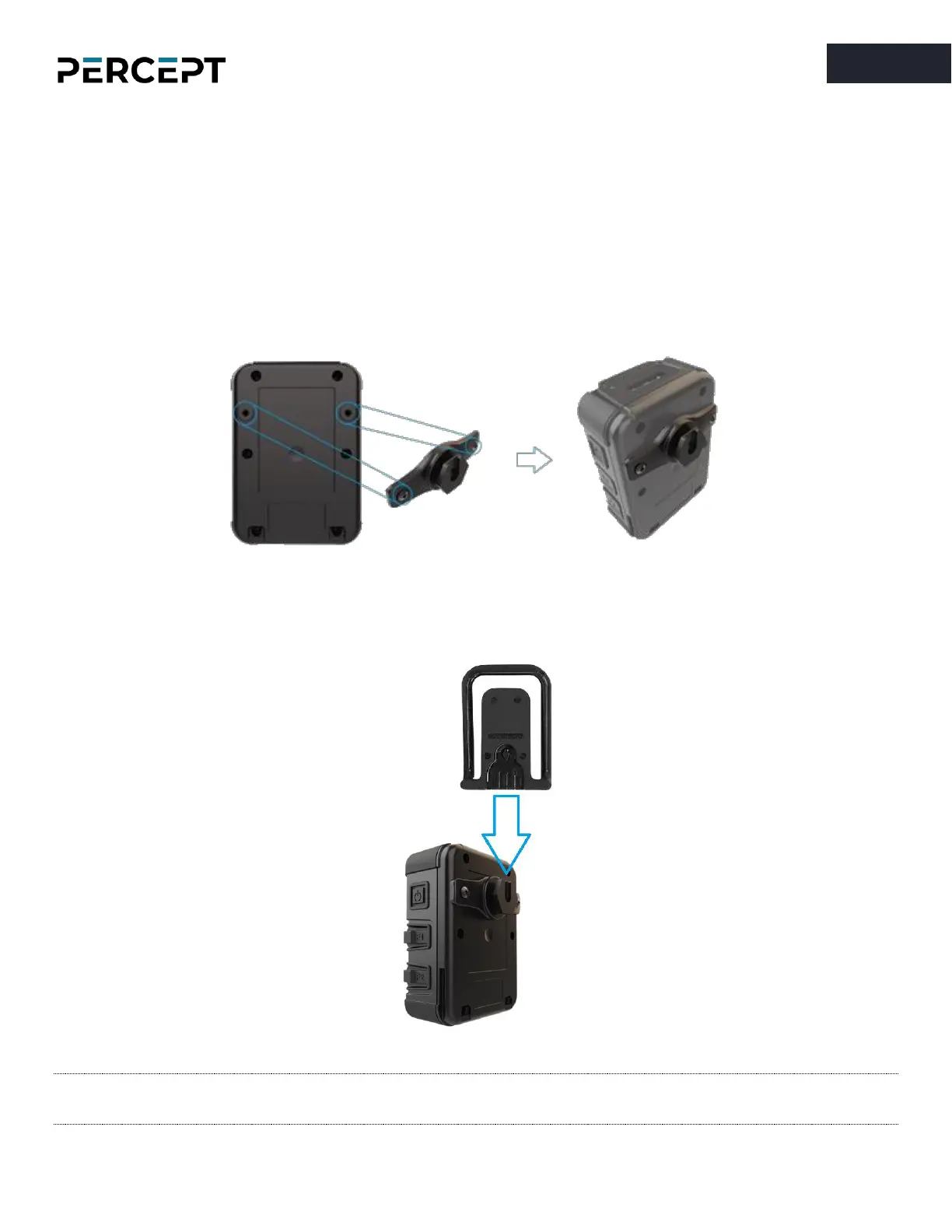
A standard Klick Fast stud (universal mount) and a Klick Fast Clip-On Dock are included with your PERCEPT
body camera.
To attach the universal mount to the body camera, please screw in, using a standard Philips head
screwdriver, the 2 mounting screws to the back of the body camera’s chassis, as shown below:
Once the mount is installed, the user can attach different compatible accessories (like the included Clip-On
Dock) by simply sliding them onto the hook and then twisting them into the desired position.
Note: Multiple Klick Fast mounting accessories are available as optional items. Please contact your
authorized IONODES reseller for more information.



 To Next Page