28
support@ionodes.com | www.ionodes.com | 450-696-1060
7.3.3 Configuration/Network
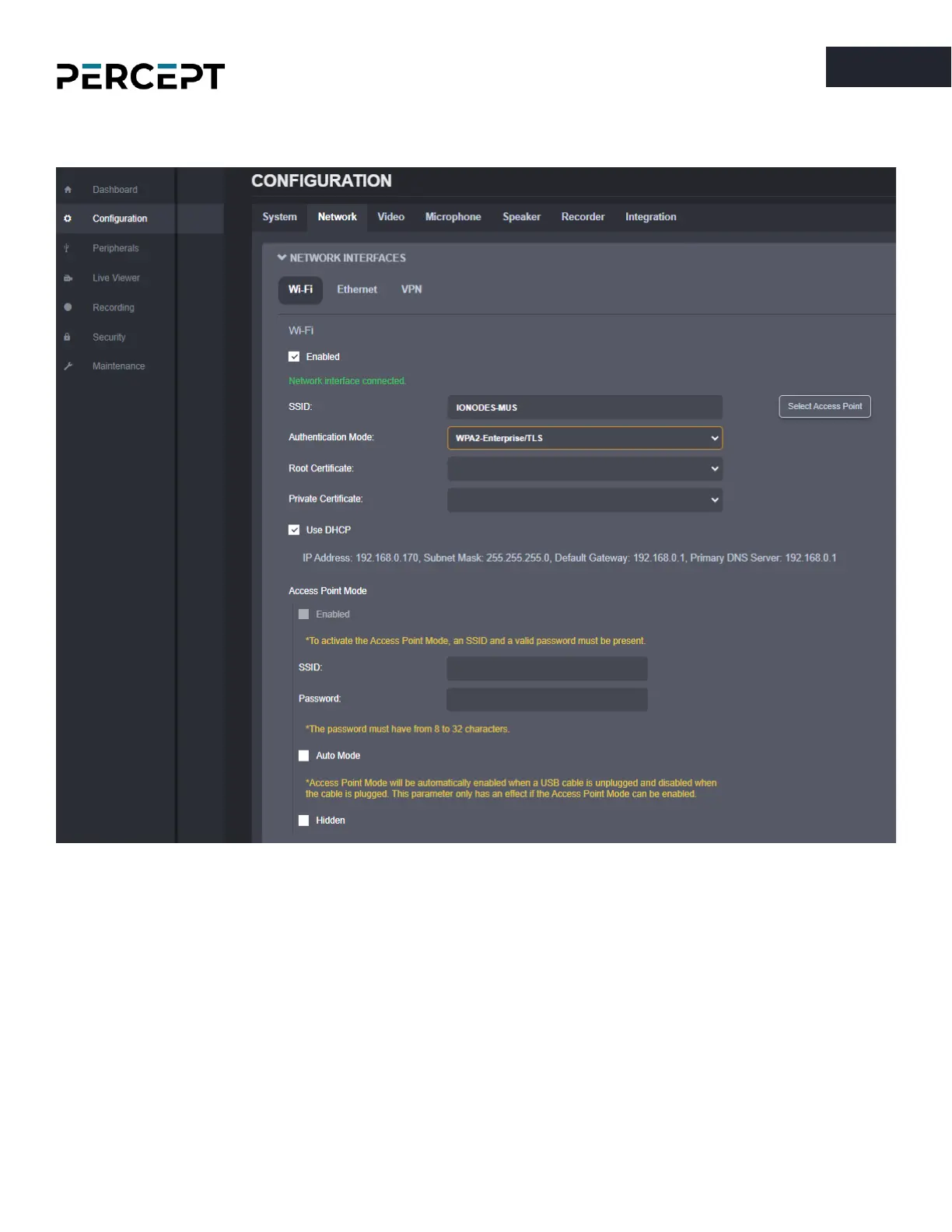
Under the Configuration section, select the Network tab to perform the following operations:
•
Network Interface
– Set the body camera’s network interface parameters;
o Wi-Fi / Client Mode: It can be set as a standard client Wi-Fi to connect to different access
points. It supports different AEP modes allowing you to choose your network
authentication method. Specifically, it includes EAP-PEAP for user credentials
authentication and EAP-TLS for certificate-based authentication. For EAP-TLS, you will need
to specify the root and private certificate (See Security).
o Wi-Fi / Access Point: Once enabled, it acts as any typical access point to allow your Wi-Fi
clients to connect to it. It has a built-in feature to automatically activate or deactivate this



 To Next Page