25
support@ionodes.com | www.ionodes.com | 450-696-1060
• Set general
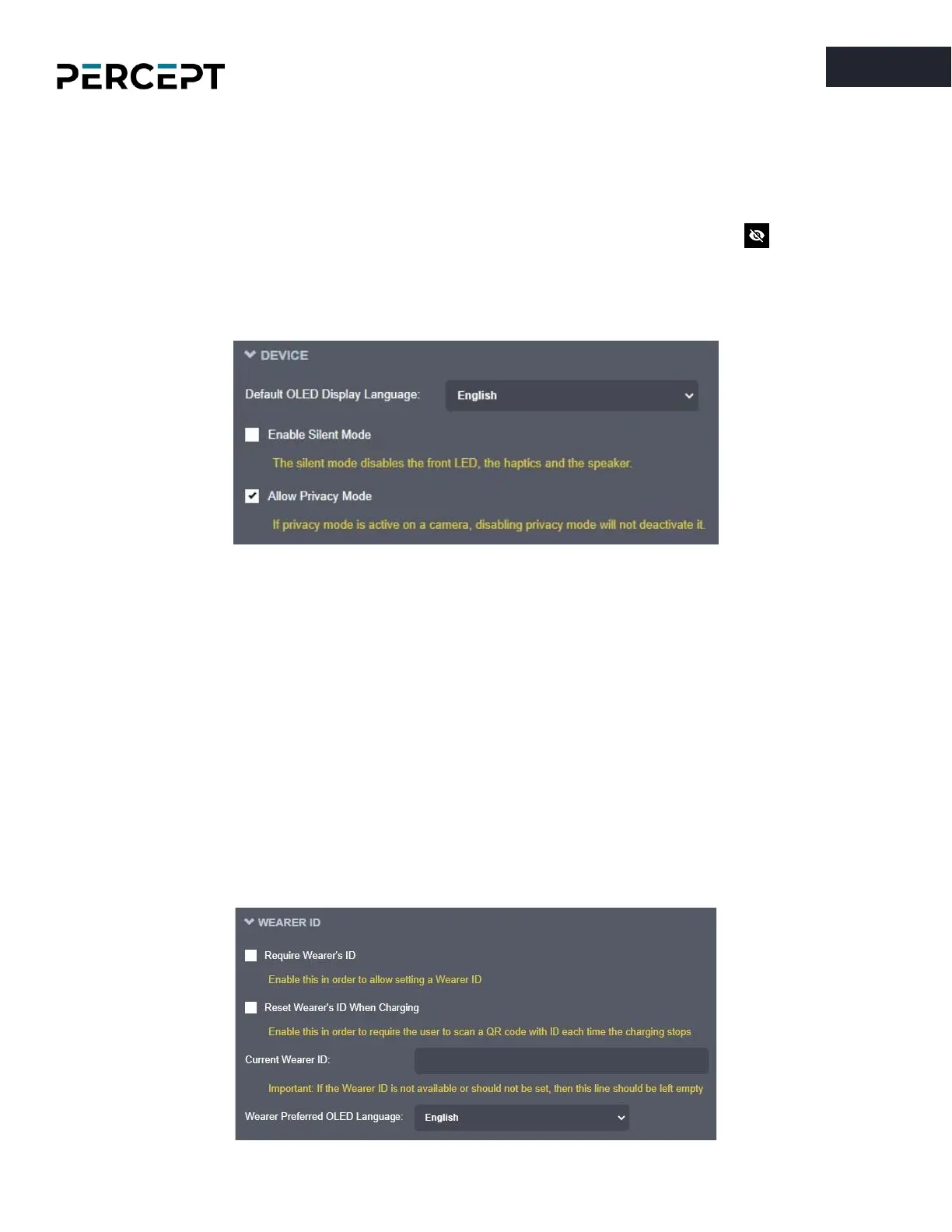
Device
settings like the default OLED display language and activating Silent Mode
(which disables the front LED, the haptics, and the speaker).
The system administrator can also choose to allow or not the Privacy Mode. When the body
camera is switched to Privacy Mode the audio and video are disabled, both for live streaming, as
well as for local recording (the body camera will only send a Privacy Mode logo when being
requested the live stream). A typical scenario for activating this feature would be a situation
where the camera wearer is entering a restricted or private area or when he is handed over
confidential documents.
• Set general
Wearer ID
and associated parameters.
o
Require Wearer’s ID
: Each time the body camera is unplugged from the charger, if the
Wearer ID is empty, the camera will automatically switch to Scan QR mode and will wait for
the user to scan a QR code containing the Wearer ID (the QR code can consist of only the
Wearer ID, all other information is optional)
o
Reset Wearer’s ID When Charging
: The Wearer ID is reset each time the body camera is
plugged in for recharging
o
Current Wearer ID
: character string (up to 24 characters) indicating the ID
o
Wearer Preferred OLED Language
: language used for the information on the OLED screen
when the Wearer ID is not empty



 To Next Page