32
support@ionodes.com | www.ionodes.com | 450-696-1060
•
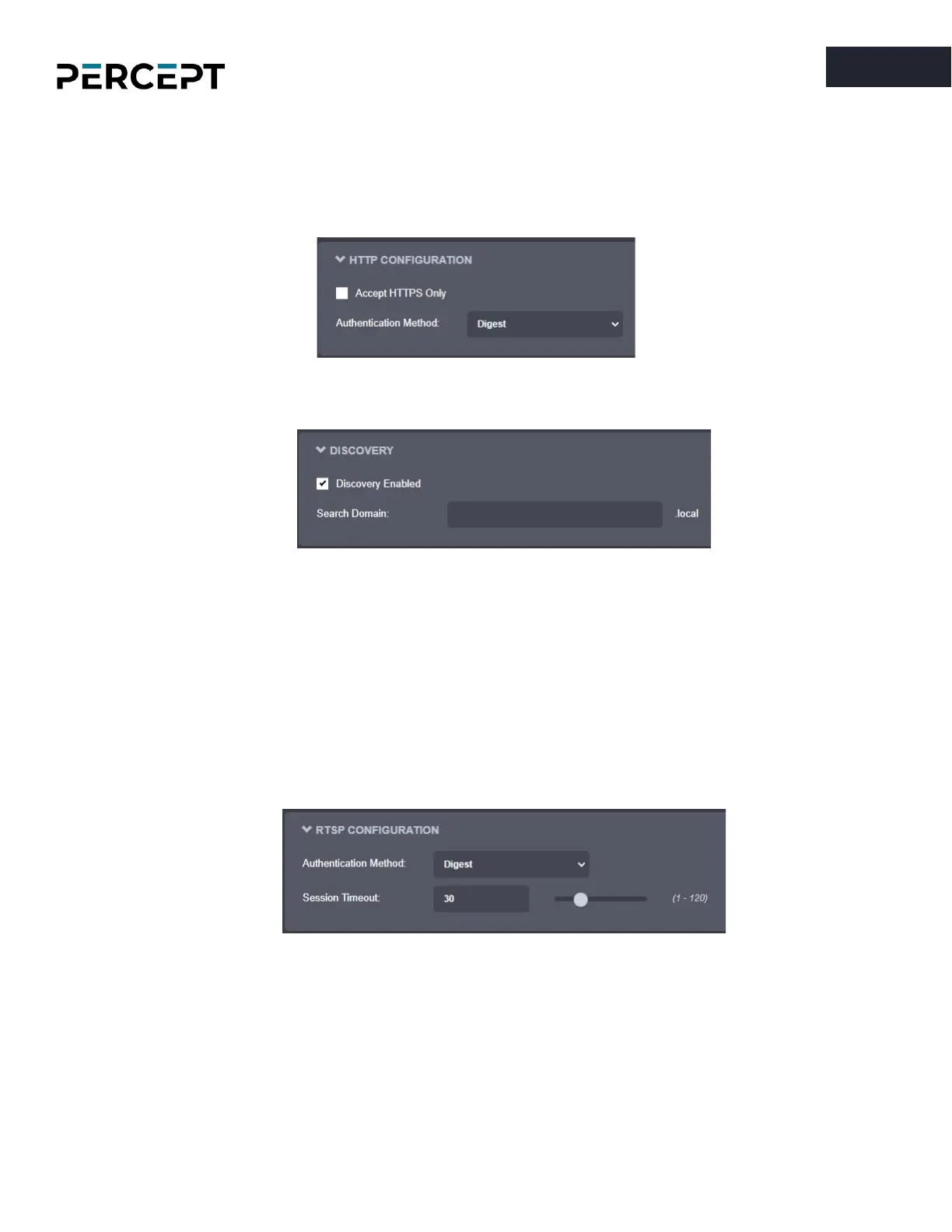
HTTP Configuration
– Change the device’s HTTP configuration
o Accept HTTPS only – Forces the HTTP server to accept only SSL connections
o Authentication mode – Basic or Digest Authentication for HTTP connections
•
Discovery
– Enable the Bonjour discovery protocol and configure search domain.
•
RTSP Configuration
– Change the device’s RTSP configuration
o Authentication method – Basic or Digest Authentication for RTSP connections.
o Session Timeout – Configure timeout in seconds for RTSP session. The RTSP client will need
to send a keep-alive before the timer for the session runs out. As a best practice, please
configure your RTSP client to send the keep-alive at around half of the session timeout. If
the keep-alive is sent very late and the network performance is degraded (packets are
being buffered and arriving late) the keep-alive might not make it in due time to the RTSP
server and the streaming session will be closed.
•
Multicast
– Change the global multicast settings for all outgoing multicast streams. By default, the
multicast functionality is disabled. Once the user enables it, each outgoing multicast stream will be
automatically assigned a multicast IP address and port based on the configured global range.



 To Next Page