40
support@ionodes.com | www.ionodes.com | 450-696-1060
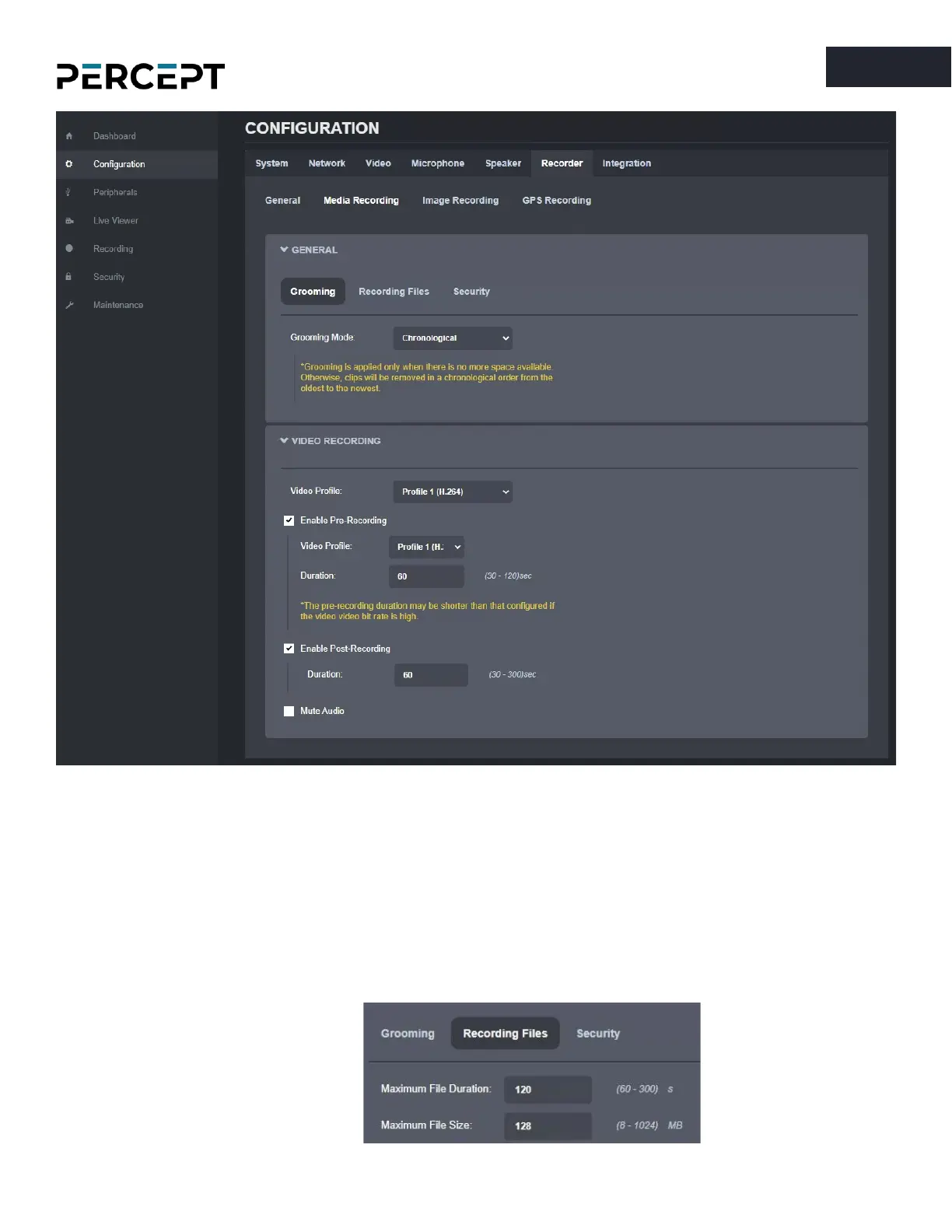
• Configure the Media Recording parameters
o
Grooming Mode
: defines what files will be overwritten when there is no more available
space on the SD card
▪ Chronological: clips are deleted in chronological order from the oldest to the newest
▪ Manual: a manual intervention is needed to delete the clips
▪ By retention time: clips are automatically deleted when the retention time is met
o
Recording Files
: defines the maximum recording file duration and file size


 To Next Page