Explorer Mini Maintenance and repairs
6.3.2 Plastic and metal surfaces
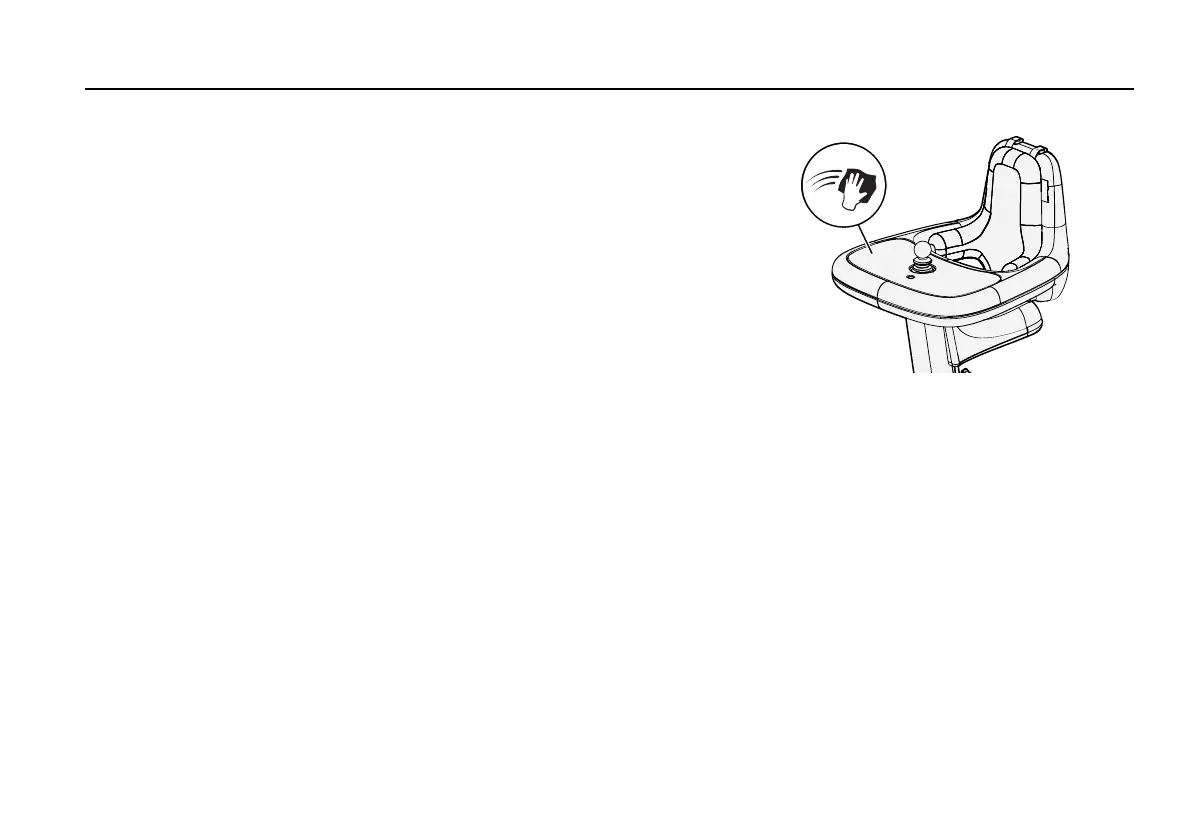
Figure 69. Cleaning the plastic and metal surfaces.
Do a daily check to see if the table and seat are dirty. Also do a check
to see if the groove on the table is dirty. Please note that you need to
remove the tray top to clean the groove on the table.
The metal surfaces on the Explorer Mini are corrosion resistant.
1. Press the on/off button to turn off the power.
2. Clean the plastic and metal surfaces with a soft cloth, a mild
detergent, and hot water.
3. Wipe the plastic and metal surfaces with a soft dry cloth.
6.3.3 Cushion cover
1. Press the on/off button to turn off the power.
2. Remove the cushion from the Explorer Mini. For instructions,
see 4.4.1
Removing the cushion
.
3. Remove the cover from the cushion.
4. Turn the cover inside out and follow the cleaning instructions on
the label. Use a washing bag to prevent that the screws damage
your washing machine.
5. Put back the cover on the cushion.
6. Attach the cushion on the Explorer Mini. For instructions, see
4.4.2
Attaching the cushion
.
123


 To Next Page