Explorer Mini Adjustments
4.2.1 Adjusting the height of the table and
backrest unit
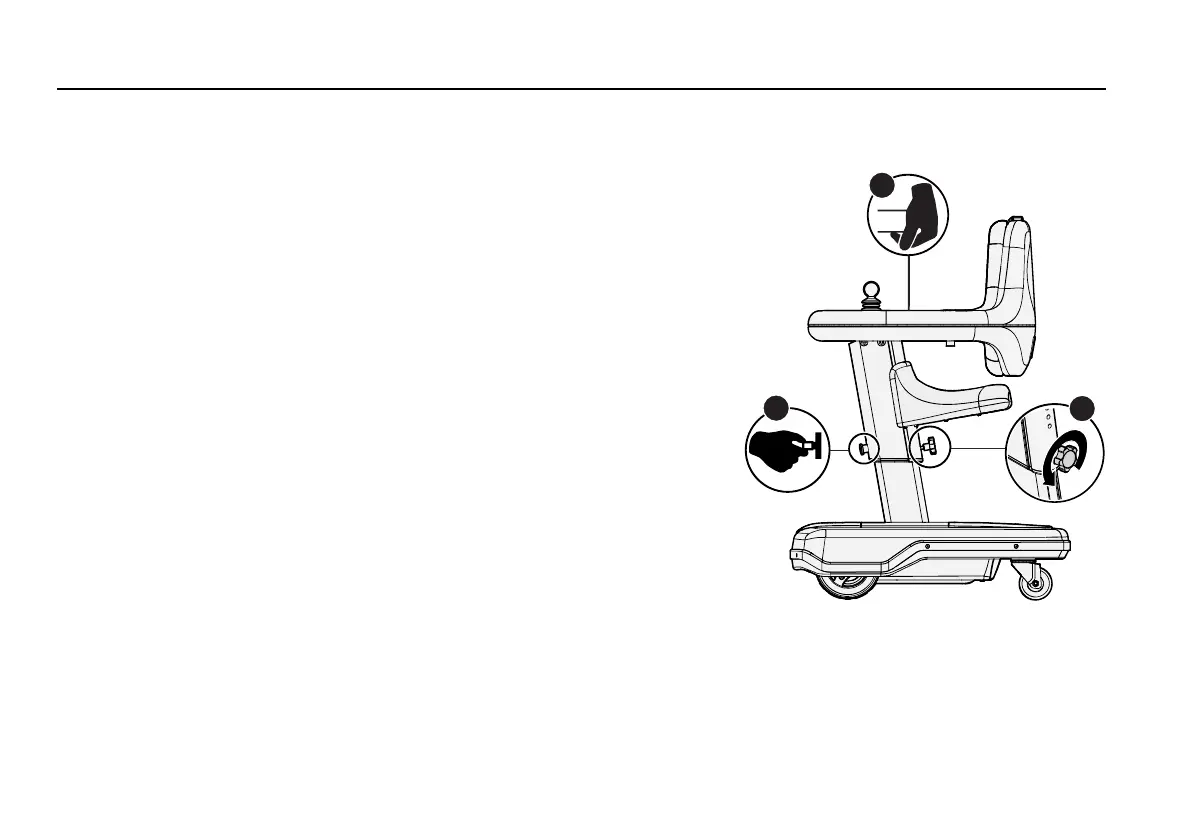
Figure 36. Loosen the tightening knob (A), hold the
table its position (B) and pull out the plunger knob (C).
1. Loosen the tightening knob (A).
2. Hold the table in its position (B) to prevent it from sliding down
on the base module.
3. While you hold the table in its current position, pull out the
plunger knob (C).
4. While you continue to pull the plunger knob (C), move the
column up or down to the new setting.
5. Release the plunger knob (C). A click signals that the plunger
knob (C) is locked.
6. Tighten the tightening knob (A) by hand.
72


 To Next Page