Innehåll
23
Changing the carbon-brush in
the drive motor
Removal
1. Remove the cover. See page 7.
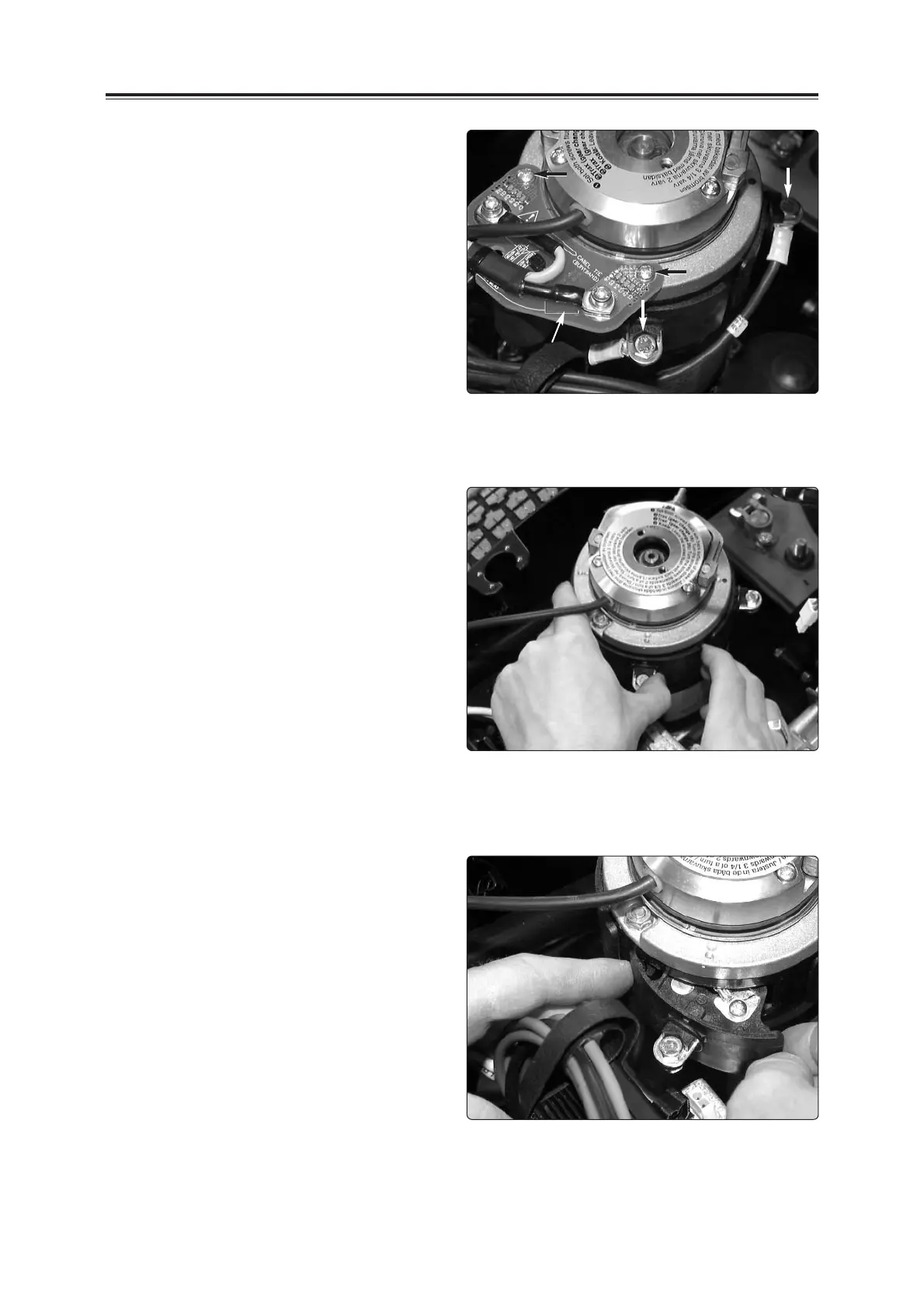
2. Unscrew the two cables which are
connected to the drive motor. See the
figure to the right.
3. Unscrew the interference suppression
card from the drive assembly. The
interference suppression card is held in
place by two screws.
Changing the carbon-brush in the drive motor
Cable connections in the drive motor
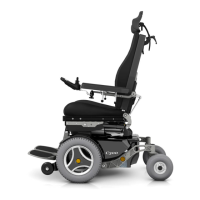
4. Remove the brush holder by pressing the
cable terminal clockwise with your thumb.
See the figure to the right.
NB! Change only one brush holder at a
time.
Brush holder
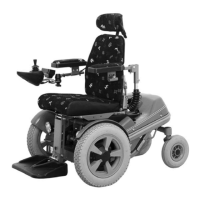
5. Tip the brush holder forwards carefully.
Removing a brush holder
Interference
suppression
card









 To Next Page