Changing the carbon-brush in the drive motor
24
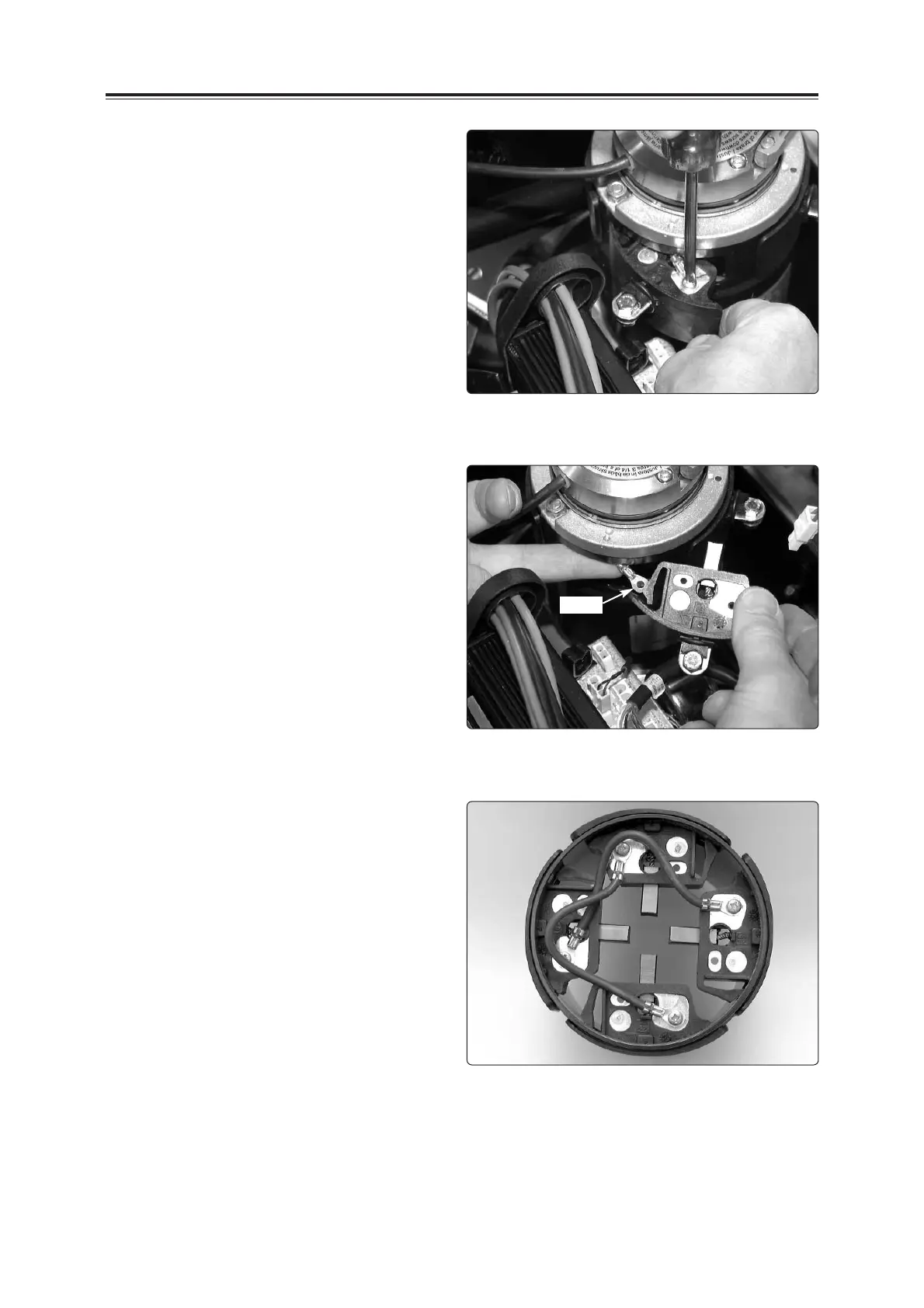
6. Unscrew the cable connection from the
brush holder.
NB.
Make sure that the screw does not get
into the motor.
If it does, the motor has to be changed.
Change only one brush holder at a time.
Ensure that the cable which is located in
the brush holder is not stretched.
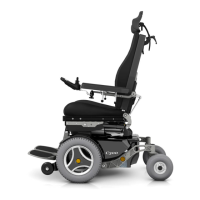
7. Change the brush holder.
Ensure that the cable which is located in
the brush holder is not stretched and
does not get into the motor.
Loosen the cable connection
Change the brush holder
Fitting
(Takes place in reverse order, see above)
1. Screw the cable connection onto the brush
holder.
2. Press the brush holder into the drive
assembly.
3. Screw the two cables from the interference
suppression card to the brush holders.
4. Screw the interference suppression card
to the drive assembly with two screws.
5. Refit the cover. See page 7.
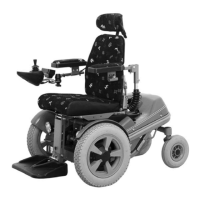
Fitted brush holders
(seen from inside the motor)
Cable









 To Next Page