EasyManua.ls Logo

Pfaff Creative 7530 - Page 62

Pfaff Creative 7530
185 pages
Print Icon
To Next Page IconTo Next Page
To Previous Page IconTo Previous Page
Loading...
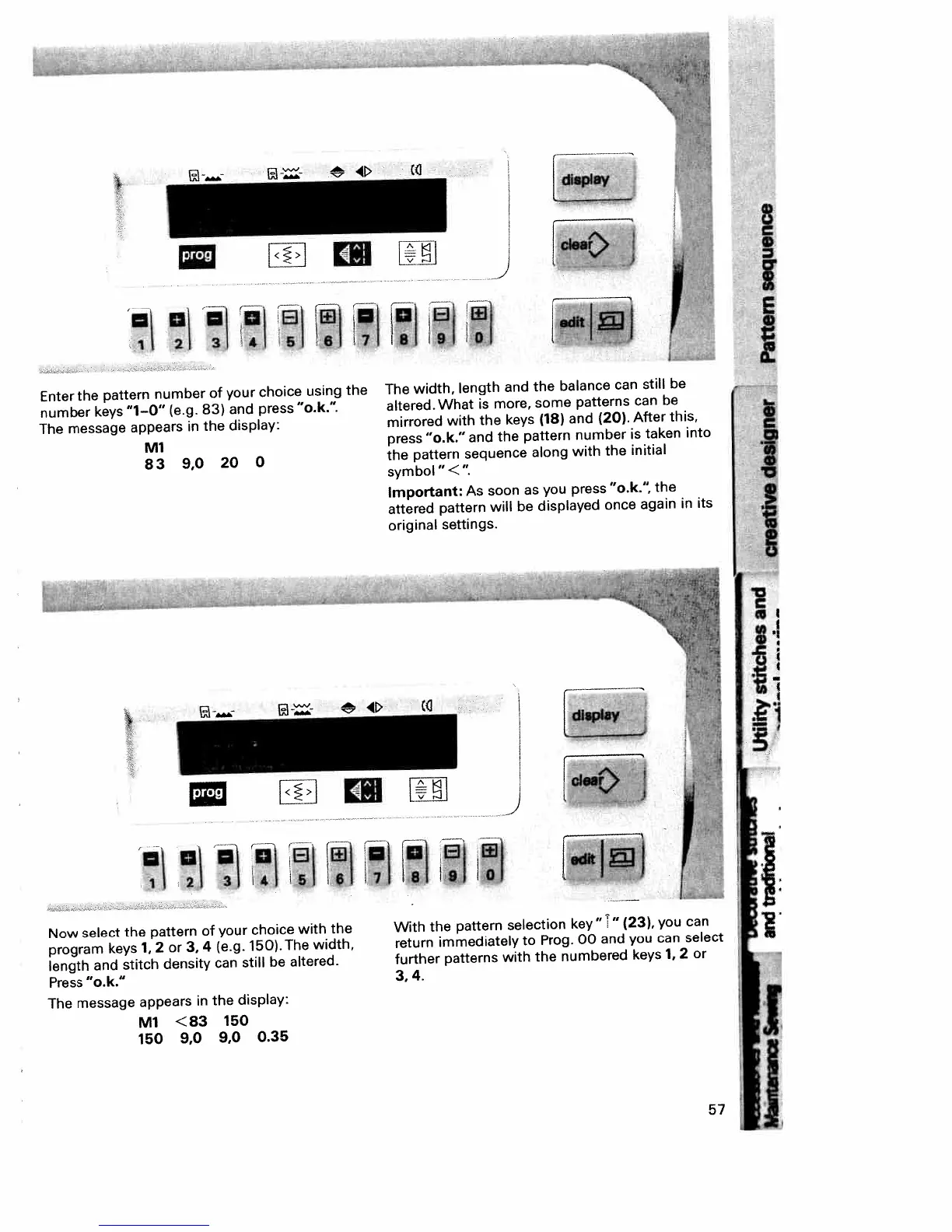
Enter
the
pattern
number
of
your
choice
using
the
number
keys
“1—0”
(e.g.
83)
and
press
“o.k.”
The
message
appears
in
the
display:
Ml
83
9,0
20
0
Now
select
the
pattern
of
your
choice
with
the
program
keys
1.
2
or
3,4
(e.g.
150).The
width,
length
and
stitch
density
can
still
be
altered.
Press
“o.k.”
The
message
appears
in
the
display:
Ml
<83
150
150
9,0
9,0
0.35
The
width,
length
and
the
balance
can
still
be
altered.
What
is
more,
some
patterns
can
be
mirrored
with
the
keys
(18)
and
(20).
After
this,
press
“o.k.”
and
the
pattern
number
is
taken
into
the
pattern
sequence
along
with
the
initial
symbol”<’
Important:
As
soon
as
you
press
“o.k.’
the
attered
pattern
will
be
displayed
once
again
in
its
original
settings.
[J
Jr-Q1j4,
With
the
pattern
selection
key”
i”
(23),
you
can
return
immediately
to
Prog.
00
and
you
can
select
further
patterns
with
the
numbered
keys
1,
2
or
3,4.
1
2
3
4
5
6
17
8
9
0
I.
I
I
I
I
4J
L
6
81
IJ
i
J
II
57

Table of Contents

Related product manuals