7 Malfunctions
7.1 Operation monitoring
During operation, the user is notified of an incident on the detector control panel.
Type of fault Control panel
Warning Press on [i Next] to display the fault.
Error Message display.
Press on [i Next] to display the fault.
Critical error Display of “Critical error - E244” message.
Contact our service center.
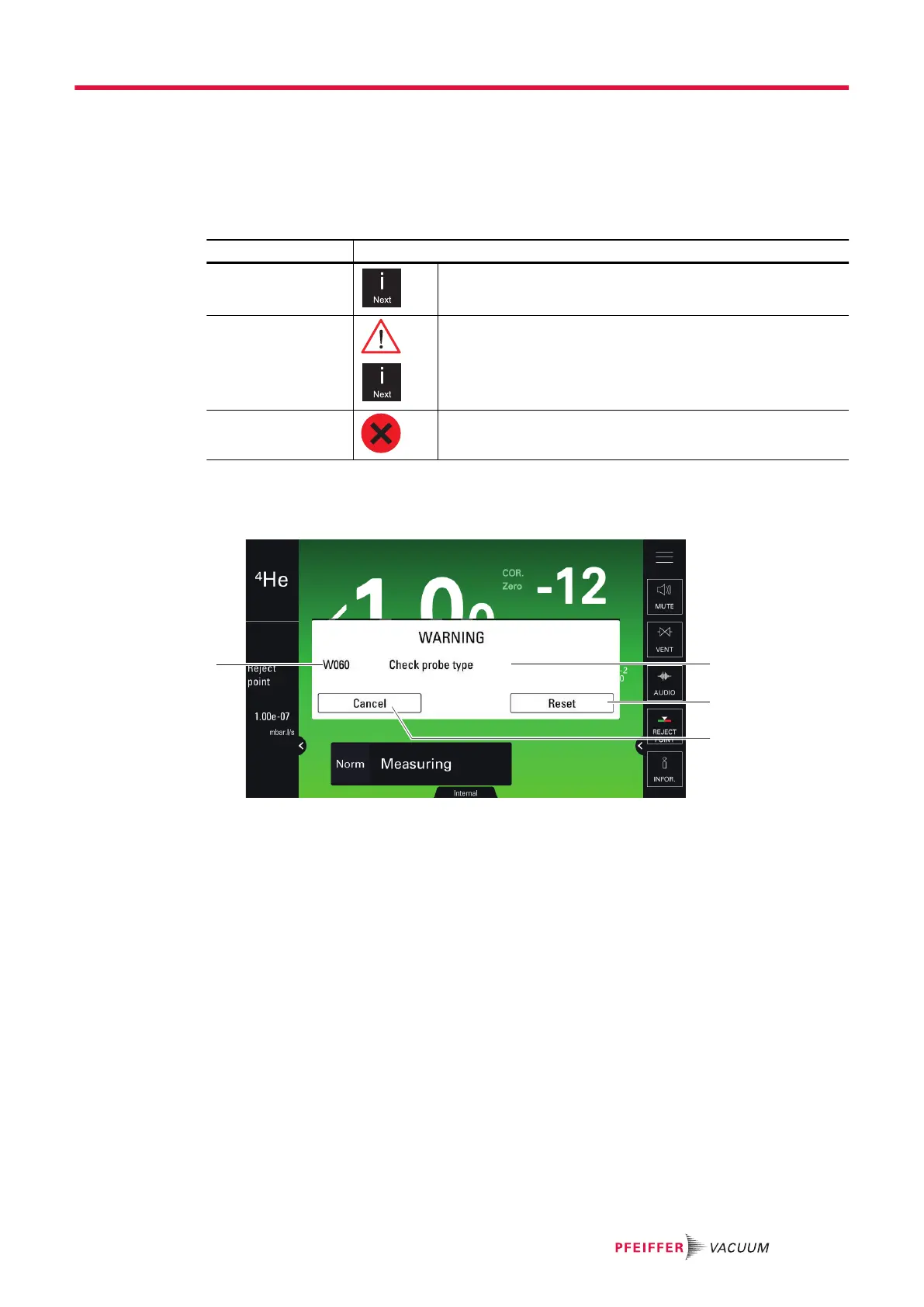
7.2 Fault display
Click on [i Next] to display the fault.
1 Fault code 3 Removing the fault: the fault will be displayed again if the origin of the fault
has not been resolved.
2 Fault description 4 Hiding the fault (without removing the fault)
7.3 Troubleshooting guide
The troubleshooting guide helps correct the malfunctions reported on the detector's control panel or af-
fecting the detector. It can be consulted from an interactive application.
Malfunctions
27/36



 To Next Page