Operation
20 | 40 Operating instructions Sortimat | Edition 1
7 Operation
The SORTIMAT laboratory sorting machine is only allowed to be operated by personnel
who have been qualified and trained in its operation.
7.1 Control elements
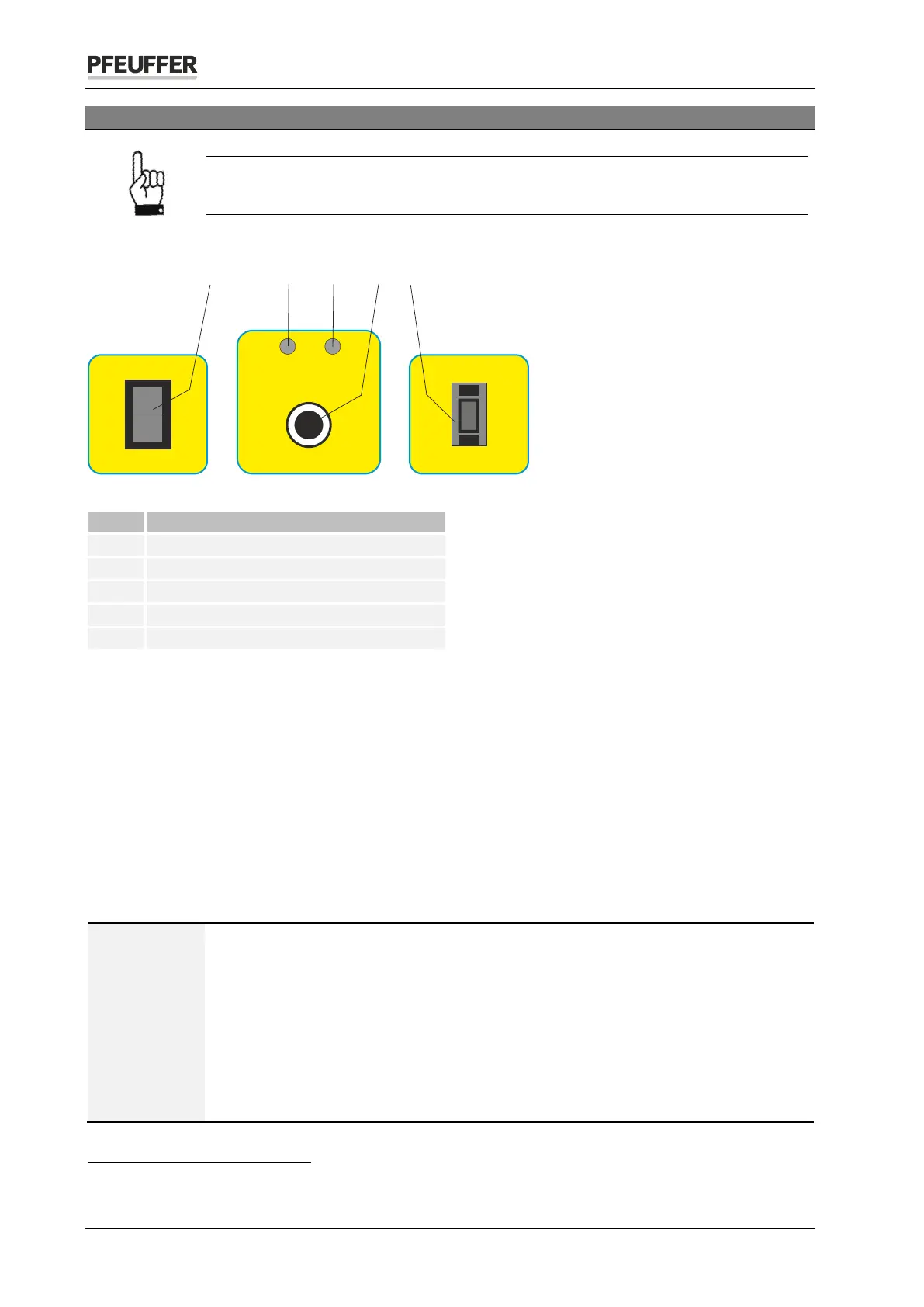
Figure 6: SORTIMAT control elements
Coding switch (sorting time)
7.1.1 Main switch On/Off
The main switch switches the SORTIMAT on and off. After switching on, the "On" LED lights up.
7.1.2 Start key
The start key starts the sorting. The "On" LED goes out and the "Operation" LED lights up. The SORTIMAT
switches off automatically after the set sorting time.
7.1.3 Coding switch (sorting time)
Use the coding switch to set the required duration of sorting (1-9 minutes).
7.2 Sample preparation measures
NOTE
Select a representative sample for the sorting.
For information and notes about sampling, refer to the standard:
DIN EN ISO 24333: 2010 Cereals and cereal products – Sampling
or the regulations of ICC
4
, EBC
5
and MEBAK
6
.
Optimum results can be achieved with cleaned samples. Foreign bodies must be
removed prior to the sorting!
Practical experience has established that a sample quantity of 100 g achieves an
accurate result.
4
International Association of Cereal Chemists
5
European Brewers' Convention
6
Central European Brewing Analysis Commission
Zeit / Time
min.
3
Aus / Off
Ein / On
Betrieb
Operation
Ein
On
Start
1 2
3
4
5


 To Next Page