EasyManua.ls Logo

Phase Technologies Essential Series - Restore Default Parameter Settings

Default Icon
56 pages
Print Icon
To Next Page IconTo Next Page
To Previous Page IconTo Previous Page
Loading...
21 | P a g e
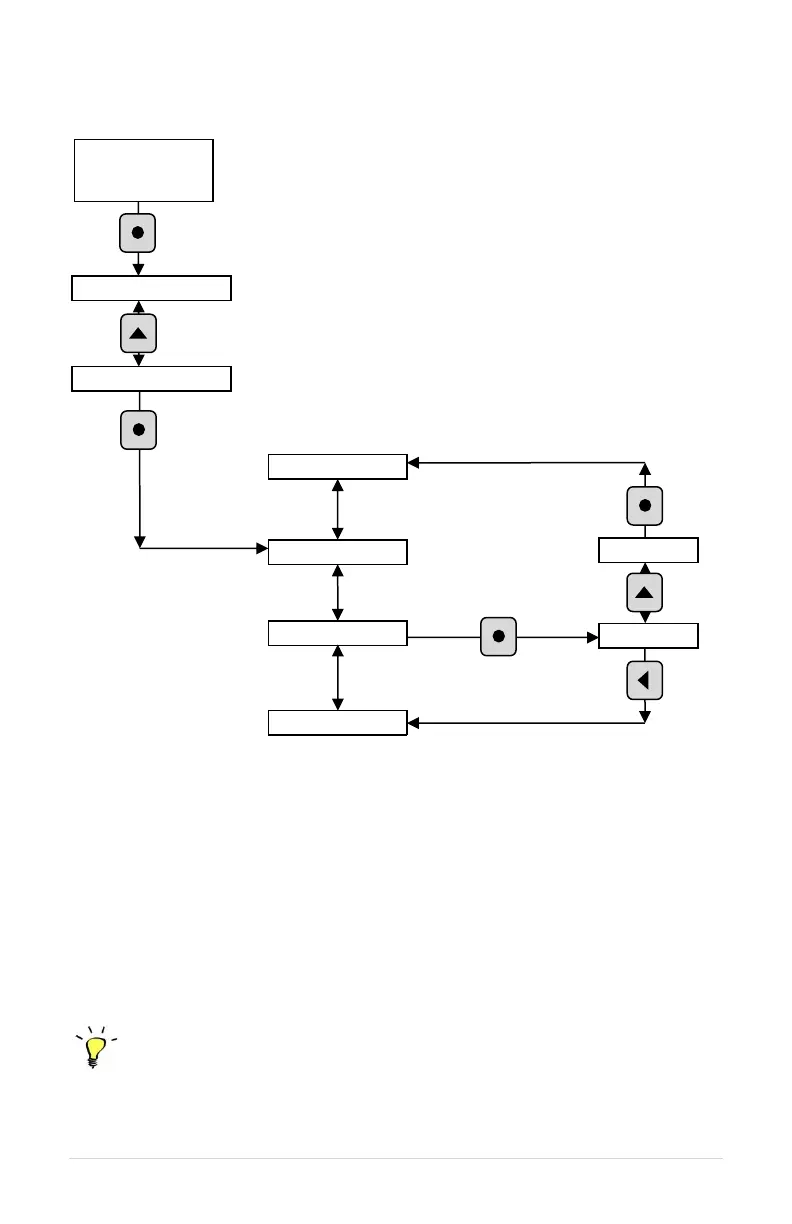
Figure 16 Change Parameter Values
5.2 Restore Default Parameter Settings
To restore ALL* adjustable parameters to their default value, press and hold the BACK
and ENTER keys at once and hold for three seconds. The display will read RESETTING
PLEASE WAIT”. If a User Password is configured, you will first be prompted to enter the
Password. You will then be prompted to press ENTER for yes or BACK for “no.”
*Important Note:
The restore function will not affect USER PASSWORD, and SWITCHING FREQUENCY.
Programming Tip
Make sure to press both keys at once and hold 3 seconds. This reset function is disabled
while the motor is running. Make certain the motor is stopped before resetting.
CHANGE
PARAMETER
VALUES
READ/EDIT
TIMERS
OPERATING
PARAMETERS
Press ENTER key to
access list of sub-menu
items
18 A
Press HOME key to access Main Menu, then use arrow keys to scroll
through Main Menu items.
Scroll SUB-
MENU with ↓↑
arrow keys
12 A
UNDERCURRENT
LMT
CURRENT
UNBALANC
Press ENTER key
to edit the
parameter value
Increase/decrease
values with ↓↑
arrow keys
Press ENTER key to save
the new value and return
to parameter list
Press BACK key to escape without
changing the value, and return to
parameters list

Press ENTER to access the
list of parameters associated
with the sub-menu
OVERCURRENT
LIMT
OUTPUT
VOLTAGE
Scroll
parameter list
with arrow

Related product manuals