EasyManua.ls Logo

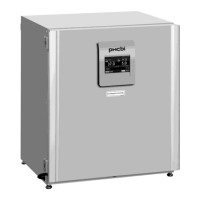
Phcbi MCO-170AICUVL - User Manual

Phcbi MCO-170AICUVL
96 pages
Print Icon
To Next Page IconTo Next Page
Loading...
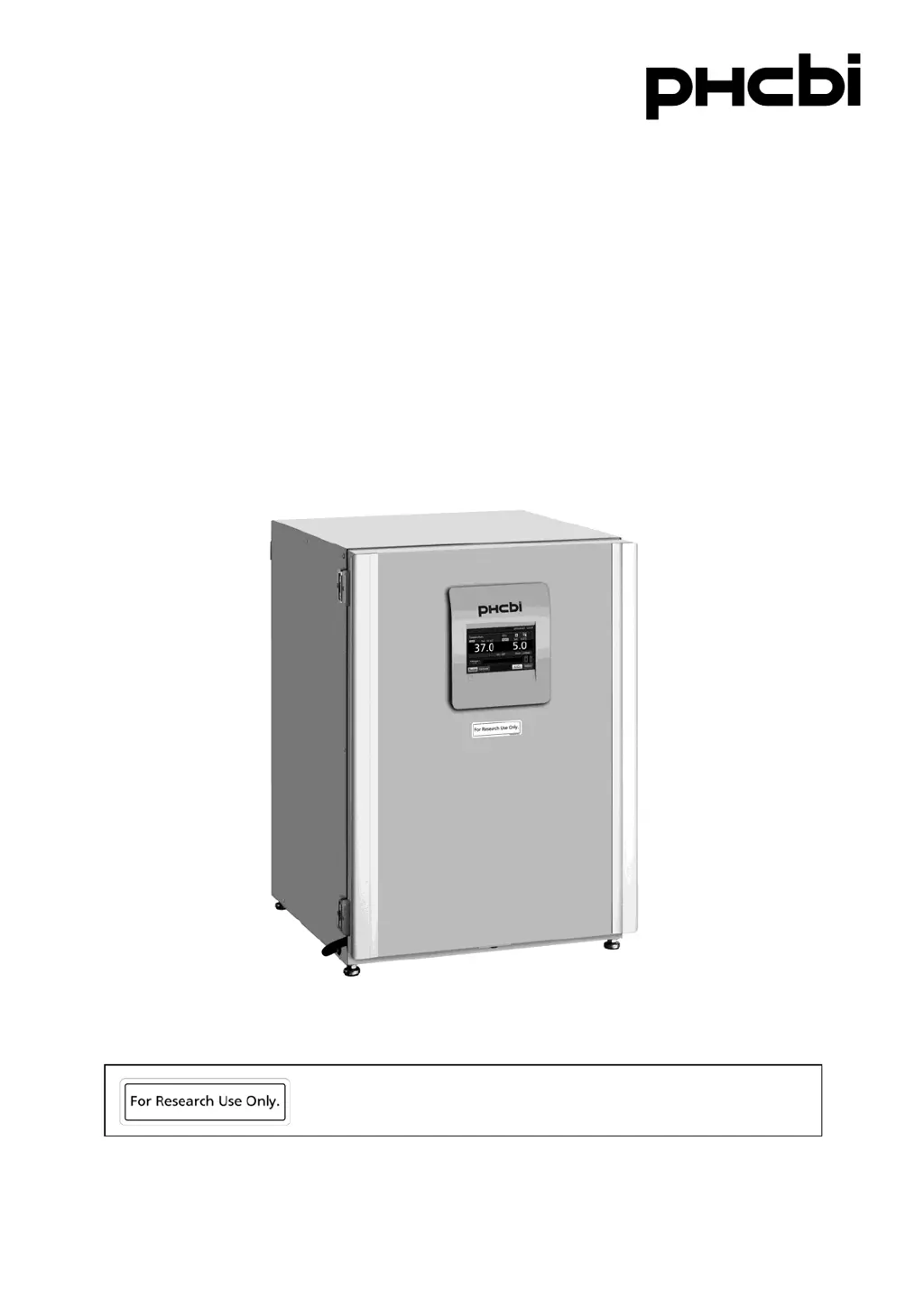
MCO-170AICUVL
Please read the operating instructions carefully before using this product, and keep the operating
instructions for future use.
See page 92 for model number.
Operating Instructions
CO
2
Incubator
This product is for research use only.
Not for clinical diagnosis or treatment of humans or animals.

Table of Contents

Questions and Answers

Summary

Introduction to the PHCbi CO2 Incubator

Important Notice and Warranty Disclaimer

PHC Corporation's warranty conditions and responsibility disclaimer for product use.

Intended Use of the Equipment

Equipment designed for cell and tissue culture for laboratory use only, not for clinical diagnosis.

Precautions for Safe Operation

Understanding Warning and Caution Signs

Failure to observe WARNING signs can result in serious injury or death; CAUTION signs can result in injury or damage.

Explanation of Safety Symbols

Explains symbols for caution, prohibition, and mandatory instructions.

Incubator Labels and Their Meanings

High-Voltage Electrical Components Warning

Label warning about high-voltage components requiring qualified personnel.

Ultraviolet Light (UV) Caution

Symbol indicating caution regarding ultraviolet light.

General Caution Symbol

Symbol indicating that caution is required, refer to documentation.

Hot Surface Symbol

Symbol indicating a hot surface.

Earth Symbol

Symbol indicating an earth connection.

Power Switch ON Symbol

Symbol indicating the "ON" state of a power switch.

Power Switch OFF Symbol

Symbol indicating the "OFF" state of a power switch.

Environmental Conditions for Operation

Indoor Use Requirement

The equipment is designed for indoor use.

Altitude Limit

Operating altitude limit for the equipment.

Temperature Range

Permissible ambient temperature range for operation.

Humidity Limit

Specifies the maximum allowable relative humidity.

Voltage Fluctuation Tolerance

Allowed voltage fluctuations for the power supply.

Transient Overvoltage Tolerance

Specifies acceptable levels of transient overvoltages.

Temporary Overvoltage Conditions

Conditions regarding temporary overvoltages on the mains supply.

Pollution Degree Specification

Specifies the environmental pollution degree the equipment is designed for.

Incubator Components Overview

Main Unit Components Diagram

Diagrams showing the exterior and interior components of the incubator.

Rear Side Components Identification

Details of components located on the rear side of the incubator.

Lower Right Side Components Identification

Details of components located on the lower right side.

Detailed Incubator Components

Outer Door Description

Description of the outer door, including its magnetic seal and optional door heater.

Humidifying Pan Installation

How to fill and position the humidifying pan.

USB Port Functionality

Used for exporting operations and alarm logs.

Remote Alarm Terminal Connection

Terminals for connecting to an external alarm unit.

LCD Touch Panel Interface

Top Screen Layout Overview

Describes the appearance of the Top screen after power-on.

Present Temperature Display

Displays the current chamber temperature.

Set Temperature Value Display

Shows the target chamber temperature.

Present CO2 Density Display

Displays the current CO2 density in the chamber.

Set CO2 Density Value Display

Shows the target CO2 density.

CO2 Gas Supply Line Indicators

Shows the currently used CO2 gas supply line.

CO2 Gas Supply Line Select Key

Key to select between CO2 gas supply lines A or B.

LCD Touch Panel - Additional Displays

Over Heat Alarm Display

Indicates when the high limit temperature alarm is activated.

Message Display Field

Displays alarms, errors, or general messages.

Menu Access Key

Key to access the main menu for settings.

LCD Touch Panel - Function Keys

H2 O2 Decontamination Key

Key to initiate H2O2 decontamination.

Unlock Key Operation

Key to unlock the outer door when auto-locked.

Buzzer Key Function

Key to silence the buzzer, with limitations for high limit temperature alarms.

Remote Alarm Terminal

Remote Alarm Terminal Connection

Explains how to connect an external alarm unit for remote notifications.

Incubator Installation Guide

Selecting the Installation Site

Specifies the conditions for selecting a suitable installation location.

Ambient Temperature Requirement

Recommends ambient temperature to be at least 5°C below the set chamber temperature.

Floor Stability and Leveling

Requirement for a strong, level floor to ensure stability.

Installation Site Precautions

Avoid Outdoor Installation

Reiterates the warning against outdoor use due to moisture risks.

Avoid Moist Locations

Warns against moist locations like near sinks or water lines.

Avoid Flammable or Corrosive Gases

Avoids locations with flammable or corrosive gases.

Avoid Locations with Falling Objects

Advises against locations where objects might fall onto the unit.

Installation Procedures

Unpacking and Initial Cleaning

Initial steps for unpacking and cleaning the unit.

Setting Humidifying Pan and Cover

Instructions for placing the humidifying pan and its cover.

Inserting Trays

Instructions for inserting the trays into the incubator.

Final Installation Steps

Adjusting Leveling Feet

How to adjust the leveling feet for stability.

Grounding the Incubator

Procedure and importance of grounding the incubator.

Grounding Installation Procedure

Steps if a grounded outlet is not available.

Installing Ground Fault Circuit Breaker

Recommendation for installing a GFCI for moist environments.

Installation Considerations

Double Stacking Procedures

Instructions for stacking incubators using optional brackets.

Storage When Not in Use

Procedures for storing the incubator when not in use.

Moving the Incubator Safely

Safety precautions before moving the incubator.

Connecting the CO2 Gas Cylinder

Critical Warnings for Gas Connection

Critical warnings about gas connection, pressure, and ventilation.

Before Commencing Operation

Initial Cleaning Method

Detailed procedure for cleaning the incubator before initial use.

Preparing the Incubator Interior

Removing Inner Attachments

Step-by-step guide to remove internal components.

Continuing Inner Attachment Removal

Removing Inner Attachments (cont.)

Further steps for removing internal components like the duct and fan.

Re-installing Incubator Components

Installing Inner Attachments

Instructions for re-installing inner attachments in reverse order.

Humidifying Pan Setup

Filling the Humidifying Pan

Procedure for filling the humidifying pan with water.

Tips for Better Cultivation

Precautions for Successful Cultures

General precautions to ensure successful cultures.

Preventing Contamination

Methods to Prevent Chamber Contamination

Methods and site selection to prevent contamination.

Correct Operation Procedures

Power Cord Safety Warning

Warning about using only the provided power supply cord.

Basic Operation via LCD Touch Panel

Navigating with the Menu Key

Navigating the menu via the Menu key.

LCD Panel Operation Beyond Menu

Using Keys Outside the Main Menu

Using keys outside the main menu for specific functions.

Setting Basic Parameters

Numerical Input Window Usage

How to input numerical values using the input window.

Setting Temperature and CO2 Density

Setting Temperature, CO2, and High Limit Alarm

Procedure for setting temperature, CO2 density, and high limit alarms.

Adjusting Temperature and CO2 Settings

Setting Temperature, CO2, and High Limit Alarm (cont.)

Details on setting temperature, CO2 density, and high limit alarms.

Managing Key Lock Function

Setting the Key Lock

How to set and manage the key lock function.

Configuring Key Lock Security

Setting the Key Lock (cont.)

Further details on setting the key lock and password.

Disabling Key Lock

Removing the Key Lock

Procedure to remove the key lock function.

Turning Off Key Lock Function

Removing the Key Lock (cont.)

Final steps to disable the key lock.

Alarm Parameter Configuration

Alarm Setting Group 1

Setting automatic temperature and CO2 density alarms, and delay.

Advanced Alarm Settings

Alarm Setting Group 2

Setting door delay, ring back, and remote alarm functions.

Understanding Alarm States

Buzzer and Alarm Behavior

Behavior of the buzzer and alarms during an alarm state.

Operation and Alarm Log Management

Setting the Log Interval

Setting the frequency for saving operation log data.

Viewing Operation Logs

Displaying Operation Log Data

How to view saved operation logs on the LCD.

Analyzing Operation Log Graphs

Displaying Operation Log Graphs

Steps to display operation log graphs for temperature, CO2, and door status.

Exporting Operation Log Data

Exporting Operation Log via USB

Procedure for exporting operation logs to USB memory.

Operation Log Export Process

Exporting Operation Log via USB (cont.)

Steps for exporting operation logs to USB memory.

Selecting Operation Log Export Parameters

Exporting Operation Log by Time and Type

Selecting time period and data types for export.

Completing Operation Log Export

Finalizing Operation Log Export

Completing the operation log export process.

Viewing Alarm Logs

Displaying Alarm Logs on LCD

How to view saved alarm logs on the LCD.

Alarm Log Analysis and Export

Displaying and Exporting Alarm Logs

Steps to view and export alarm logs.

Exporting Alarm Log Data

Alarm Log Export Procedure

Procedure for exporting alarm logs to USB memory.

Selecting Alarm Log Export Criteria

Alarm Log Export by Period

Selecting period and exporting alarm logs.

Completing Alarm Log Export

Finalizing Alarm Log Export

Completing the alarm log export process.

Other Incubator Parameters

Setting Date and Time

Procedure to set the incubator's date and time.

LCD Panel Brightness and Sleep Settings

Setting Brightness and Sleep Mode

Adjusting LCD panel brightness and sleep mode settings.

Detailed Brightness and Sleep Configuration

Setting Brightness and Sleep Mode (cont.)

Detailed settings for LCD brightness and sleep mode.

UV Lamp Operation and Settings

Using the UV Lamp for Disinfection

How to use the UV lamp for disinfection.

UV Light Exposure Warning

Warning about direct exposure to UV light.

Configuring UV Lamp ON Period

Setting UV Lamp ON Period

Procedure to change the UV lamp's ON period.

UV Lamp Timer and Frequency Settings

Setting UV Lamp ON Period (cont.)

Details on UV timer, UV life, and frequency settings.

UV Lamp Lighting for Extended Periods

Lighting UV Lamp for 24 Hours

Procedure to run the UV lamp continuously for 24 hours.

H2 O2 Decontamination Procedure

H2 O2 Decontamination Steps

Step-by-step guide for performing H2O2 decontamination.

H2 O2 Decontamination Process Details

H2 O2 Decontamination Steps (cont.)

Further steps in the H2O2 decontamination process.

H2 O2 Decontamination Setup and Execution

H2 O2 Decontamination Steps (cont.)

More steps for H2O2 decontamination setup and procedure.

H2 O2 Decontamination System Checks

H2 O2 Decontamination Steps (cont.)

Continuation of H2O2 decontamination steps and screen details.

H2 O2 Decontamination Safety and Warm-up

H2 O2 Decontamination Steps (cont.)

H2O2 decontamination steps, including system checks and warm-up.

Unlock Key Warning During Decontamination

Warning about using unlock key during H2O2 decontamination.

H2 O2 Decontamination Completion

H2 O2 Decontamination Steps (cont.)

Details on decontamination steps (Step4, Step7) and completion.

Post H2 O2 Decontamination Procedures

H2 O2 Decontamination Final Steps

Final steps for H2O2 decontamination and cleaning.

Handling H2 O2 Reagent Safely

Precautions When Handling H2 O2 Reagent

Safety guidelines for handling H2O2 reagent.

Electric Lock Option Features

Setting User-ID for Auto-Lock

Procedure to register a User-ID and password for auto-lock.

User-ID Management for Auto-Lock

Setting User-ID for Auto-Lock (cont.)

Details on registering User-IDs and passwords for auto-lock.

Configuring Auto Lock Function

Setting the Auto Lock Function

How to set up the auto lock function.

Auto Lock Function Details

Setting Auto Lock Function (cont.)

Details on auto-lock settings and user-ID mode.

Unlocking the Outer Door

Methods for Unlocking Outer Door

Methods for unlocking the outer door via quick mode or User-ID.

Using the Unlock Key

Unlock Key Operation During Power Interruption

How to use the unlock key, especially during power interruptions.

Disabling the Auto Lock Feature

Removing the Auto Lock Function

Procedure to turn off the auto lock function.

Gas Auto Changer Operation

Connecting CO2 Gas Cylinders for Auto Changer

Instructions for connecting CO2 gas cylinders for the auto changer.

Automatic CO2 Gas Supply Changeover

How the Auto Changer Switches Gas Lines

How the auto changer switches between CO2 gas cylinders.

Automatic CO2 Gas Changeover Scenarios

Automatic CO2 Gas Supply Changeover (cont.)

Detailed explanation of automatic changeover scenarios.

Manual CO2 Gas Supply Line Switching

Manual CO2 Gas Supply Line Changeover

How to manually switch between CO2 gas supply lines.

STD Gas Auto Calibration Kit

Connecting Standard Gas Cylinder for Calibration

How to connect a standard gas cylinder for calibration.

STD Gas Calibration Settings

STD Gas Density Setting

Setting the CO2 density for the standard gas cylinder.

Initiating STD Gas Calibration

Initiating the STD gas calibration process.

Performing STD Gas Calibration

STD Gas Calibration Steps

Steps for performing CO2 density calibration.

Routine Maintenance Procedures

Alarms, Safety, and Self-Diagnosis Functions

Culture Operation Alarms and Safety

Table detailing various alarms, conditions, and responses.

Alarm Behavior and Ring Back Functions

Alarm Buzzer and Ring Back Table

Explains buzzer and ring back functions for different alarms.

Specific Alarms and Safety Functions

H2 O2 Decontamination Alarms and Safety

Specific alarms and safety functions during H2O2 decontamination.

STD Gas Calibration Alarms and Safety

Alarms and safety functions for STD Gas Calibration.

Troubleshooting Common Issues

Incubator Not Operating

Checks for when the incubator is not powering on.

Troubleshooting Activated Alarms

Troubleshooting steps when an alarm occurs.

Resolving Temperature Mismatches

Checks for temperature discrepancies.

Resolving CO2 Density Mismatches

Troubleshooting CO2 density setting issues.

Troubleshooting Gas and Door Issues

Troubleshooting CO2 Gas Injection Failures

Checks for when CO2 gas injection fails.

Troubleshooting Outer Door Opening Issues

Steps for when the outer door cannot be opened.

Troubleshooting Decontamination Failures

Resolving H2 O2 Decontamination Issues

Reasons why H2O2 decontamination might fail.

Unit Disposal Guidelines

Warning for Unit Dismantling and Disposal

Warning about dismantling and disposal by qualified personnel.

Incubator Technical Specifications

Optional Accessories and Stacking

List of Optional Accessories

Lists optional accessories available for the incubator.

Optional Accessories for Functions

Details optional accessories for specific functions like H2O2 decontamination.

Brackets for Double Stacking Incubators

Required brackets/plates for stacking incubators.

Incubator Performance Characteristics

Safety Check Sheet for Servicing

Summary

Introduction to the PHCbi CO2 Incubator

Important Notice and Warranty Disclaimer

PHC Corporation's warranty conditions and responsibility disclaimer for product use.

Intended Use of the Equipment

Equipment designed for cell and tissue culture for laboratory use only, not for clinical diagnosis.

Precautions for Safe Operation

Understanding Warning and Caution Signs

Failure to observe WARNING signs can result in serious injury or death; CAUTION signs can result in injury or damage.

Explanation of Safety Symbols

Explains symbols for caution, prohibition, and mandatory instructions.

Incubator Labels and Their Meanings

High-Voltage Electrical Components Warning

Label warning about high-voltage components requiring qualified personnel.

Ultraviolet Light (UV) Caution

Symbol indicating caution regarding ultraviolet light.

General Caution Symbol

Symbol indicating that caution is required, refer to documentation.

Hot Surface Symbol

Symbol indicating a hot surface.

Earth Symbol

Symbol indicating an earth connection.

Power Switch ON Symbol

Symbol indicating the "ON" state of a power switch.

Power Switch OFF Symbol

Symbol indicating the "OFF" state of a power switch.

Environmental Conditions for Operation

Indoor Use Requirement

The equipment is designed for indoor use.

Altitude Limit

Operating altitude limit for the equipment.

Temperature Range

Permissible ambient temperature range for operation.

Humidity Limit

Specifies the maximum allowable relative humidity.

Voltage Fluctuation Tolerance

Allowed voltage fluctuations for the power supply.

Transient Overvoltage Tolerance

Specifies acceptable levels of transient overvoltages.

Temporary Overvoltage Conditions

Conditions regarding temporary overvoltages on the mains supply.

Pollution Degree Specification

Specifies the environmental pollution degree the equipment is designed for.

Incubator Components Overview

Main Unit Components Diagram

Diagrams showing the exterior and interior components of the incubator.

Rear Side Components Identification

Details of components located on the rear side of the incubator.

Lower Right Side Components Identification

Details of components located on the lower right side.

Detailed Incubator Components

Outer Door Description

Description of the outer door, including its magnetic seal and optional door heater.

Humidifying Pan Installation

How to fill and position the humidifying pan.

USB Port Functionality

Used for exporting operations and alarm logs.

Remote Alarm Terminal Connection

Terminals for connecting to an external alarm unit.

LCD Touch Panel Interface

Top Screen Layout Overview

Describes the appearance of the Top screen after power-on.

Present Temperature Display

Displays the current chamber temperature.

Set Temperature Value Display

Shows the target chamber temperature.

Present CO2 Density Display

Displays the current CO2 density in the chamber.

Set CO2 Density Value Display

Shows the target CO2 density.

CO2 Gas Supply Line Indicators

Shows the currently used CO2 gas supply line.

CO2 Gas Supply Line Select Key

Key to select between CO2 gas supply lines A or B.

LCD Touch Panel - Additional Displays

Over Heat Alarm Display

Indicates when the high limit temperature alarm is activated.

Message Display Field

Displays alarms, errors, or general messages.

Menu Access Key

Key to access the main menu for settings.

LCD Touch Panel - Function Keys

H2 O2 Decontamination Key

Key to initiate H2O2 decontamination.

Unlock Key Operation

Key to unlock the outer door when auto-locked.

Buzzer Key Function

Key to silence the buzzer, with limitations for high limit temperature alarms.

Remote Alarm Terminal

Remote Alarm Terminal Connection

Explains how to connect an external alarm unit for remote notifications.

Incubator Installation Guide

Selecting the Installation Site

Specifies the conditions for selecting a suitable installation location.

Ambient Temperature Requirement

Recommends ambient temperature to be at least 5°C below the set chamber temperature.

Floor Stability and Leveling

Requirement for a strong, level floor to ensure stability.

Installation Site Precautions

Avoid Outdoor Installation

Reiterates the warning against outdoor use due to moisture risks.

Avoid Moist Locations

Warns against moist locations like near sinks or water lines.

Avoid Flammable or Corrosive Gases

Avoids locations with flammable or corrosive gases.

Avoid Locations with Falling Objects

Advises against locations where objects might fall onto the unit.

Installation Procedures

Unpacking and Initial Cleaning

Initial steps for unpacking and cleaning the unit.

Setting Humidifying Pan and Cover

Instructions for placing the humidifying pan and its cover.

Inserting Trays

Instructions for inserting the trays into the incubator.

Final Installation Steps

Adjusting Leveling Feet

How to adjust the leveling feet for stability.

Grounding the Incubator

Procedure and importance of grounding the incubator.

Grounding Installation Procedure

Steps if a grounded outlet is not available.

Installing Ground Fault Circuit Breaker

Recommendation for installing a GFCI for moist environments.

Installation Considerations

Double Stacking Procedures

Instructions for stacking incubators using optional brackets.

Storage When Not in Use

Procedures for storing the incubator when not in use.

Moving the Incubator Safely

Safety precautions before moving the incubator.

Connecting the CO2 Gas Cylinder

Critical Warnings for Gas Connection

Critical warnings about gas connection, pressure, and ventilation.

Before Commencing Operation

Initial Cleaning Method

Detailed procedure for cleaning the incubator before initial use.

Preparing the Incubator Interior

Removing Inner Attachments

Step-by-step guide to remove internal components.

Continuing Inner Attachment Removal

Removing Inner Attachments (cont.)

Further steps for removing internal components like the duct and fan.

Re-installing Incubator Components

Installing Inner Attachments

Instructions for re-installing inner attachments in reverse order.

Humidifying Pan Setup

Filling the Humidifying Pan

Procedure for filling the humidifying pan with water.

Tips for Better Cultivation

Precautions for Successful Cultures

General precautions to ensure successful cultures.

Preventing Contamination

Methods to Prevent Chamber Contamination

Methods and site selection to prevent contamination.

Correct Operation Procedures

Power Cord Safety Warning

Warning about using only the provided power supply cord.

Basic Operation via LCD Touch Panel

Navigating with the Menu Key

Navigating the menu via the Menu key.

LCD Panel Operation Beyond Menu

Using Keys Outside the Main Menu

Using keys outside the main menu for specific functions.

Setting Basic Parameters

Numerical Input Window Usage

How to input numerical values using the input window.

Setting Temperature and CO2 Density

Setting Temperature, CO2, and High Limit Alarm

Procedure for setting temperature, CO2 density, and high limit alarms.

Adjusting Temperature and CO2 Settings

Setting Temperature, CO2, and High Limit Alarm (cont.)

Details on setting temperature, CO2 density, and high limit alarms.

Managing Key Lock Function

Setting the Key Lock

How to set and manage the key lock function.

Configuring Key Lock Security

Setting the Key Lock (cont.)

Further details on setting the key lock and password.

Disabling Key Lock

Removing the Key Lock

Procedure to remove the key lock function.

Turning Off Key Lock Function

Removing the Key Lock (cont.)

Final steps to disable the key lock.

Alarm Parameter Configuration

Alarm Setting Group 1

Setting automatic temperature and CO2 density alarms, and delay.

Advanced Alarm Settings

Alarm Setting Group 2

Setting door delay, ring back, and remote alarm functions.

Understanding Alarm States

Buzzer and Alarm Behavior

Behavior of the buzzer and alarms during an alarm state.

Operation and Alarm Log Management

Setting the Log Interval

Setting the frequency for saving operation log data.

Viewing Operation Logs

Displaying Operation Log Data

How to view saved operation logs on the LCD.

Analyzing Operation Log Graphs

Displaying Operation Log Graphs

Steps to display operation log graphs for temperature, CO2, and door status.

Exporting Operation Log Data

Exporting Operation Log via USB

Procedure for exporting operation logs to USB memory.

Operation Log Export Process

Exporting Operation Log via USB (cont.)

Steps for exporting operation logs to USB memory.

Selecting Operation Log Export Parameters

Exporting Operation Log by Time and Type

Selecting time period and data types for export.

Completing Operation Log Export

Finalizing Operation Log Export

Completing the operation log export process.

Viewing Alarm Logs

Displaying Alarm Logs on LCD

How to view saved alarm logs on the LCD.

Alarm Log Analysis and Export

Displaying and Exporting Alarm Logs

Steps to view and export alarm logs.

Exporting Alarm Log Data

Alarm Log Export Procedure

Procedure for exporting alarm logs to USB memory.

Selecting Alarm Log Export Criteria

Alarm Log Export by Period

Selecting period and exporting alarm logs.

Completing Alarm Log Export

Finalizing Alarm Log Export

Completing the alarm log export process.

Other Incubator Parameters

Setting Date and Time

Procedure to set the incubator's date and time.

LCD Panel Brightness and Sleep Settings

Setting Brightness and Sleep Mode

Adjusting LCD panel brightness and sleep mode settings.

Detailed Brightness and Sleep Configuration

Setting Brightness and Sleep Mode (cont.)

Detailed settings for LCD brightness and sleep mode.

UV Lamp Operation and Settings

Using the UV Lamp for Disinfection

How to use the UV lamp for disinfection.

UV Light Exposure Warning

Warning about direct exposure to UV light.

Configuring UV Lamp ON Period

Setting UV Lamp ON Period

Procedure to change the UV lamp's ON period.

UV Lamp Timer and Frequency Settings

Setting UV Lamp ON Period (cont.)

Details on UV timer, UV life, and frequency settings.

UV Lamp Lighting for Extended Periods

Lighting UV Lamp for 24 Hours

Procedure to run the UV lamp continuously for 24 hours.

H2 O2 Decontamination Procedure

H2 O2 Decontamination Steps

Step-by-step guide for performing H2O2 decontamination.

H2 O2 Decontamination Process Details

H2 O2 Decontamination Steps (cont.)

Further steps in the H2O2 decontamination process.

H2 O2 Decontamination Setup and Execution

H2 O2 Decontamination Steps (cont.)

More steps for H2O2 decontamination setup and procedure.

H2 O2 Decontamination System Checks

H2 O2 Decontamination Steps (cont.)

Continuation of H2O2 decontamination steps and screen details.

H2 O2 Decontamination Safety and Warm-up

H2 O2 Decontamination Steps (cont.)

H2O2 decontamination steps, including system checks and warm-up.

Unlock Key Warning During Decontamination

Warning about using unlock key during H2O2 decontamination.

H2 O2 Decontamination Completion

H2 O2 Decontamination Steps (cont.)

Details on decontamination steps (Step4, Step7) and completion.

Post H2 O2 Decontamination Procedures

H2 O2 Decontamination Final Steps

Final steps for H2O2 decontamination and cleaning.

Handling H2 O2 Reagent Safely

Precautions When Handling H2 O2 Reagent

Safety guidelines for handling H2O2 reagent.

Electric Lock Option Features

Setting User-ID for Auto-Lock

Procedure to register a User-ID and password for auto-lock.

User-ID Management for Auto-Lock

Setting User-ID for Auto-Lock (cont.)

Details on registering User-IDs and passwords for auto-lock.

Configuring Auto Lock Function

Setting the Auto Lock Function

How to set up the auto lock function.

Auto Lock Function Details

Setting Auto Lock Function (cont.)

Details on auto-lock settings and user-ID mode.

Unlocking the Outer Door

Methods for Unlocking Outer Door

Methods for unlocking the outer door via quick mode or User-ID.

Using the Unlock Key

Unlock Key Operation During Power Interruption

How to use the unlock key, especially during power interruptions.

Disabling the Auto Lock Feature

Removing the Auto Lock Function

Procedure to turn off the auto lock function.

Gas Auto Changer Operation

Connecting CO2 Gas Cylinders for Auto Changer

Instructions for connecting CO2 gas cylinders for the auto changer.

Automatic CO2 Gas Supply Changeover

How the Auto Changer Switches Gas Lines

How the auto changer switches between CO2 gas cylinders.

Automatic CO2 Gas Changeover Scenarios

Automatic CO2 Gas Supply Changeover (cont.)

Detailed explanation of automatic changeover scenarios.

Manual CO2 Gas Supply Line Switching

Manual CO2 Gas Supply Line Changeover

How to manually switch between CO2 gas supply lines.

STD Gas Auto Calibration Kit

Connecting Standard Gas Cylinder for Calibration

How to connect a standard gas cylinder for calibration.

STD Gas Calibration Settings

STD Gas Density Setting

Setting the CO2 density for the standard gas cylinder.

Initiating STD Gas Calibration

Initiating the STD gas calibration process.

Performing STD Gas Calibration

STD Gas Calibration Steps

Steps for performing CO2 density calibration.

Routine Maintenance Procedures

Alarms, Safety, and Self-Diagnosis Functions

Culture Operation Alarms and Safety

Table detailing various alarms, conditions, and responses.

Alarm Behavior and Ring Back Functions

Alarm Buzzer and Ring Back Table

Explains buzzer and ring back functions for different alarms.

Specific Alarms and Safety Functions

H2 O2 Decontamination Alarms and Safety

Specific alarms and safety functions during H2O2 decontamination.

STD Gas Calibration Alarms and Safety

Alarms and safety functions for STD Gas Calibration.

Troubleshooting Common Issues

Incubator Not Operating

Checks for when the incubator is not powering on.

Troubleshooting Activated Alarms

Troubleshooting steps when an alarm occurs.

Resolving Temperature Mismatches

Checks for temperature discrepancies.

Resolving CO2 Density Mismatches

Troubleshooting CO2 density setting issues.

Troubleshooting Gas and Door Issues

Troubleshooting CO2 Gas Injection Failures

Checks for when CO2 gas injection fails.

Troubleshooting Outer Door Opening Issues

Steps for when the outer door cannot be opened.

Troubleshooting Decontamination Failures

Resolving H2 O2 Decontamination Issues

Reasons why H2O2 decontamination might fail.

Unit Disposal Guidelines

Warning for Unit Dismantling and Disposal

Warning about dismantling and disposal by qualified personnel.

Incubator Technical Specifications

Optional Accessories and Stacking

List of Optional Accessories

Lists optional accessories available for the incubator.

Optional Accessories for Functions

Details optional accessories for specific functions like H2O2 decontamination.

Brackets for Double Stacking Incubators

Required brackets/plates for stacking incubators.

Incubator Performance Characteristics

Safety Check Sheet for Servicing

Phcbi MCO-170AICUVL Specifications

General IconGeneral
BrandPhcbi
ModelMCO-170AICUVL
CategoryAccessories
LanguageEnglish

Related product manuals