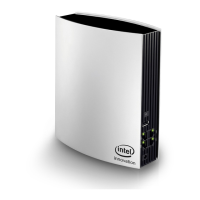
Need help?
Do you have a question about the PHICOMM M1 and is the answer not in the manual?
Instructions for setting up your computer's IP address for router connectivity.
A guided process for configuring the router's basic network and internet settings.
Selects the router's functional mode (AP, Router, Repeater, Bridge, Client).
Configures WAN connection, MTU size, and DNS server details.
Implements security measures using WEP, WPA/WPA2-Personal, or Enterprise.
Instructions to reset the router to its original default configuration.
 General
| Brand | PHICOMM |
|---|---|
| Model | M1 |
| Category | Wireless Router |
| Language | English |

 To Next Page