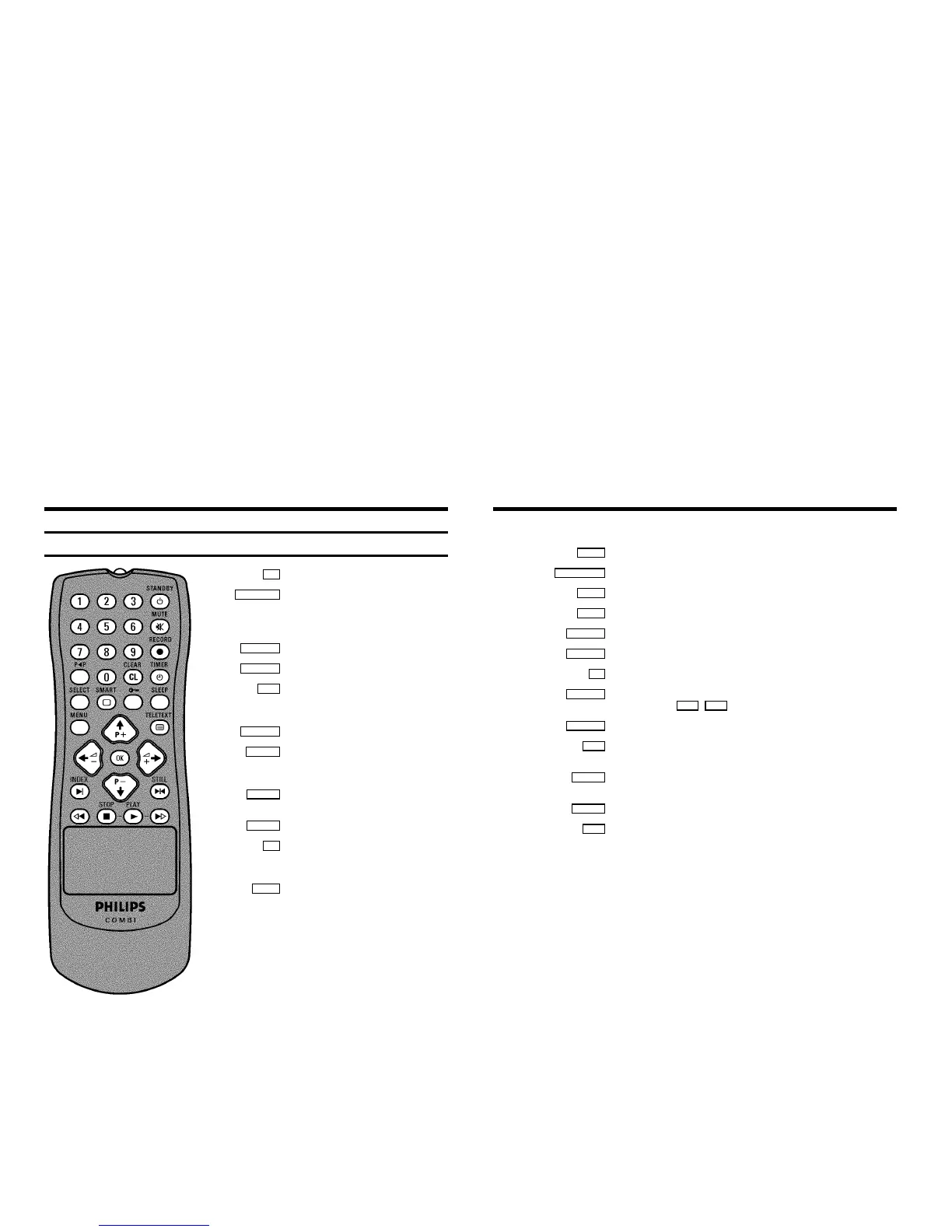
The remote control
0..9 Number buttons:0-9
STANDBY m Standby : Turn machine off, cancel current
function.
Press for more than 3 seconds: cancel current
recording
MUTE y Volume off: To switch the volume on or off
RECORD n Record: To record the programme selected
z Previous programme number: To select the
respective previously selected programme
number
CLEAR (CL) Delete : Delete last entry (data)
TIMER k TIMER: To programme recordings (e. g. with
Video Plus+) or to alter/clear programmed
TIMER recordings
SELECT Red button / select functions : e.g.: in the Timer
overview , select TELETEXT function
SMART Green button / select TELETEXT function
u Yellow button / parental control : To switch
parental control on/off , select TELETEXT
function
SLEEP Blue button / sleep timer: to select the
switch-off time in 15 minutes intervals , select
TELETEXT function
MENU Menu: To call up or close the main menu
TELETEXT e TELETEXT: To switch TELETEXT on or off
;P q Select: Next programme number / in the menu: next line
=P r Select: Previous programme number / in the menu: previous line
QSr Select: Reduce volume / in the menu: to the left or to select settings/values
SqP Select: Increase volume / in the menu: to the right or to select settings/values
OK Store/Confirm: To store or confirm entry
INDEX E Index search: Search for the previous/next recording code on the tape in
combination with H / I
STILL R Still picture: Stop the tape and show the current picture as a still picture
H Rewind : During STOP or STANDBY: rewind, during PLAYBACK: reverse picture
search
STOP h Pause/Stop: Stop the tape, except with programmed recordings (TIMER)
Press for more than 3 seconds, eject tape
PLAY G Playback: To play a recorded cassette
I Forward wind: During STOP or STANDBY: forward wind, during PLAYBACK:
forward picture search
OPERATING INSTRUCTIONS IN BRIEF













 To Next Page