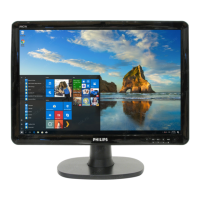
68 190CW9 LCD
General Product Specification
ʳ
4. Image size
Actual display size 410.4 x 256.5mm
4.4 Brightness uniformity
Set contrast at 100% and turn the brightness to get average above 300 nits
at centre of the screen.
Apply the Fig 1, it should comply with the following formula:
B_min
X 100% > 75% (Follow panel spec.)
B_max
Where B_max =Maximum brightness
B_min = Minimum brightness
4.5 Check Cross talk (S)
Apply Pattern 2. Set contrast and brightness at 100 %.
Measure YA. Then output Pattern 3 and measure YB.
the cross talk value :
ABS ( YA - YB )
⎯⎯⎯⎯⎯⎯⎯⎯⎯ X 100% < 1.5 %
YA
4.6 Color temperature adjustment
There are six factory preset white color 11500K, 9300K, 8200K, 7500K, 6500K,
sRGB, 5000K
Align by Philips PerfecTune (also called FGA) function.
Apply full white pattern, with brightness in 100 % position and the contrast control
at 50 % position.
The 1931 CIE Chromaticity (color triangle) diagram (x , y) coordinate for the
screen center should be:
Production alignment spec.
CIE coordinates (x,y)
11500K x = 0.270 ± 0.006
y = 0.281 ± 0.006
9300K x = 0.283 ± 0.006
y = 0.297 ± 0.006
8200K x = 0.291 ± 0.006
y = 0.306 ± 0.006
7500K x = 0.298 ± 0.006
y = 0.314 ± 0.006
6500K/sRGB x = 0.313 ± 0.006
y = 0.329 ± 0.006
http://www.wjel.net



 To Next Page