Repair Flow Chart
83
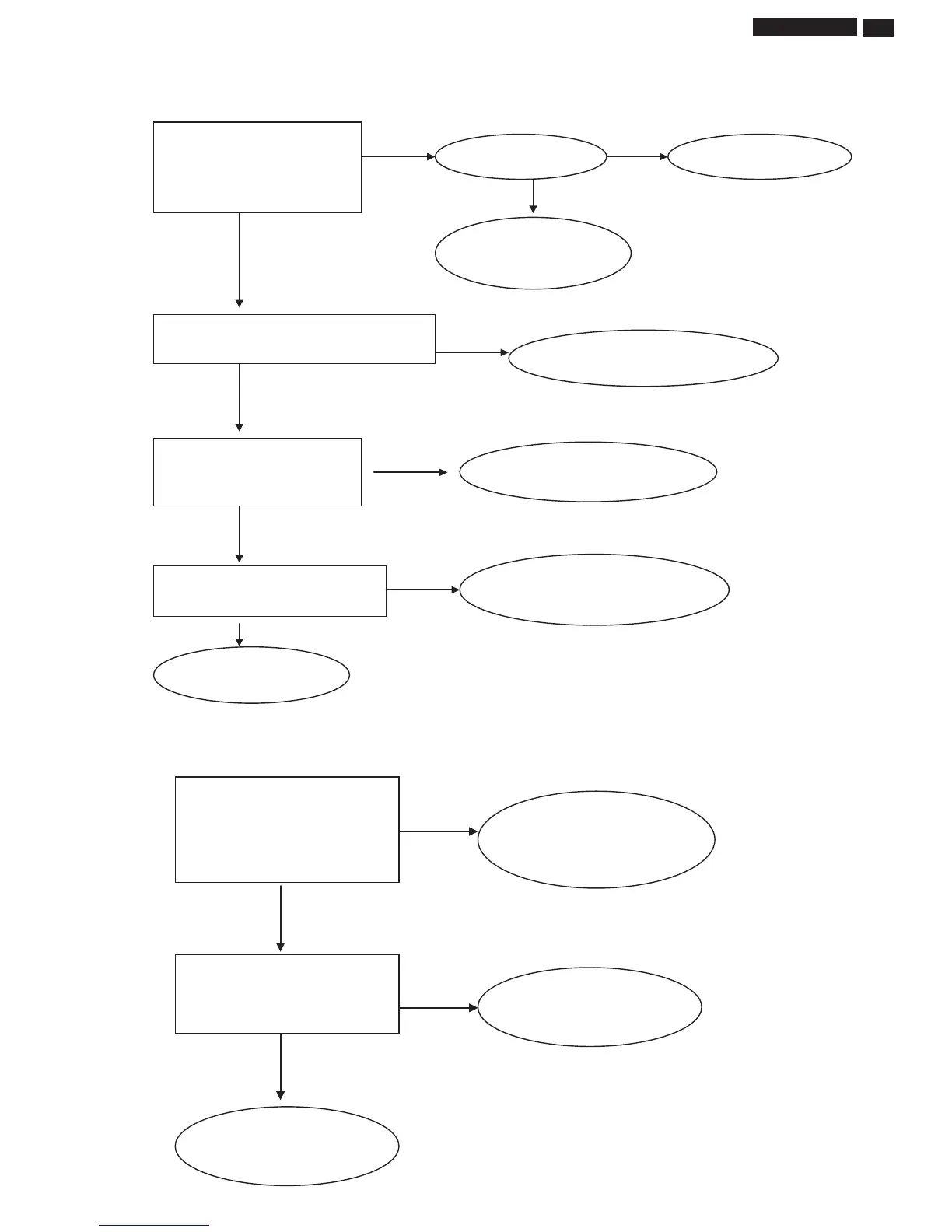
4. Power no output troubleshooting
No No
Yes
Yes
Yes
Yes
No
No
Yes
No
Yes
Check IC602 whether the C pin and
output normally
Check the IC602 related signal
Check D701 whether the output keep +19V.
The power cord is good.
Replace the power board
Replace the power cord
Detach power board from the monitor and
if the +19V of the power board output
normally
If the +19V of power board output normally
Check the D701, input signal and
o
en-short
Change interface board
Check connector whether .it is tilted
5. Inverter & LED driver no work troubleshooting
No
Yes
No
Yes
Check PIN 1 of CN701 whether the
voltage is +3.3V
Check PIN 5&6 of CN701 whether the
voltage is +5V
Check the interface and power
board
Check the power board
Replace the power board
19B4LP LCD



 To Next Page