32BDL4050D
49
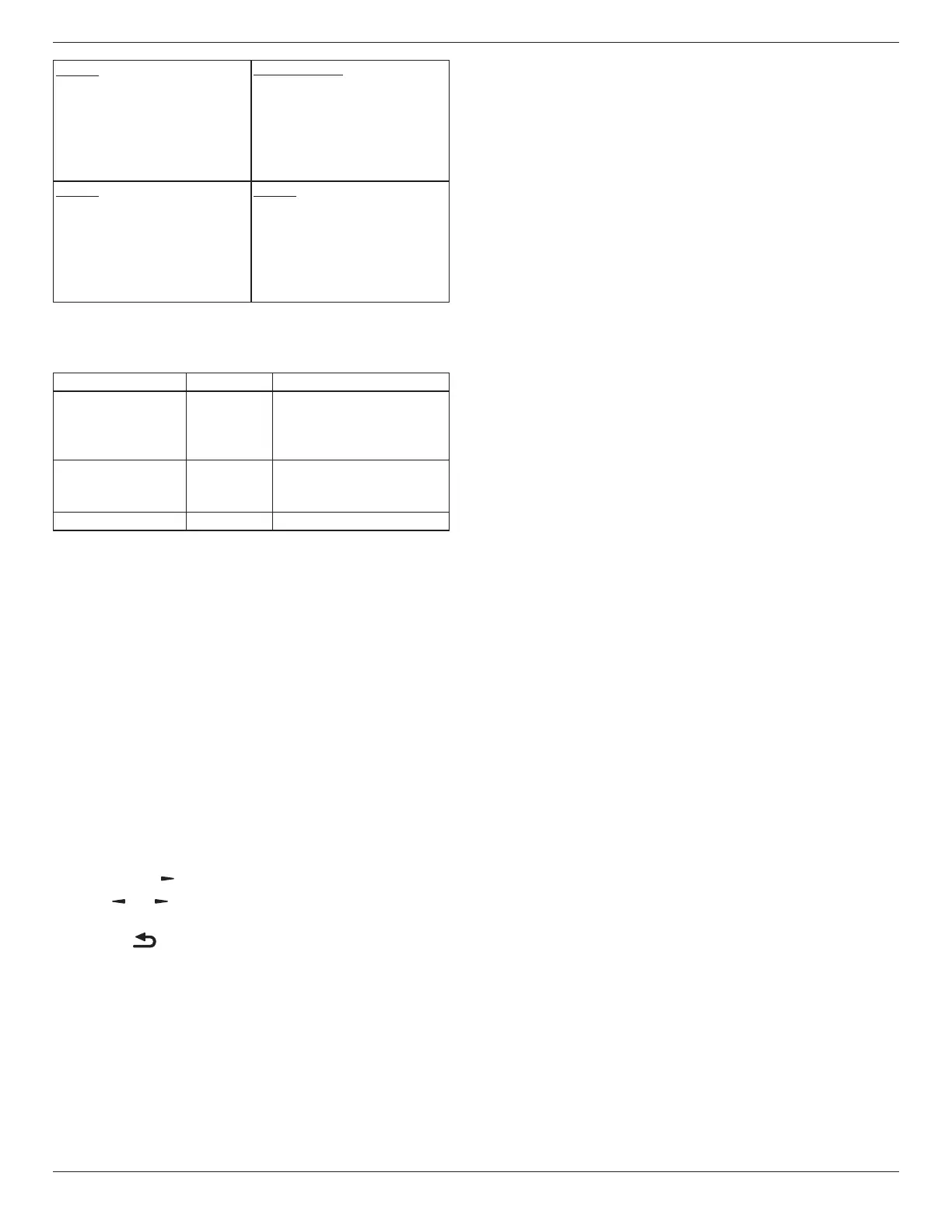
Mode3
DCOFF:
BacklightOffonly
PowerSave:
BacklightOoffonly
Mode1(default)
DCOFF:
PowerOff
PowerSave:
PowerOff
Mode4
DCOFF:
BacklightOffonly
PowerSave:
Nosignal(BacklightOn)
Mode2
DCOFF:
PowerOff
PowerSave:
PowerSaving
FollowingtableistheactionforAndroidboardwithdifferentpower
mode.
DCoff/on:PresspowerbuttonbyRC
PowermodeinOSD Mode1/2 Mode3/4
DCoff shutdown 1.ThecurrentsourceAPK(such
asMediaPlayer,Browser,PDF,
SmartCMSorCustom)willbe
closed.
2.Androidsystemwill
gotothedefaultblack
launcher.
DCon Bootup 1.Androidsystemreboots
Scalar FW Update
UpdatescalarFWbyUSB.
Auto FW Update
SetupAndroidFWautobackgroundupdatetime.
*Note:WhenAutoFWupdateisnotOFF,displaywillworkunder
Mode3forFWupdate,butOSDitemwillnotchange.
USB cloning
CopyPDsettingsfromonesettoanother.
Import:Copysettingsfromletodisplay
Export:CopyPDsettingsintole.
*Cloneddatastoresinandroidinternalstorage.UserneedtouseAPK
tocopycloneddatatoanotherdisplay.
Advanced option reset
Resetallsettingsexcept{Date and Time}intheAdvanced optionmenu
tofactorypresetvalues.
1. Press[OK]or[ ]buttontoenterthesubmenu.
2. Press[ ]
or[ ]buttontoselect{Reset}andpressthe[OK]
buttontorestoresettingstofactorypresetvalues.
3.
Pressthe[ ]buttonorselect{Cancel}andpressthe[OK]
buttontocancelandthenreturntothepreviousmenu.








 To Next Page