BDL4988XC/49BDL3005X
2
1.4. Mounting on a Wall
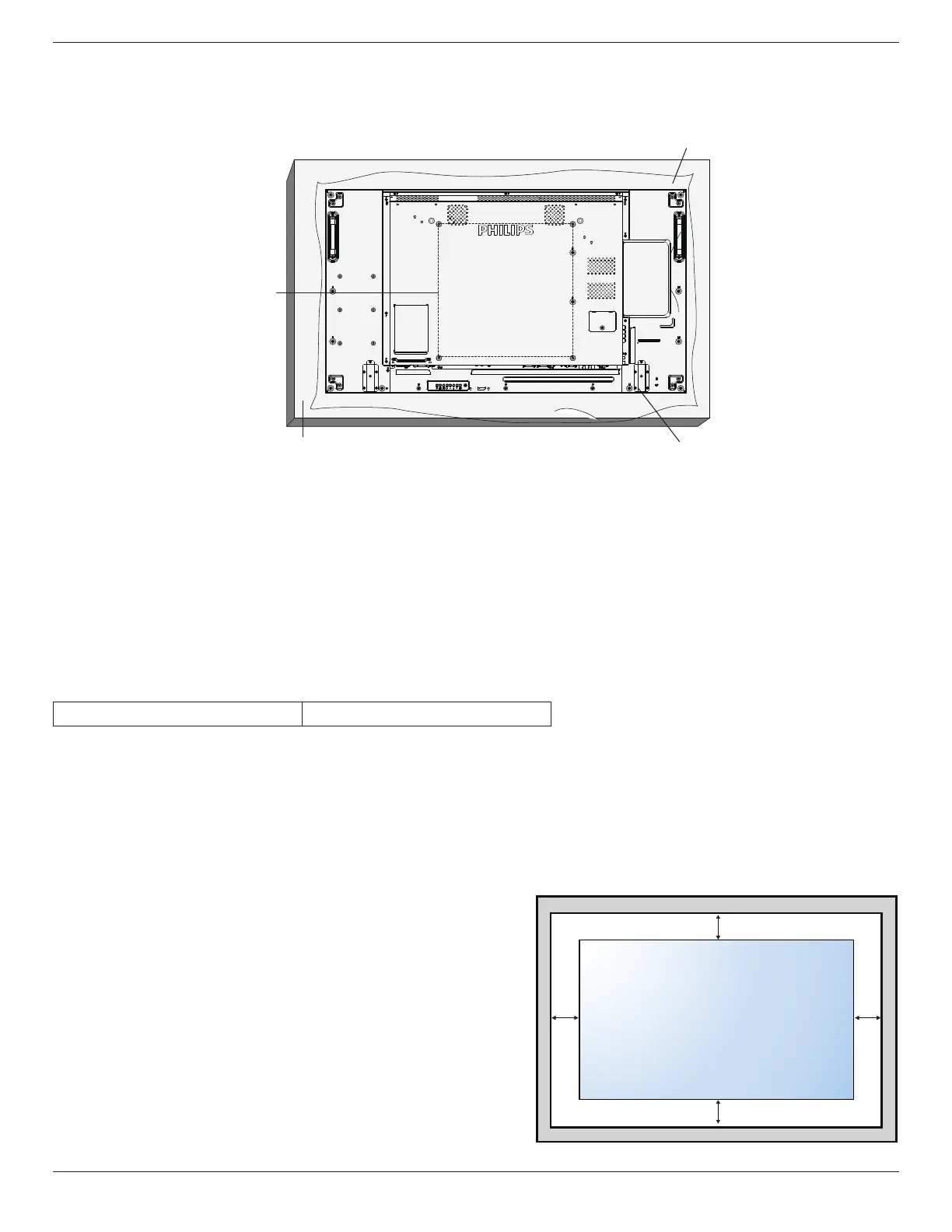
Tomountthisdisplayonawall,astandardwall-mountingkit(commerciallyavailable)isrequired.Itisrecommendedthatyouuseamountinginterfacethat
compliedwithTUV-GSand/orUL1678standardinNorthAmerica.
Protective Sheet
VESA Grid
1. Spreadaprotectivesheetonaatsurface,whichiswrappedaroundthedisplaywhenitwaspacked,beneaththescreensurfacetofacilitateyour
operationwithoutscratchingthescreen.
2. Ensureyouhaveallaccessoriesnecessaryforalltypesofmounting(wall-mounting,ceilingmounting,tablestand,etc).
3. Followtheinstructionsthatcamewiththebasemountingkit.Failuretofollowthecorrectmountingprocedurescouldresultindamagetothe
equipment,orinjurytotheuserorinstaller.Theproductwarrantydoesnotcoverthedamagecausedbyimproperinstallation.
4. Forthewall-mountingkit,usetheM6mountingscrews(withalength10mmlongerthanthethicknessofthemountingbracket)andtightenthem
securely.
5. Weightoftheunitwithoutbase=21.6kg.Theequipmentanditsassociatedmountingfacilitiesstillremainsecureduringthetest.UseonlytheUL
6. listedWallMountBracketwithaminimumweight/loadof21.6kg.
1.4.1. VESA Grid
BDL4988XC/49BDL3005X
400(H)x400(V)mm
Caution:
Topreventthedisplayfromfalling:
• Forwallorceilingmounting,werecommendthatyouinstallthedisplaywithmetalbracketswhicharecommerciallyavailable.Fordetailedinstructions
abouttheinstallation,refertotheguideprovidedwiththebracket
• Topreventthedisplayfromfallingincaseofearthquakeorothernaturaldisaster,pleaseconsultthemanufacturerofthebracketforthemounting
location.
Required space for ventilation
Leaveaspaceof100mmatthetop,rear,rightandleftofthedisplayforventilation.
100 mm 100 mm
100 mm
100 mm















 To Next Page