BDL4988XC/49BDL3005X
17
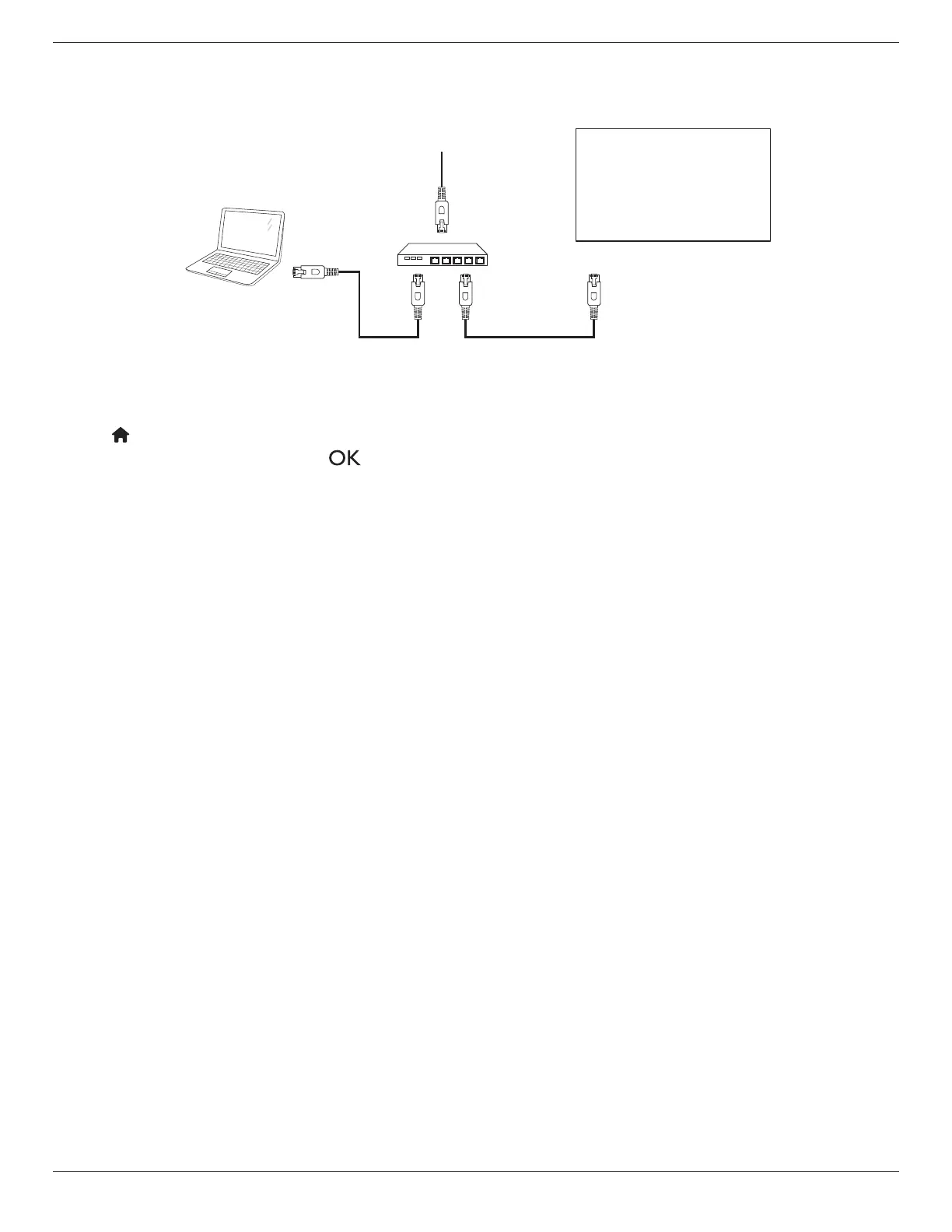
3.7. Wire-connecting to Network
Byconnectingthisdisplaytoahomenetwork,youcanplayphotos,musicandvideosfromyourcomputer.SeePlay multimedia les via Local Area Network
(Page18)fordetails.
PC
[RJ-45]
[RJ-45]
ROUTER
INTERNET
Network settings:
1. SwitchtherouterOnandenableitsDHCPsetting.
2. ConnecttheroutertothisdisplaywithanEthernetcable.
3. Press[ ] HOME
buttonontheremotecontrol,thenselect
Setup
.
4. Select
Connect to network
,thenpress[ ]button.
5. Followtheon-screeninstructionstocongurethenetwork.
6. Waituntilthisdisplayndsthenetworkconnection.
7. Ifthe“End User Licence Agreement”windowisprompted,accepttheagreement.
NOTE: ConnectwithashieldedCAT-5EthernetcabletocomplywiththeEMCdirective.















 To Next Page